Layer 3 managed switch installation manual
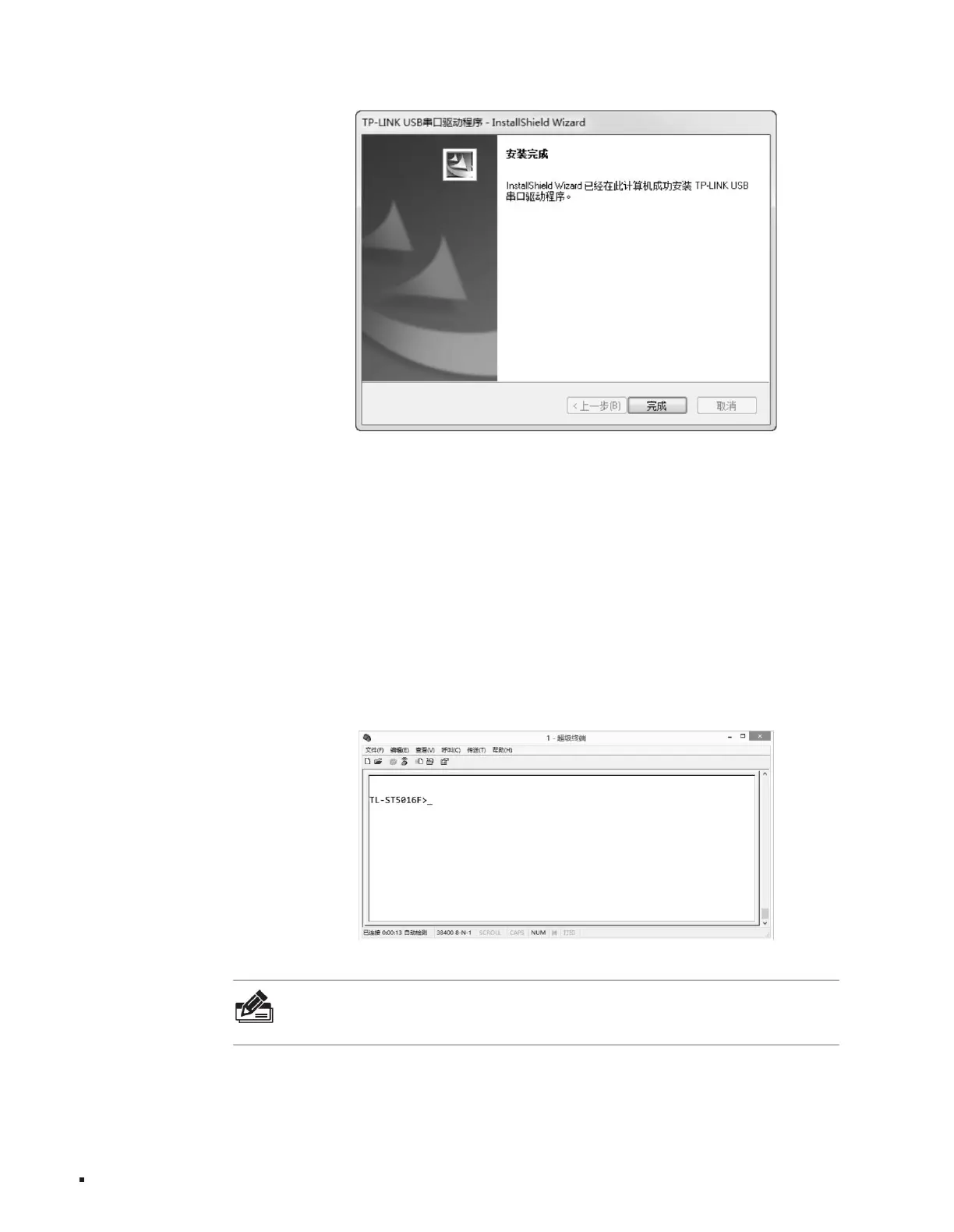
Figure 4-5Console login
Terminal, configure the required parameters as above, and then log in to the switch.
Figure 4-4 Installation completed
Note: ÿIf
the computer uses Windows XP system, you can go to Start>All Programs>Accessories>Communications>HyperTerminal and open Super
17
ÿ Baud rate:
machine, as shown in the figure below.
TL-ST5012/TL-ST5008 baud rate is 38400bps; TL-ST5016F baud rate is 115200bps ÿ Data bits: 8 bits ÿ Parity check: None ÿ Stop bit:
1 bit ÿ Data flow control:
None
3. To ensure that the computer can log in locally through the switch Console port normally, a terminal emulation program needs to be run on the
computer. Open the computer's terminal emulation program (such as the Hyperterminal program) and configure the following parameters:
4. Enter the Enter key in the main window. You can see the prompt "TL-ST5016F>", indicating that you have successfully logged in to the exchange.
Configuration Guide
Machine Translated by Google



 To Next Page