ÿ Installation safety precautions
ÿ Installation environment
precautions Altitude
Layer 3 managed switch installation manual
Note: ÿ
TL-ST5008/TL-ST5012/TL-ST5012F does not provide Console cable. ÿThe above diagram is for
reference only, please refer to the actual product. ÿIf you find any
shortage or damage of parts, please contact your local dealer in time.
WARNING: In a residential environment, operation of this equipment may cause radio interference.
08
ÿ Keep the power turned off during the installation process, wear an anti-static bracelet, and ensure that the anti-static bracelet is in good contact with your skin.
ÿ Before powering on the switch, please confirm that it will not overload the power circuit, so as not to affect the normal operation of the switch or even cause
ÿ The switch can work normally only when powered by the correct power supply. Please confirm that the power supply voltage is the same as the voltage marked on the switch.
ÿ To avoid the risk of electric shock, do not open the cover when the switch is working, even if it is not powered.
ÿ Before cleaning the switch, unplug the power plug of the switch. Do not wipe it with wet fabric and do not clean it with liquid. ÿ During use, please keep the bottom of the
switch facing downwards and place it horizontally to avoid potential safety hazards.
Product installation
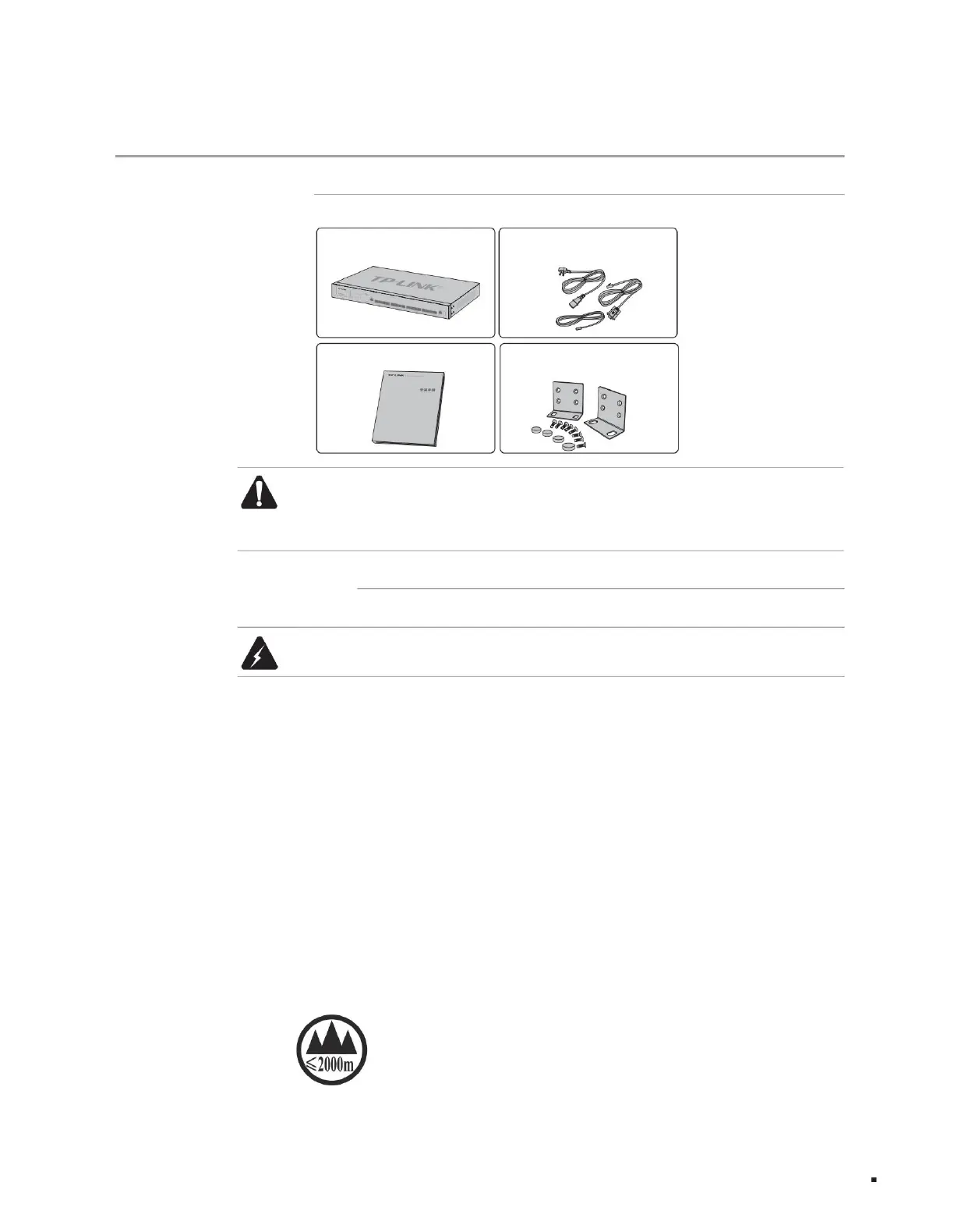
a switch
an installation manual
One power cord, one ground
wire, and one Console cable
Two L-shaped brackets for fixing to the
rack and other accessories
Easy to contact to avoid potential safety hazards;
consistent; consistent;
Do not open it yourself;
Products with this mark are only suitable for safe use in areas with an altitude below 2000m.
unnecessary damage;
2.1 Item list
2.2 Installation precautions
Chapter 2 Product Installation
Machine Translated by Google



 To Next Page