3.5 Dissolved Oxygen Stirrer
The 90-FL is equipped with a 4.5V DC output to power a stirrer for the Dissolved Oxygen sensor.
This power output is suitable for the TPS submersible DO
2
stirrer (part number 123306).
3.5.1 Enabling and Disabling the Dissolved Oxygen stirrer output
1. Select the System menu ( →→ F5:System).
2. Select F4:Stirrer Enable or F4:Stirrer Disable from the menu as required.
3.5.2 Connecting the Dissolved Oxygen stirrer
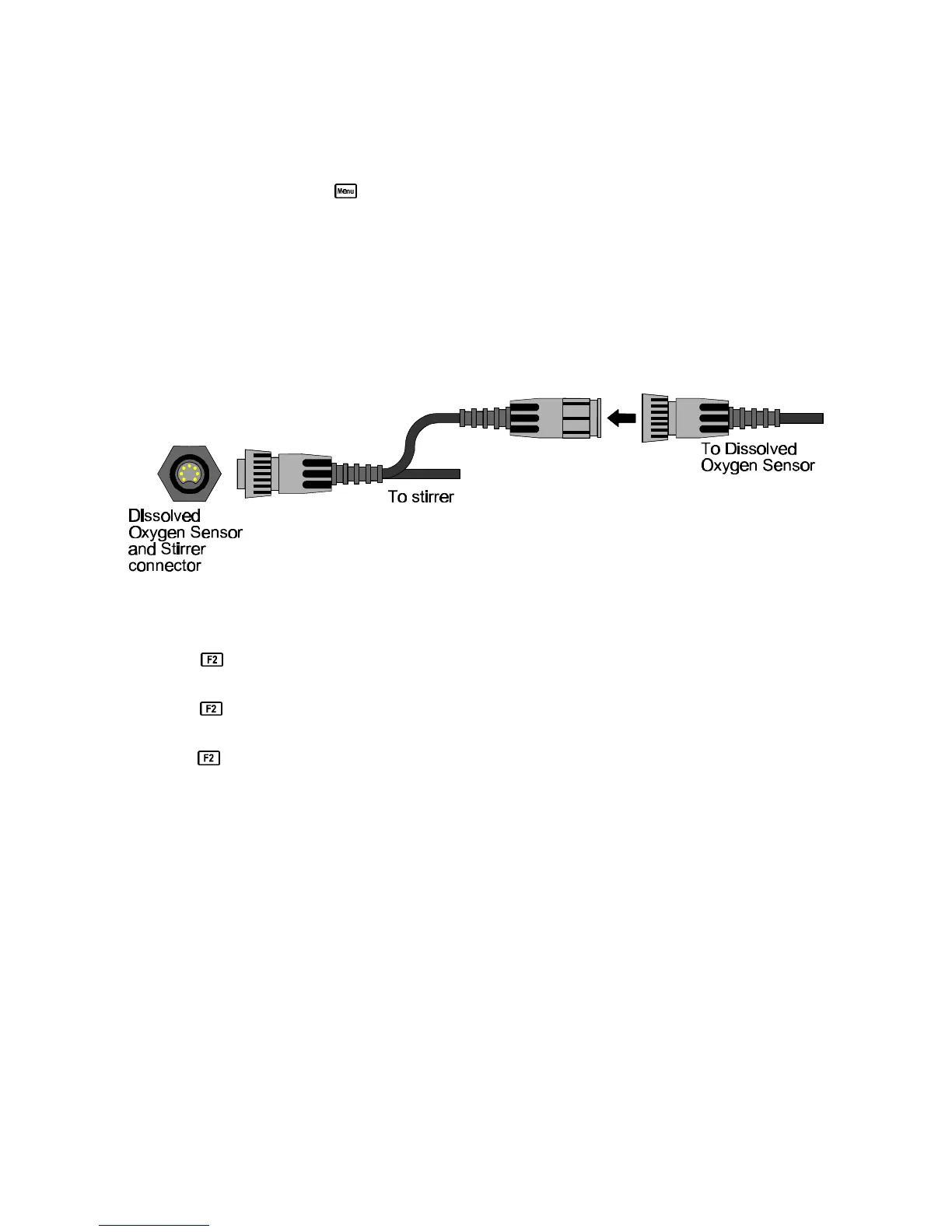
To connect the Dissolved Oxygen stirrer…
1. Plug the Dissolved Oxygen stirrer into the Oxygen socket on the meter.
2. Plug the Dissolved Oxygen sensor into the in-line socket that is provided on the stirrer cable.
Please refer to the diagram below.
3.5.3 Starting and Stopping the Dissolved Oxygen stirrer
1. Ensure that the Dissolved Oxygen stirrer output has been enabled, as per section 3.5.1.
2. Press once in normal display mode to start the stirrer. The stirrer will stay on for 40
seconds and then stop. A countdown is provided on the screen.
3. Press a second time any time during the 40 second period to set the Dissolved Oxygen
stirrer to operate continuously.
4. Press a third time to stop the Dissolved Oxygen stirrer.
The Dissolved Oxygen stirrer starts and stops automatically when the 90-FL is in Rate per Day or
Time of Day automatic datalogging mode. See sections 9.3.1 and 9.3.2.



 To Next Page