5.4 TDS Calibration
Before attempting a TDS calibration, ensure that the 90-FL has been set up correctly according to
sections 5.1 to 5.3.
1. Plug the TDS sensor into the Cond/Sal socket.
2. Rinse the TDS sensor in distilled water. Shake off as much water as possible. Blot the outside
of the sensor dry. DO NOT BLOT THE ELECTRODE PLATES.
Zero Calibration
3. Let the sensor dry in air.
4. Select TDS Calibration ( →→ F1:Calibrate →→ F2:TDS).
5. The 90-FL will recognise the low TDS signal and attempt a Zero calibration. For example…
0*01ppM 25.0
o
c
TDS ZERO Calibration,Press Enter
6. When the reading has stabilised at or near zero, press to calibrate or to quit. The “ ∗ ”
will not be removed after a zero calibration.
Standard Calibration
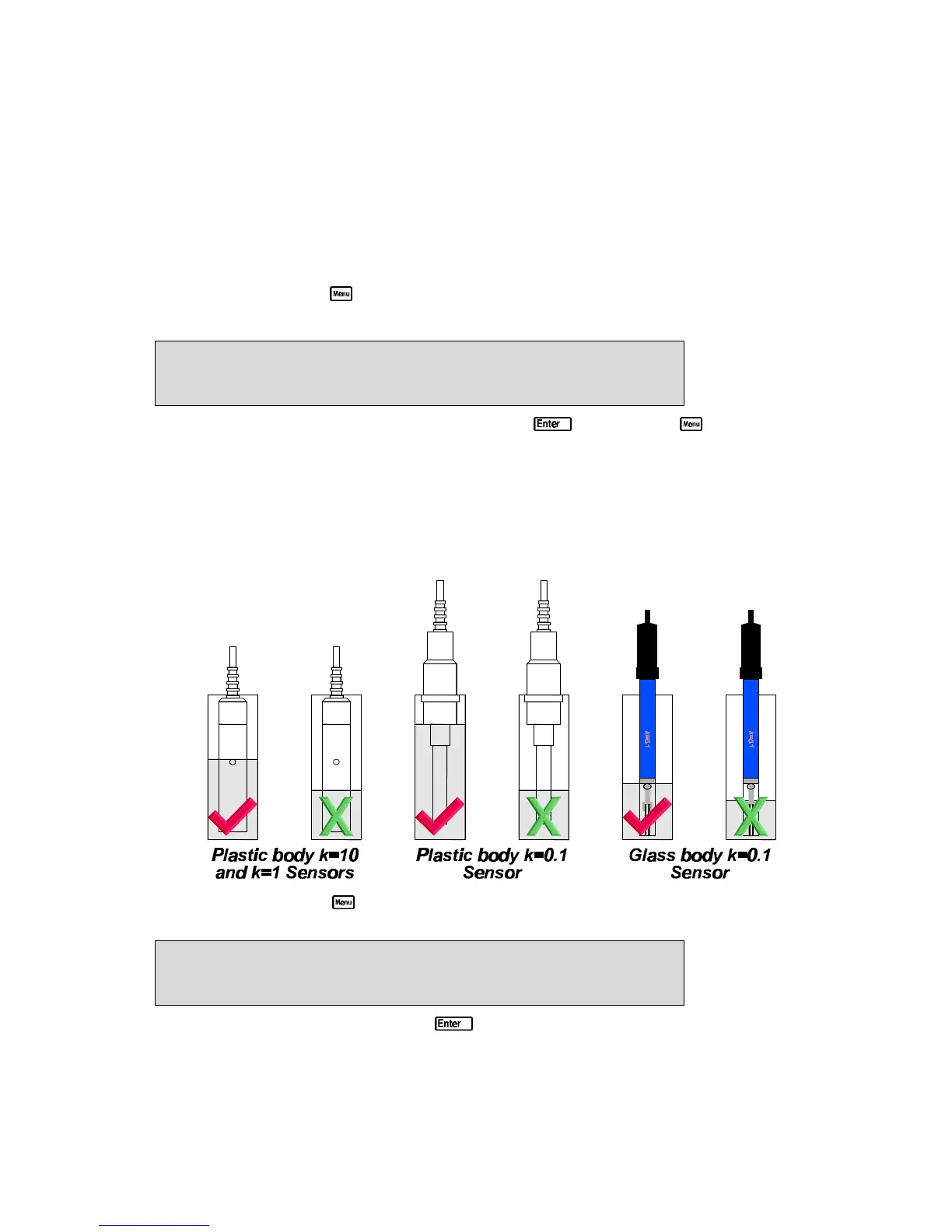
7. Place the TDS sensor into a sample of TDS standard. Ensure that it is immersed correctly, as
per the diagram below.
DO NOT place the sensor directly into the bottle of standard. Discard the used sample of
standard after use.
8. Select TDS Calibration ( →→ F1:Calibrate →→ F2:TDS). The calibration screen will
be displayed with the TDS standard to be used. For example…
36*10ppK 25.0
o
c
TDS 36.00ppK Calibration,Press Enter
9. When the reading has stabilised, press to calibrate. The “ ∗ ” will now be replaced by a
decimal point if calibration was successful.
10. The 90-FL is now calibrated for TDS and is ready for use in this mode.
Ensure that the sensor is immersed at least as deeply as per the diagram in step 7 for all sample
measurements.



 To Next Page