8.8 Calculated Data
Prompts that are skipped or for which guesses are entered may be replaced by data
calculated by the ProtoTRAK KMX CNC. Calculated data is shown in red in order to
distinguish it from the data that you entered. You cannot edit calculated data, but you
may edit your original input. By putting the event with the calculated data on the right
side of the screen, you may position the cursor to the prompt and re-input the data.
8.9 Arcs and Conrads
If the print is missing a lot of data, it may be desirable to program arcs as separate
events where possible. This gives the system more information to work with.
8.10 Tangency
Tangency can occur between a mill and arc or an arc and arc. Specifically it means that
the two events share one and only one point. You would answer yes to the TANGENCY
prompt if the event you are programming is tangent to the previous event. The
information that events are tangent helps the Auto Geometry Engine calculate other
dimensions.
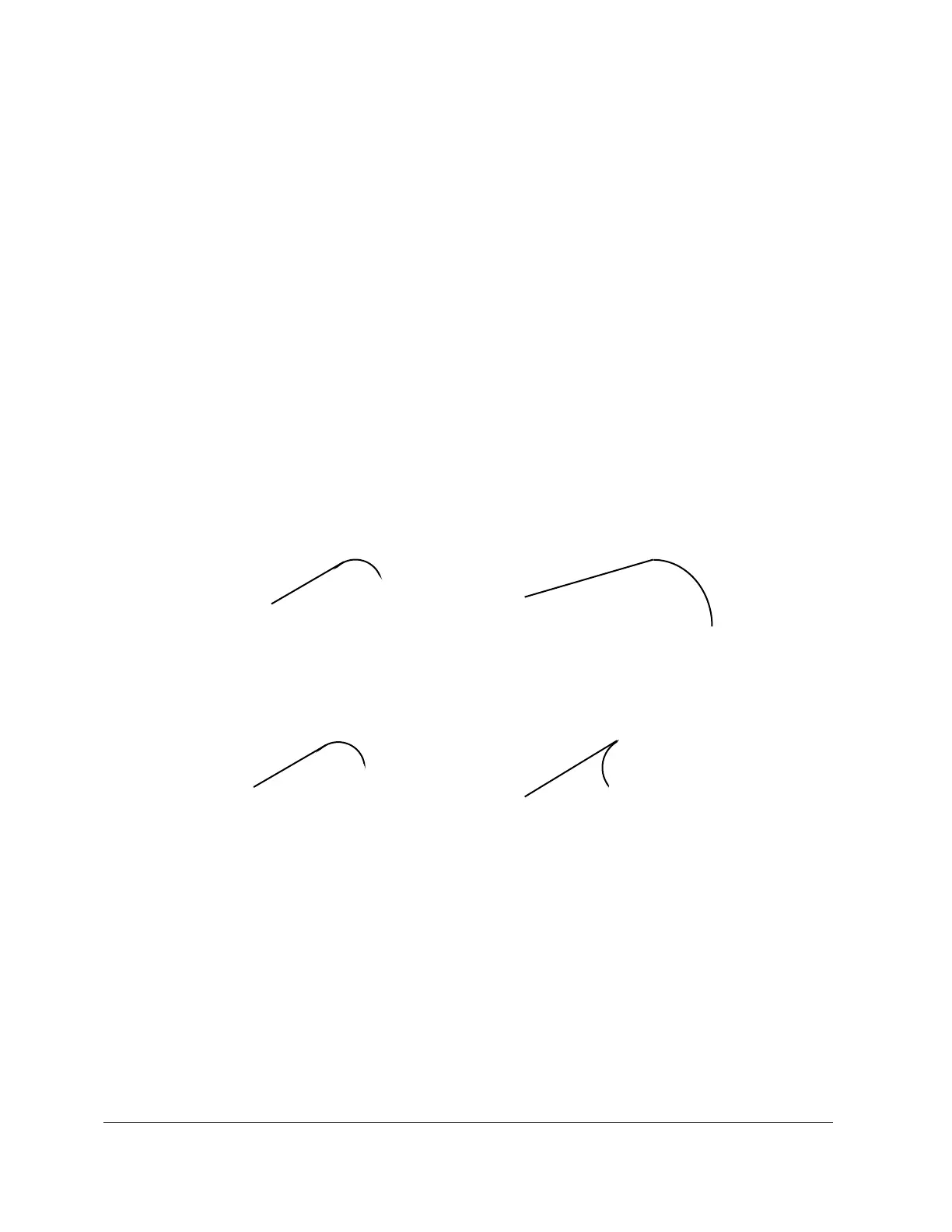
You can often tell by looking at the print if events are tangent: tangent intersections
tend to blend smoothly, without a sharp corner.
smooth, probably tangent sharp, not tangent
For the A.G.E., the tangent mill or arc is assumed to continue in the same direction, and
not double back on the previous event:
like this not this


 To Next Page