TK 55711-19-OP-EN
23
Operating Instructions
HMI Control Panel
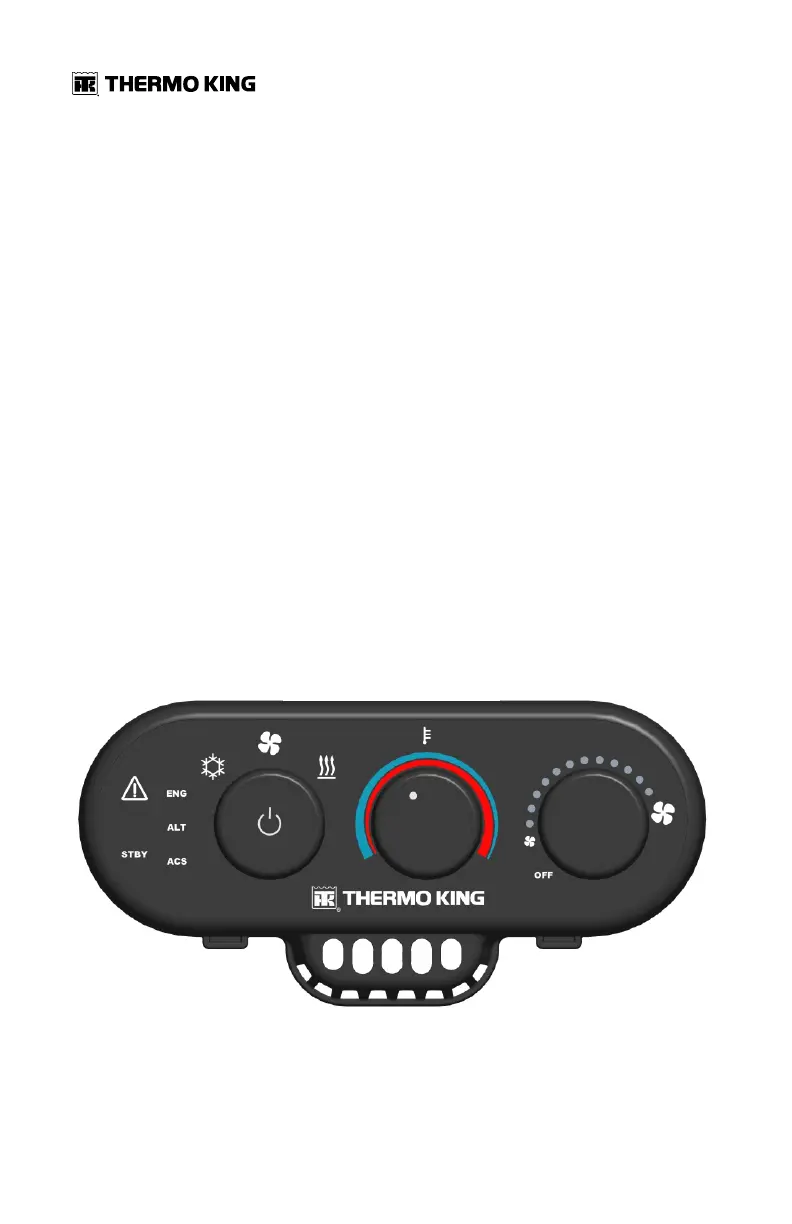
The HMI (Human Machine Interface) Control Panel is the operator’s control
module. The HMI is typically mounted in the bunk area of the truck cab. It
has three selector knobs and a system condition display. The HMI contains
an internal Cab Temperature Sensor. It communicates with the Base
Controller using the Controller Area Network (CAN) communication bus.
The operator can select these functions from the HMI:
• System On/Off
• Mode (Cool, Fan, Heat)
• Desired Cab Temperature (Cooler-Warmer)
• Fan Speed (OFF, Auto, variable)
When any change of settings is made, there is a two second delay before the
Base Controller will recognize the new setting. This prevents momentary or
accidental mode changes.
The HMI indicator LEDs will dim after 90 seconds if no selections are made.
Tap the On/Off button to activate bright display for an additional 90 seconds.
Figure 13. HMI Controller


 To Next Page