TK 55711-19-OP-EN
27
Fan Speed Selection
The available Evaporator Fan speed selections are:
• Off
• Low
• Medium
• High
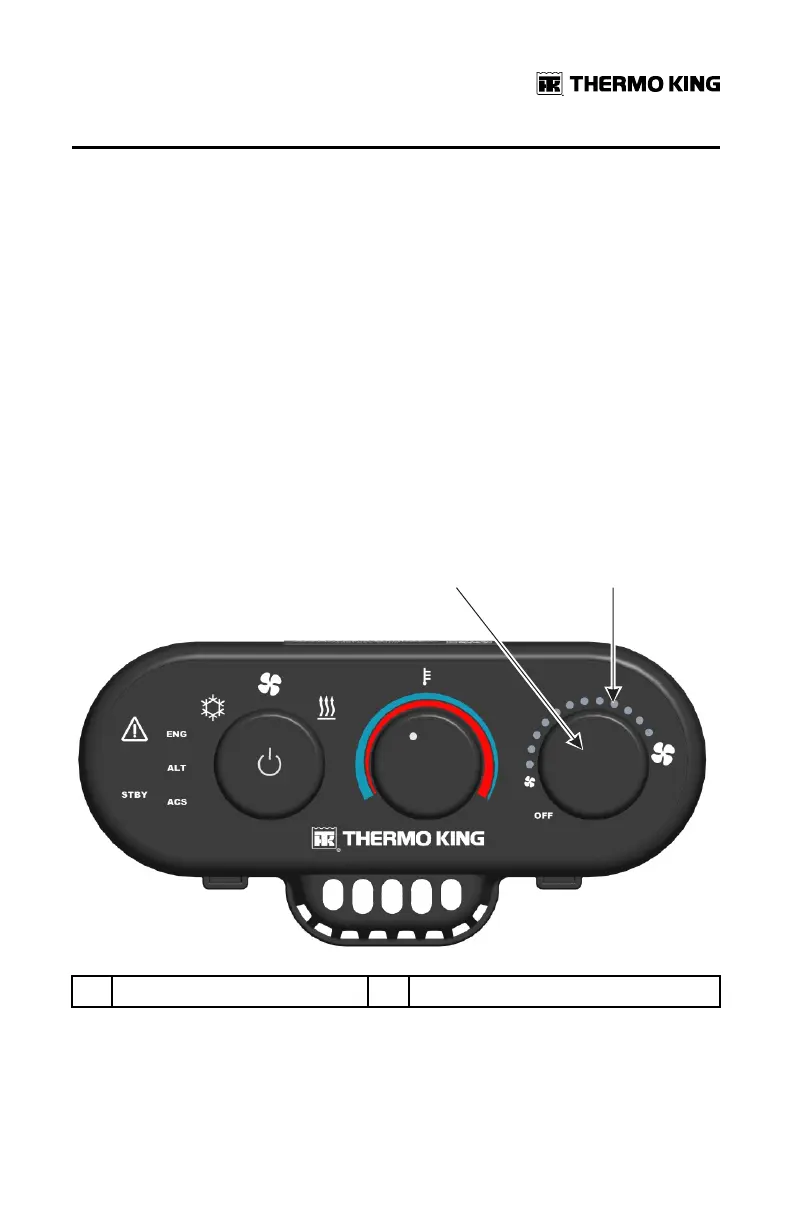
Rotating the Fan Speed Selector knob clockwise will increase fan speed,
counterclockwise will decrease fan speed. As fan speed increases or
decreases, groups of four LEDs will progressively turn on or off as the fan
operates at the chosen speed. If Air Conditioning mode is selected and Fan
Speed is set OFF, the fan speed will default to LOW. When Fan Only or Heat
mode are selected Fan Speed will default to OFF. A fan speed may then be
chosen by rotating the Fan Speed Selector.
Figure 17. Rotate Fan Speed Selector Knob to Adjust Fan Speed
1. Fan Selector Knob 2. LEDs
OOppeerraattiinngg IInnssttrruuccttiioonnss


 To Next Page