TK 55711-19-OP-EN
31
• TThhee TTrruucckk iiggnniittiioonn sswwiittcchh iiss iinn tthhee OOffff oorr AAcccc ppoossiittiioonn.. If the TriPac
system is turned on the unit operates normally.
• TThhee TTrruucckk iiggnniittiioonn sswwiittcchh iiss iinn tthhee SSttaarrtt oorr OOnn ppoossiittiioonn.. The TriPac
unit is forced to Standby mode. The HMI Control Panel STBY indicator
will illuminate.
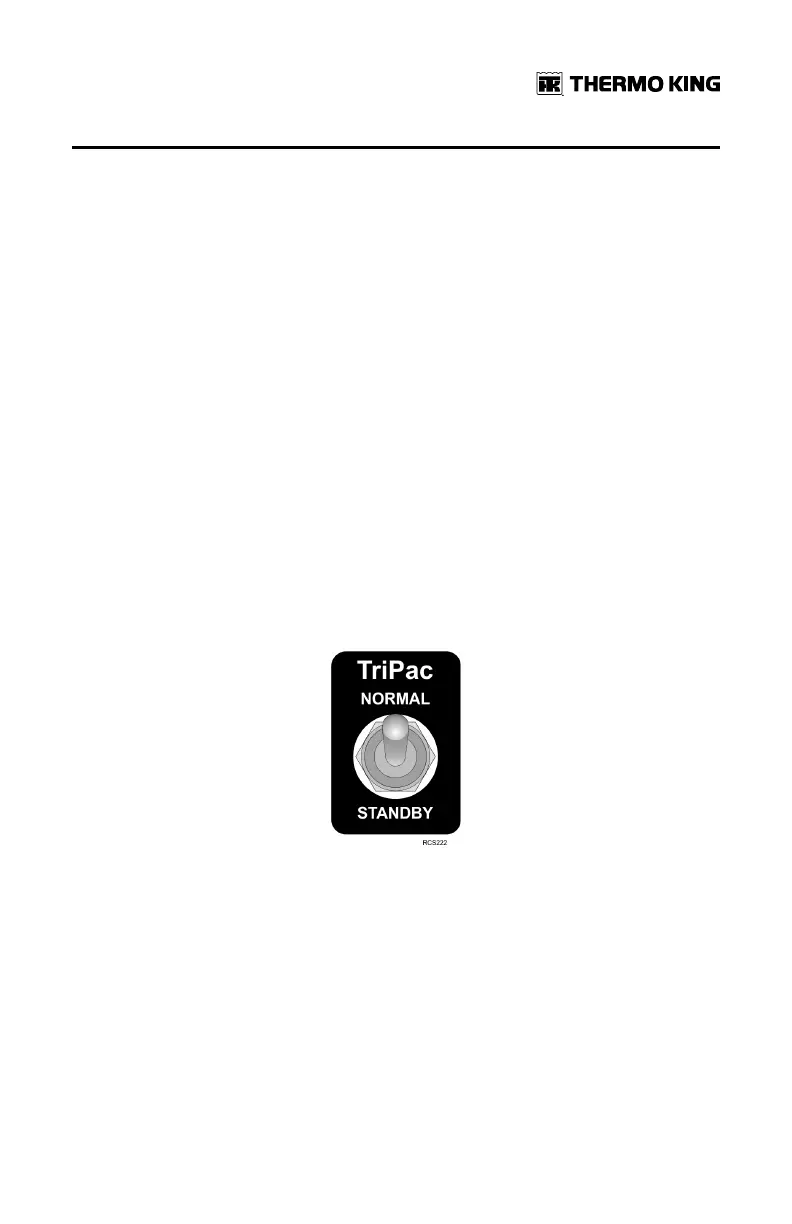
SSttaannddbbyy TTrruucckk IInntteeggrraattiioonn -- wwiitthh DDaasshh--MMoouunntteedd SSeelleeccttoorr SSwwiittcchh
((OOppttiioonn))
An optional wire harness connects the truck ignition switch and dash
mounted selector switch to an input connection on the TriPac interface
board. The board monitors voltage on this circuit.
Dash-mounted selector switch is in the NNOORRMMAALL position:
• If the TriPac system is turned on the unit operates normally. The system
will respond to the truck ignition as with the Standby Truck Integration
option.
Dash-mounted selector switch is in the SSTTAANNDDBBYY position:
• The TriPac system will enter Standby Mode. This allows the operator to
disable the TriPac system without accessing the HMI Control Panel in the
sleeper.
Figure 19. Dash-Mounted Standby Switch
Monitor Mode
IImmppoorrttaanntt:: Battery and engine temperature monitoring are disabled if TriPac
system is turned off at the HMI.
Activate
By default Monitor Mode is active when the TriPac system is turned on at the
HMI Control Panel but an operating mode has not been selected by the
operator. Monitor Mode is also active when the truck ignition has been
OOppeerraattiinngg IInnssttrruuccttiioonnss


 To Next Page