© Copyright 2012 TRENDnet. All Rights Reserved.
18
TRENDnet User’s Guide
TEW-715APO
AP Repeater Mode
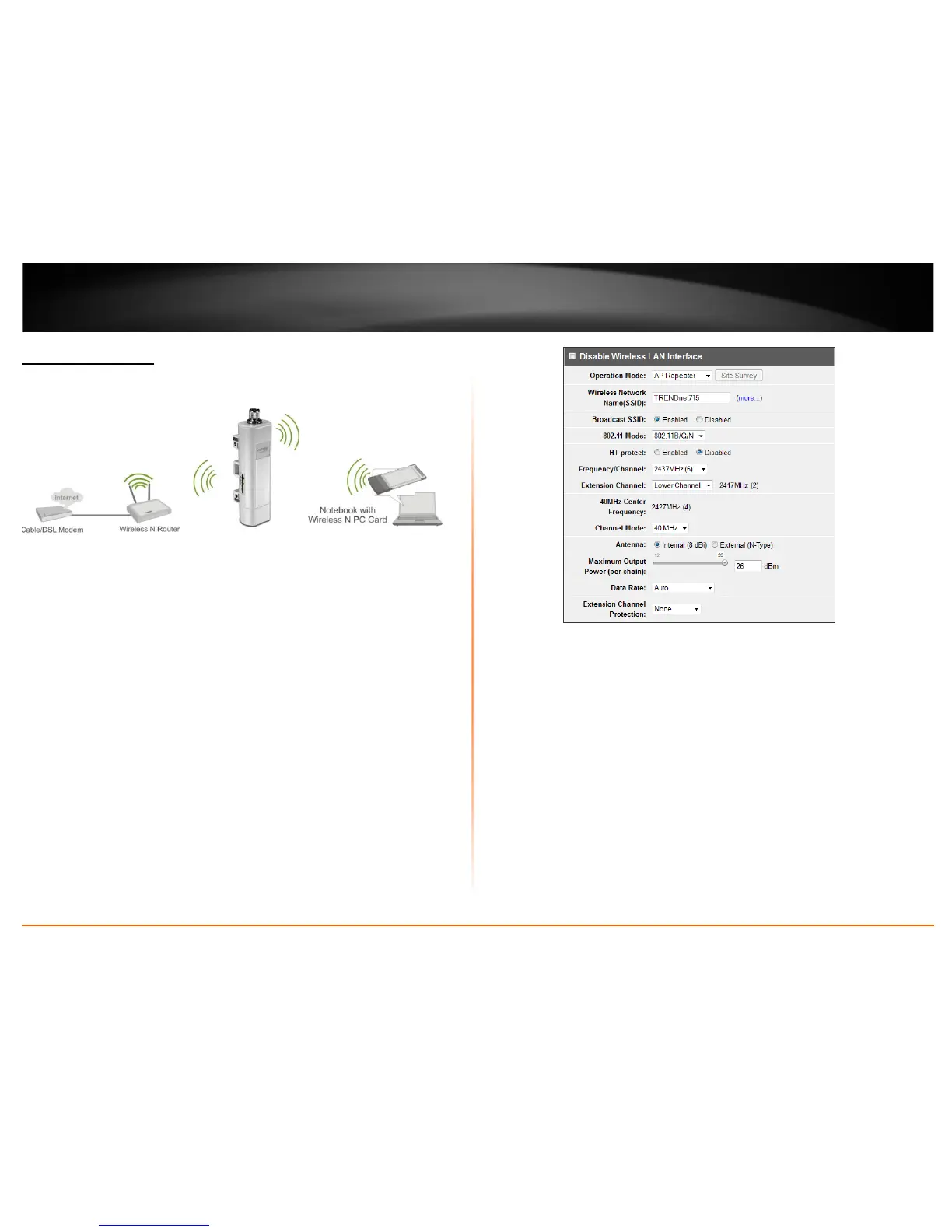
Wireless > Basic.
AP Repeater mode allows the access point to repeat a wireless signal of an existing
wireless network. This section outlines available management options when the device
System Setting is set to Bridge and the wireless Operation Mode is set to AP Repeater.
Click Apply to save any changes.
Note: The access point’s wireless settings must be configured with the exact wireless
settings as the repeating signal (Network name, channel, wireless security, etc.)
• Disable Wireless LAN Interface:
o Check/Off: turns off wireless networking on your router.
o Unchecked/On: turns on the wireless networking on your router (by default
it is enabled).
Note: It is recommended to leave the wireless setting to On unless you do not plan
on connecting any wireless computers or devices to your network.
• Operation Mode: Select the mode you want the access point to operate in.
o AP: refer to pagexxxx for additional information.
o Wireless Client: refer to page xxx for additional information
o Bridge: refer to page xxx for additional information
o AP Repeater: refer to page xxx for additional information to operate the
device as an access point.
• Wireless Network Name (SSID): This acronym stands for Service Set Identifier
and is the name of your wireless network. You can manually enter the wireless
network you want to repeat.
• Broadcast SSID:
o Enable: Access point will broadcast the your wireless network name (SSID),
making it easier for wireless clients to find the wireless network.















 To Next Page