© Copyright 2012 TRENDnet. All Rights Reserved.
39
TRENDnet User’s Guide
TEW-715APO
Open a device on your network to the Internet
DMZ
Firewall Settings > DMZ Setting
You may want to expose a specific computer or device on your network to the Internet
to allow anyone to access it. Your router includes the DMZ (demilitarized zone) feature
that makes all the ports and services available on the WAN/Internet side of the router
and forwards them to a single IP address (computer or network device) on your
network. The DMZ feature is an easy way of allowing access from the Internet however,
it is also very insecure method.
1. Log into the management page (see “
Access the management page” on page 9).
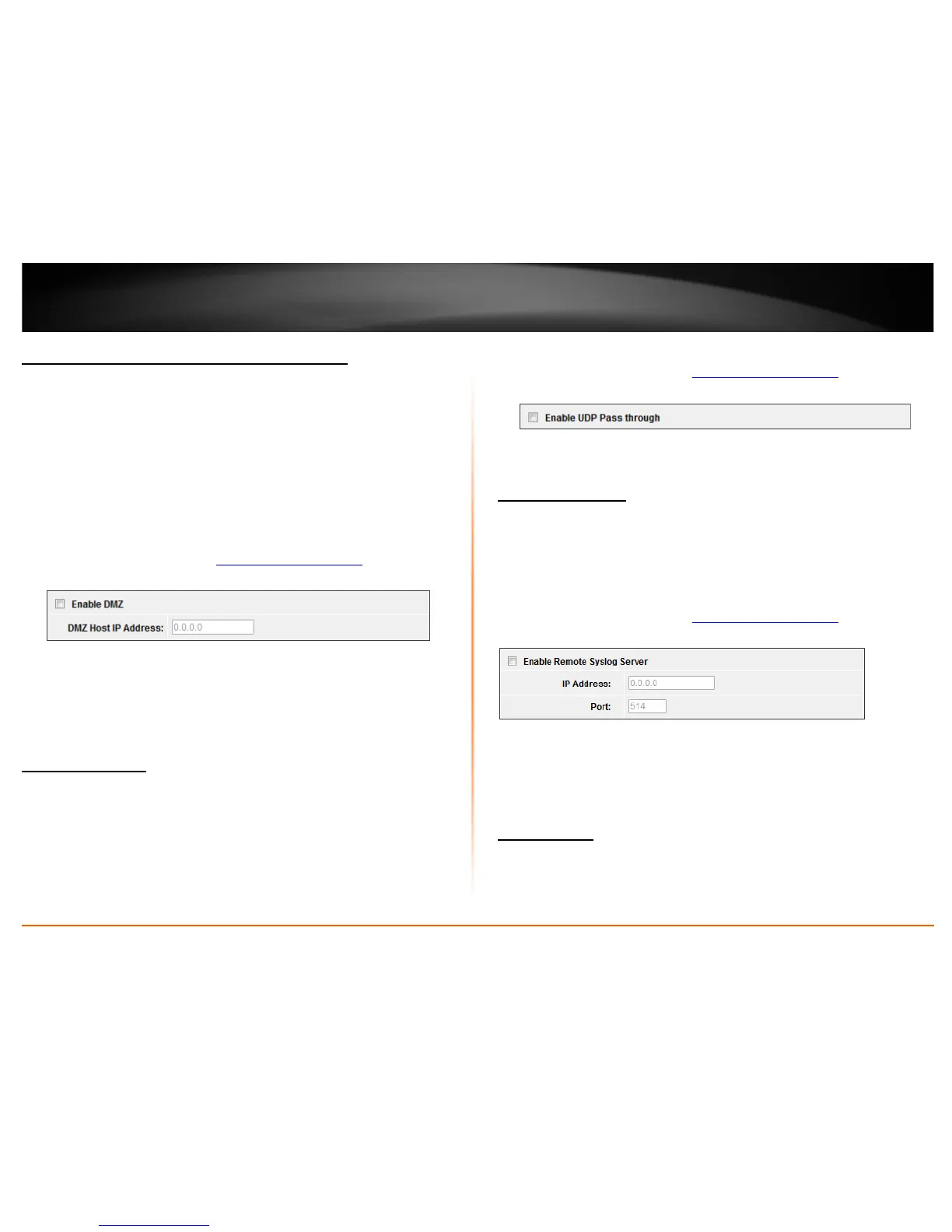
2. Click on Firewall Settings, and click on DMZ Setting. Click Apply to save settings.
• Enable DMZ: Check this option to enable DMZ
• DMZ Host IP Address: Enter the IP address you would like to apply DMZ.
UDP Pass through
Firewall Settings > UDP Pass through
You may want to expose a specific computer or device on your network to the Internet
to allow anyone to access it. Your router includes the DMZ (demilitarized zone) feature
that makes all the ports and services available on the WAN/Internet side of the router
and forwards them to a single IP address (computer or network device) on your
network. The DMZ feature is an easy way of allowing access from the Internet however,
it is also very insecure method.
1. Log into the management page (see “
Access the management page” on page 9).
2. Click on Firewall Settings, and click on UDP Pass through. Click Apply to save settings.
• Enable UDP Pass through: Check this option to enable UDP Pass through
Configure your log
Tool Settings > System Log
You may want send your router log to your e-mail address or to an external log server
(also known as Syslog server) so you can check it periodically while away from home.
You may also want to only see specific categories of logging.
1. Log into the management page (see “
Access the management page” on page 9).
2. Click on Tools, and click on System Log. Click Apply to save settings.
• Enable Remote Syslog Server: Check this option to enable DMZ
• IP Address: enter the IP address (e.g. 192.168.10.250) of the external log server
to send
• Port: Enter the port used on your log server.
View your log
Tool Settings > System Log















 To Next Page