© Copyright 2012 TRENDnet. All Rights Reserved.
23
TRENDnet User’s Guide
TEW-715APO
Wireless > Profile
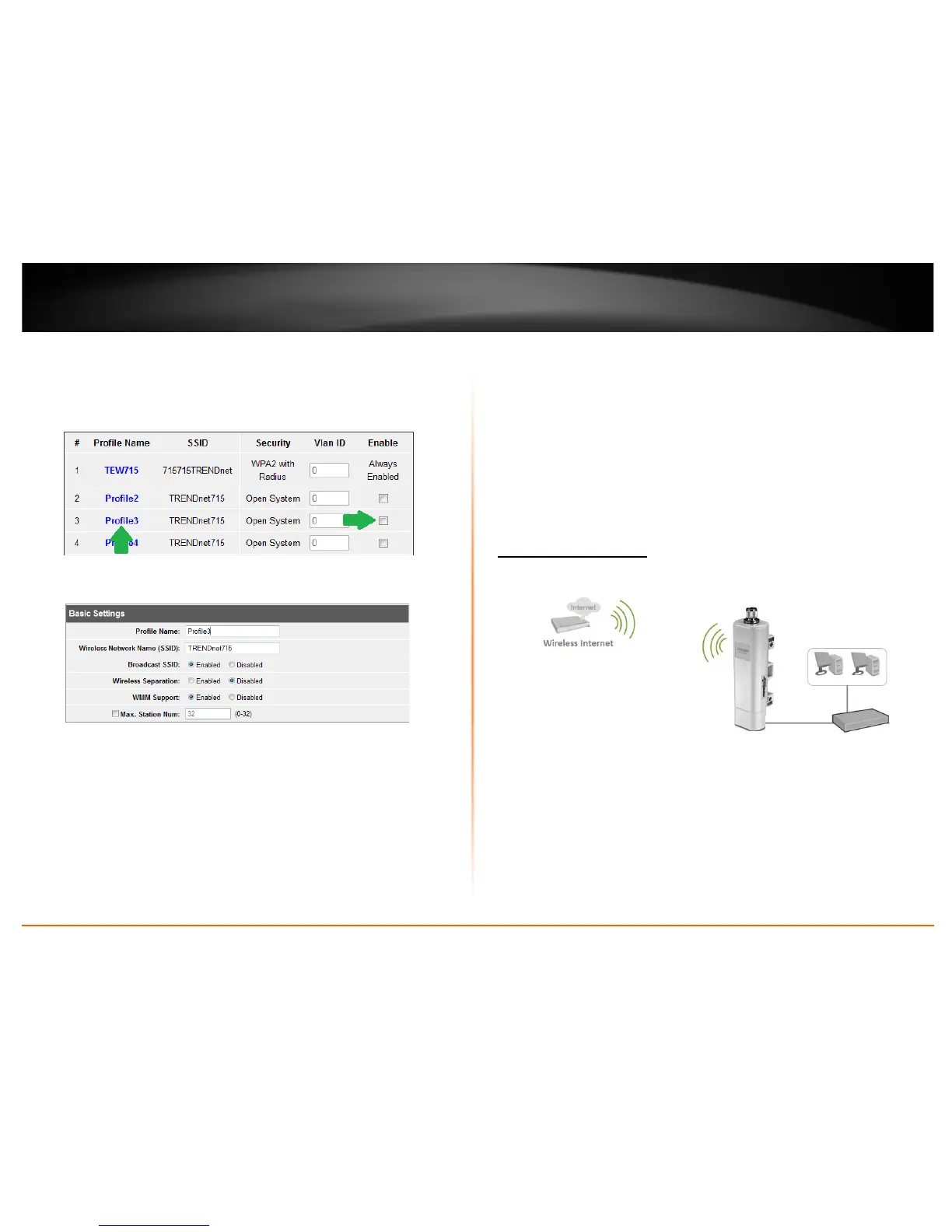
This section outlines available management options under the Profile Settings of the
Wireless button. This access point supports multiple SSID, you can set an additional of
16 SSSID for your wireless network.
• Select Always Enabled option and click the Profile Name you would like to
configure.
The following section outlines options to configure the basic settings of the multiple
SSID.
• Profile Name: Enter the profile name of the network name you are configuring.
• Wireless Network Name (SSID): This acronym stands for Service Set Identifier
and is the name of your wireless network. It differentiates your wireless network
from others around you.
• Broadcast Network Name (SSID):
o Enabled allows wireless devices to search and discover your wireless network
name (also called SSID) broadcasted by your router.
o Disabled turns off the ability for wireless devices to find your network. It is
still possible for wireless devices to be configured to connect to your wireless
network.
• Wireless Separation:
o Enabled separates all wireless clients connected to this SSID, clients cannot
communicate with each other.
o Disabled allows all wireless clients connect to this SSID to communicate with
each other
• WMM: Wi-Fi Multimedia is a Quality of Service (QoS) feature which prioritizes
audio and video data packets. This feature requires the wireless device to also
support WMM. Click Enabled (recommended) or Disabled to turn this feature on
or off on your router.
• Max. Station Num.: Select this option to limit the amount of clients who can
connect to this SSID.
o Enter the amount of clients you would like to limit.
Wireless Client Mode
Wireless > Basic
When Wireless Client is selected, the device connects to a wireless network (similar to a
wireless adapter) in which the wireless network the device is connecting to serves as
your Internet connection. The Ethernet port serves as a LAN (Local Area Network) port
of the device and the wireless settings is based on your ISP (Internet Service Provider)
connection. This section outlines available management options under the Basic
Settings of the Wireless button when the Operation Mode is set to AP Client and will
assist in setting up the access point. Click Apply to save any changes.















 To Next Page