© Copyright 2012 TRENDnet. All Rights Reserved.
37
TRENDnet User’s Guide
TEW-715APO
Access Control
Source IP Filtering
Firewall Setting > Src IP Filtering
The Source IP Filtering gives users the ability to restrict certain types of data packets
from your local network to the access point. Use of such filters can be helpful in securing
or restricting your local network. Please note that this feature is only available when
access point System Mode is set to Router.
1. Log into the management page (see “
Access the management page” on page 9).
2. Click on Firewall Settings, and click on Src IP Filtering. Click Apply to save settings.
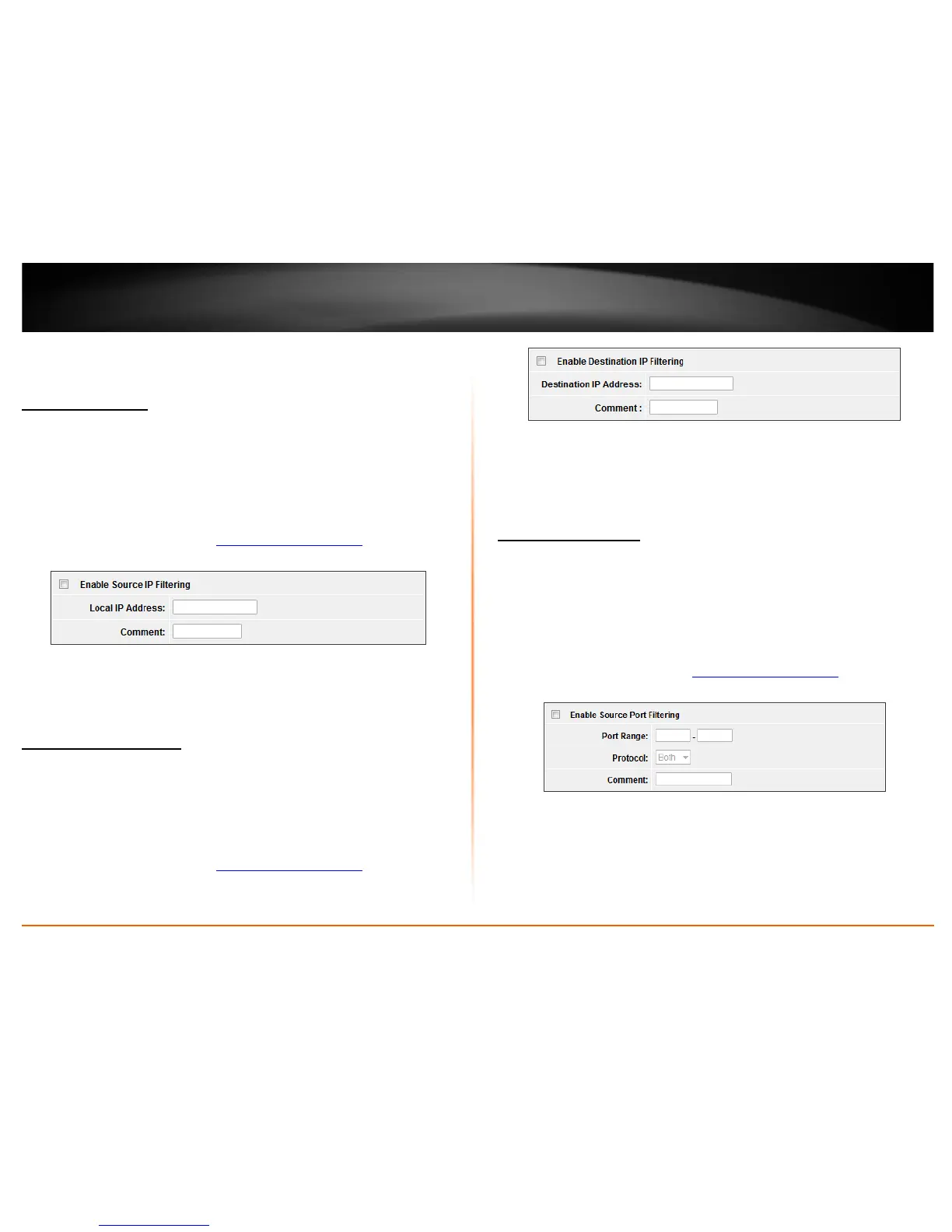
• Enable Source IP Filtering: Check this option to enable source IP filtering
• Local IP Address: Enter the IP address you would like to apply the IP filtering rule.
• Comment: Enter any notes you would like to add to distinguish the rule.
Destination IP Filtering
Firewall Setting > Dst IP Filtering
The destination IP filtering gives you the ability to restrict the computers in LAN from
accessing certain websites in WAN according to specified IP addresses. Please note that
this feature is only available when access point System Mode is set to Router.
1. Log into the management page (see “
Access the management page” on page 9).
2. Click on Firewall Settings, and click on Dst IP Filtering. Click Apply to save settings.
• Enable Destination IP Filtering: Check this option to enable source IP filtering
• Destination IP Address: Enter the IP address you would like to apply the
destinationIP filtering rule.
• Comment: Enter any notes you would like to add to distinguish the rule.
Source Port Filtering
Firewall Setting > Src Port Filtering
The source port filtering enable you to restrict certain ports of data packets from your
local network to Internet through the access point. Use of such filters can be helpful in
securing or restricting your local network. Please note that this feature is only available
when access point System Mode is set to Router.
1. Log into the management page (see “
Access the management page” on page 9).
2. Click on Firewall Settings, and click on Src Port Filtering. Click Apply to save settings.
• Enable Destination IP Filtering: Check this option to enable source IP filtering
• Port Range: Enter the range of ports you would like to apply the source port
filtering.
• Protocol: Select the protocol you would like to filter. From UDP, TCP or Both (UDP
and TCP).
• Comment: Enter any notes you would like to add to distinguish the rule.















 To Next Page