© Copyright 2015 TRENDnet. All Rights Reserved.
WAN (Wide Area Network) or Internet port. Please verify your network configuration
when using this mode. Please refer to Internet Service Types section in the Appendix to
help determine your Internet settings.
Configuration
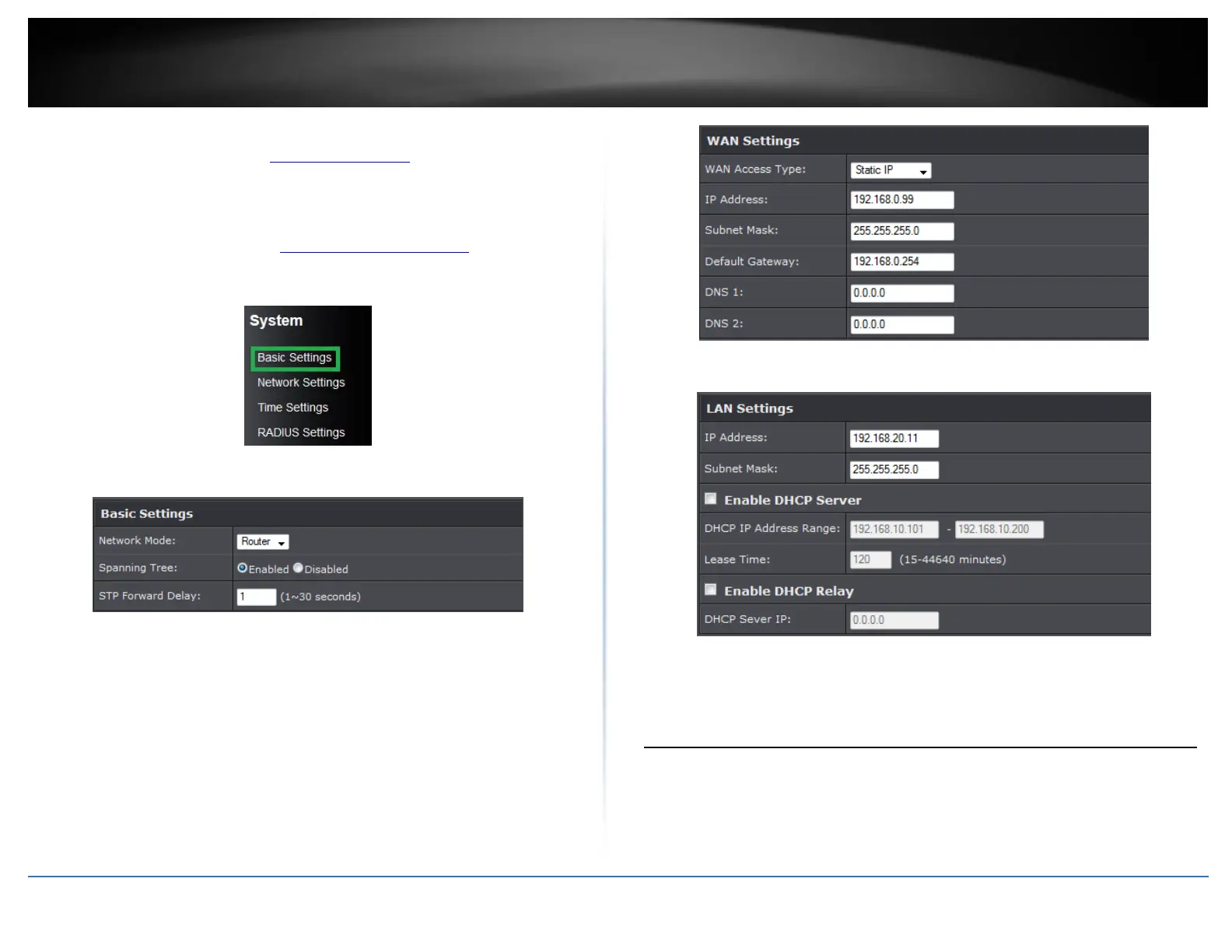
1. Log into the management page (see “Access the management page” on page 9).
2. Click the System button on the left side and then System Settings.
3. Select Router in the Network Mode drop down menu.
4. Under WAN settings section, select your WAN type and configure settings.
5. Select Enable DHCP Server under LAN Settings section.
Wireless Networking and Security
How to choose the type of security for your wireless network
Setting up wireless security is very important. Leaving your wireless network open and
unsecure could expose your entire network and personal files to outsiders. TRENDnet
recommends reading through this entire section and setting up wireless security on your
new router.















 To Next Page