© Copyright 2015 TRENDnet. All Rights Reserved.
1. Log into the management page (see “Access the management page” on page 27).
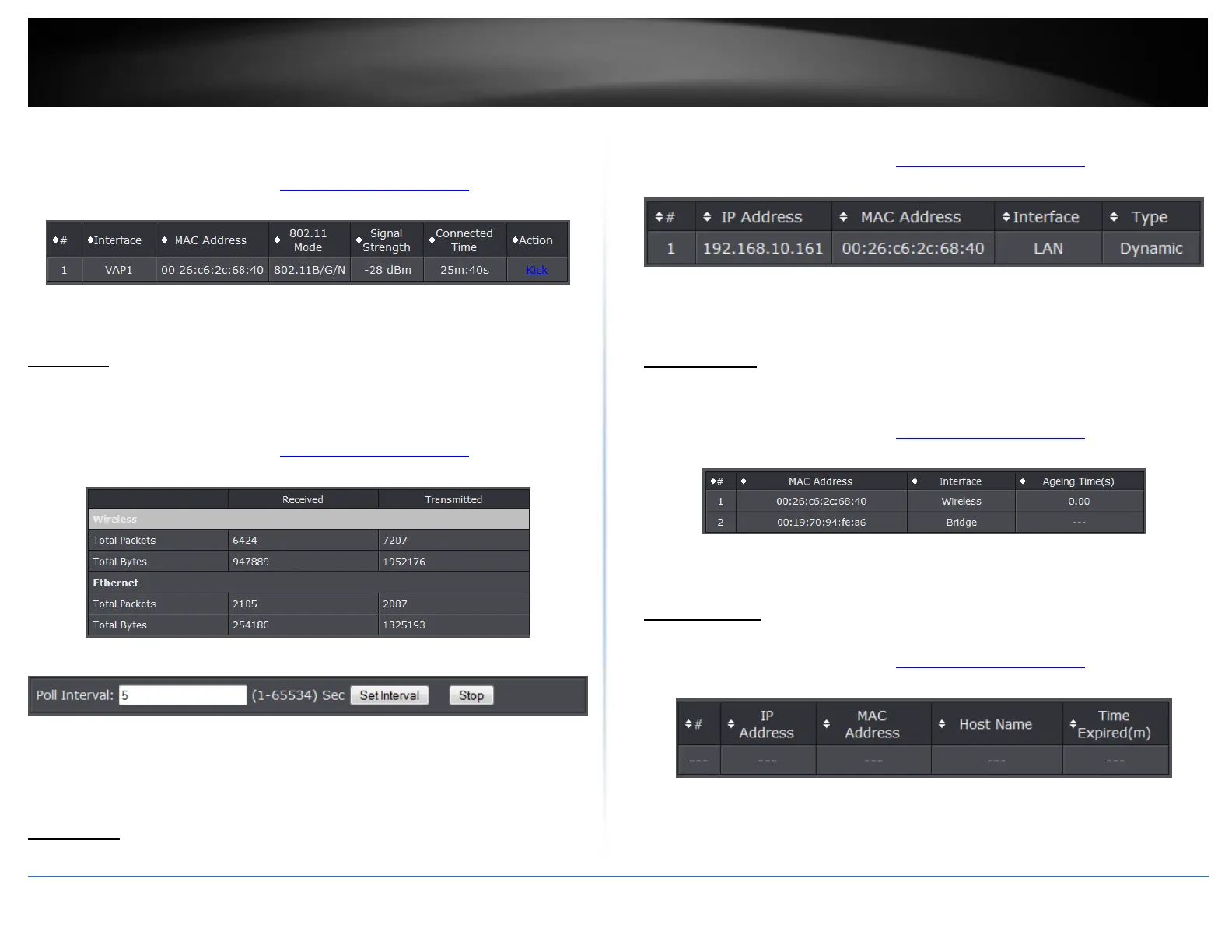
2. Click on Status, and click on Connections.
Refresh: Click to refresh to view the current information
Statistics
You may want to check the statistical received and transmit packets of the wired and
wireless connections of the access point.
1. Log into the management page (see “Access the management page” on page 9).
2. Click on Status, and click on Statistics.
Refresh: Click to refresh to view the current information
Poll Interval: Specify the refresh time interval in the box beside “Poll Interval”
and click “Set Interval” to save settings. “Stop” helps to stop the auto refresh of
network flow statistics.
ARP Table
You may want to view the access point’s current ARP table.
1. Log into the management page (see “Access the management page” on page 9).
2. Click on Status, and click on ARP Table.
Refresh: Click to refresh to view the current information
Bridge Table
This page allows you to view any active bridge connections to the access point.
1. Log into the management page (see “Access the management page” on page 9).
2. Click on Status, and click on Bridge Table.
Refresh: Click to refresh to view the current information
DHCP Clients
This page displays the access point’s current DHCP clients.
1. Log into the management page (see “Access the management page” on page 9).
2. Click on Status, and click on DHCP Clients.
Refresh: Click to refresh to view the current information















 To Next Page