© Copyright 2015 TRENDnet. All Rights Reserved.
Information is based on the mode settings applied to the access point and when System
mode is to Router.
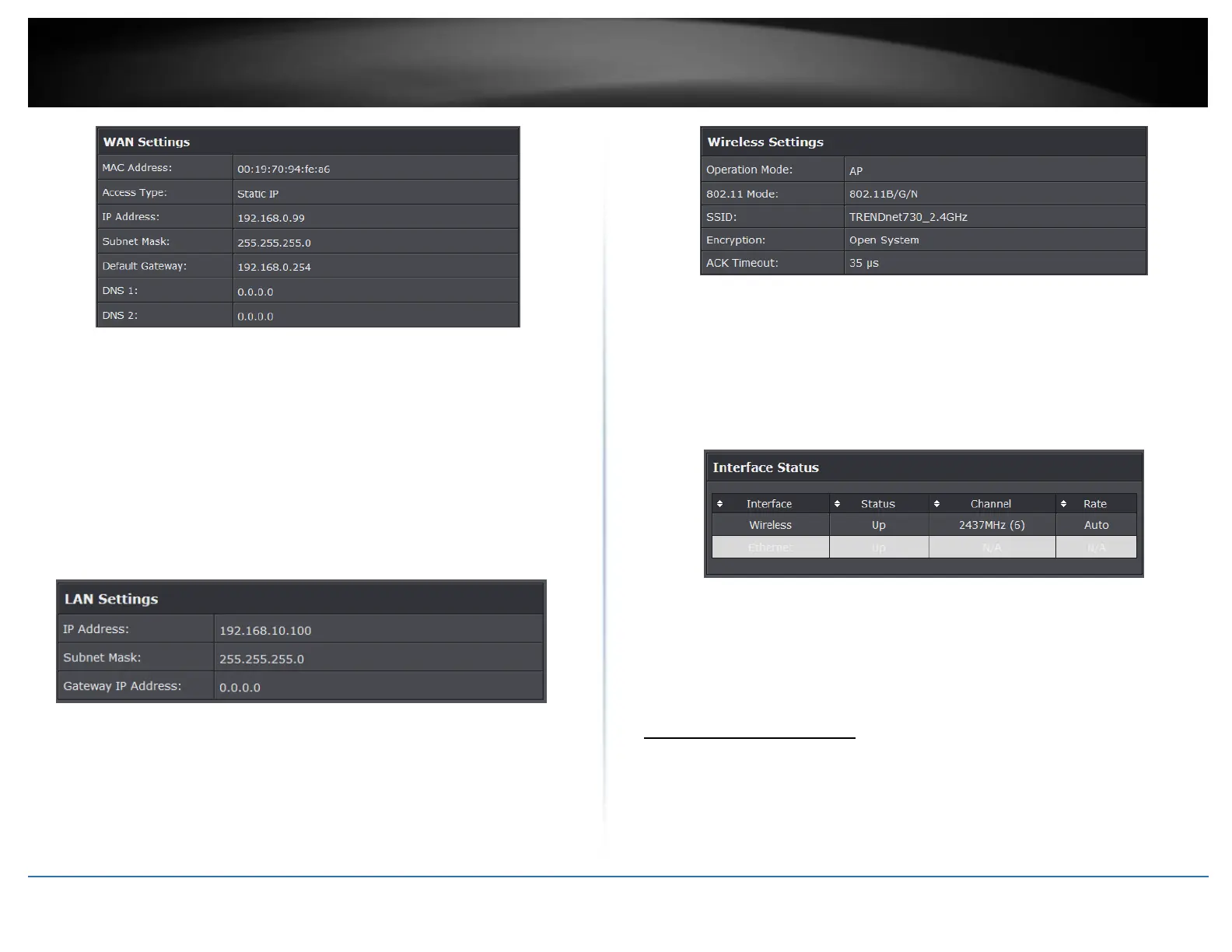
Connection Time: Display time duration of when the WAN has established
connection
Access Type: Display the WAN connection type
IP Address: Current assigned WAN IP address
Subnet Mask: Assigned WAN Subnet Mask
Default Gateway: Assigned WAN default gateway
DNS1/2: Assigned WAN DNS IP address
MAC Address: Displays the MAC address of the access points WAN port
LAN Settings
Information is based on the Wireless mode setting applied to the access pointr.
IP Address: LAN IP address of your access point
Subnet Mask: Subnet Mask of your Local Area Network (LAN)
Gateway IP Address: Displays the gateway IP address assigned to the access
point.
Wireless Settings
Operation Mode: Display the current wireless operation mode of the access
point.
802.11 Mode: Displays the 802.11 mode applied on the access point
SSID: Display the assigned SSID
Encryption: Displays the wireless security encryption type applied
ACK: Displays the applied ACK timeout period.
Interface Status
Interface: Displays the interface of the access point
Status: Displays the current status of the interface
Channel: Displays the operating channel of the wireless interface
Rate: Displays the data rate of the interface.
Associated Information
Open “Connections” in “Status” to check the information of associated wireless devices
such as MAC address, signal strength, connection time, IP address, etc. All is read only.
Click “Refresh” at the bottom to update the current association list. By clicking on the
MAC address of the selected device on the web you may see more details including
device name, connection time, signal strength, noise floor, ACK timeout, link quality, IP
information, current data rate, current TX/RX packets.















 To Next Page