© Copyright 2015 TRENDnet. All Rights Reserved.
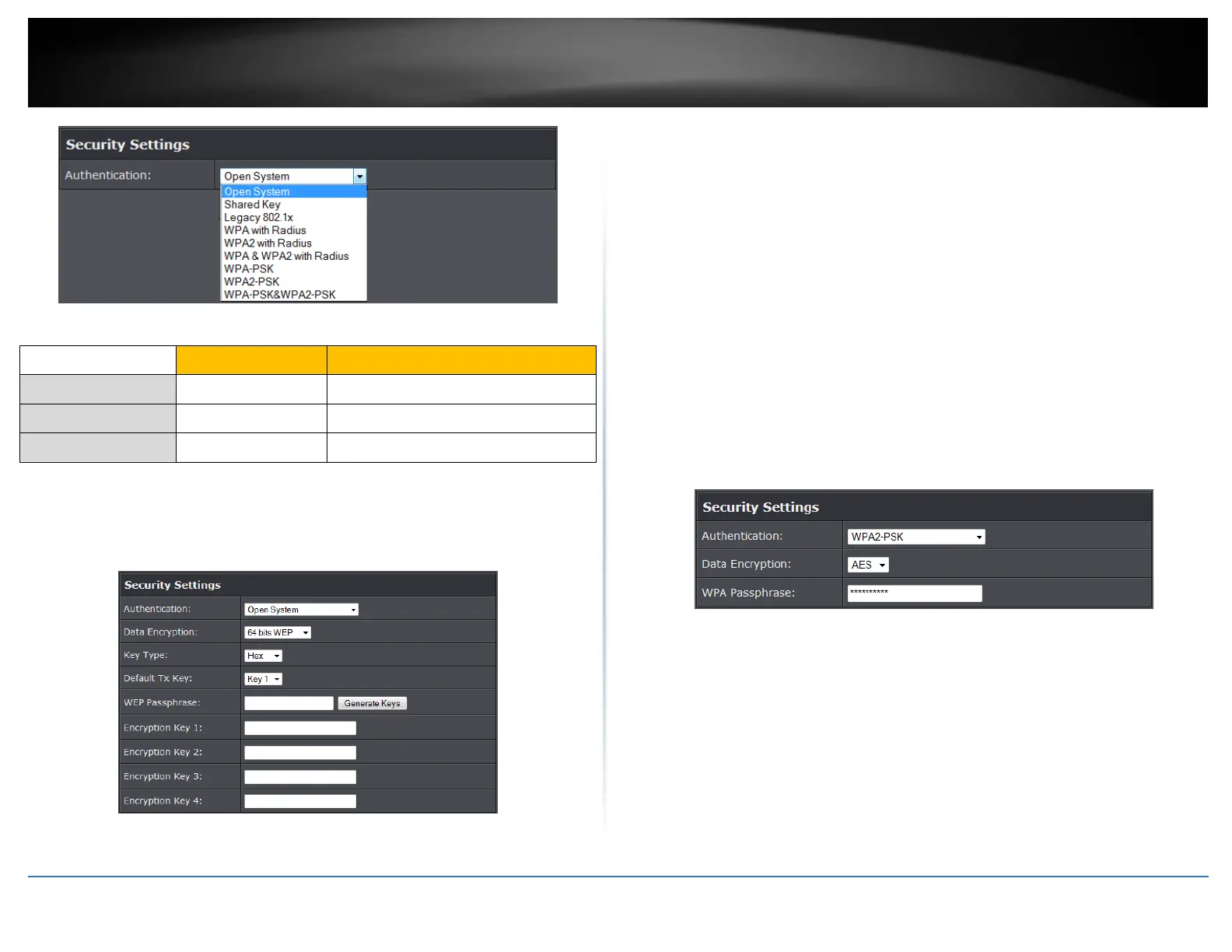
Selecting WEP (Open System or Shared Key):
If selecting WEP (Wired Equivalent Privacy), please review the WEP settings to configure
and click Apply to save the changes.
Note: It is recommended to use Open System because it is known to be more secure
than Shared Key.
Data Encryption: Choose the key length 64-bit or 128-bit.
Note: It is recommended to use 128-bit because it is more secure to use a key that
consists of more characters.
Key type: Choose HEX or ASCII.
Note: It is recommended to use ASCII because of the much larger character set that
can be used to create the key.
Key 1-4
o This is where you enter the password or key needed for a computer to
connect to the router wirelessly
o You can define up to 4 passwords or 4 keys. Only one key can be active at a
given time. Most users simply define one key.
o Choose a key index 1, 2, 3, or 4 and enter the key.
o When connecting to the router, the client must match both the password
and the Key number. (e.g. if you have activated Key 2 with a password of
12345, then the client must select: Key 2 (entering Key 1, 3, or 4 will block
the ability to connect) and enter password 12345)
WEP Passphrase: Enter a passphrase and click Generate key to have the access
point generate your encryption key.
Selecting WPA-PSK, WPA2-PSK, or WPA-PSK & WPA2-PSK (WPA2-PSK recommended):
The following section outlines options when selecting PSK (Preshared Key Protocol).
Data Encryption: Select the cipher type to use.
o TKIP: Recommended when using WPA-PSK security.
o AES: Recommended when using WPA2-PSK or WPA-PSK & WPA2-PSK
WPA Passphrase – Enter the passphrase.
o This is the password or key that is used to connect your computer to this
router wirelessly
Selecting WPA, WPA2, or WPA & WPA2 with Radius:
Alphanumeric (a,b,C,?,*, /,1,2, etc.)















 To Next Page