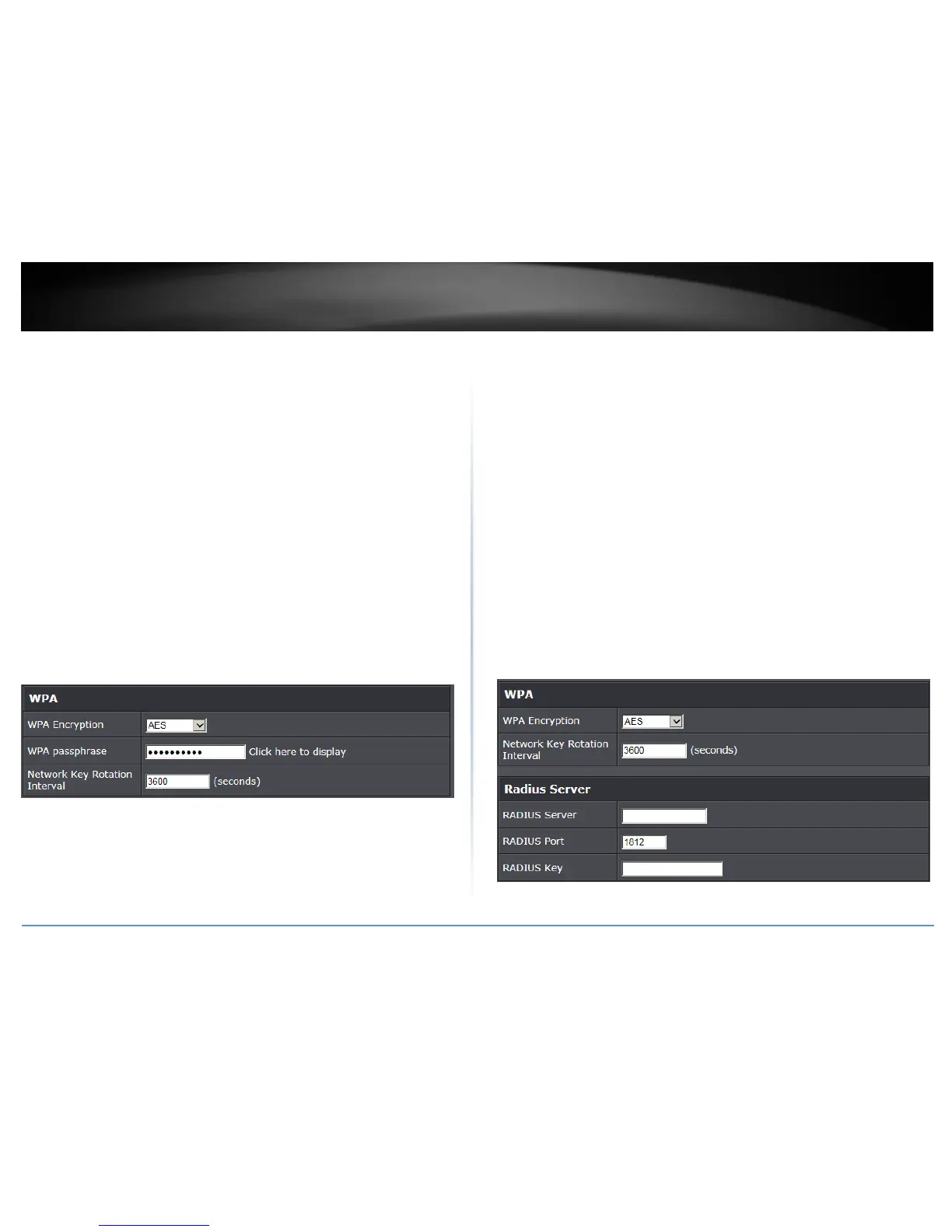
Selecting WPA-PSK / WPA2-PSK / WPA2-PSK Mixed
(WPA2-Personal recommended):
In the Security Mode drop-down list, select WPA-PSK, WPA2-PSPK, or WPA2-PSK
Mixed. Please review the WPA-PSK settings to configure and click Apply to save the
changes.
The following section outlines options when selecting WPA-PSK, WPA2-PSPK, or WPA2-
PSK Mixed (Preshared Key),
WPA Encryption (Cipher): Select a Cipher Type to use.
o When selecting WPA2-PSK Mixed security, it is recommended to use TKIP/AES.
o When selecting WPA2-PSK security, it is recommended to use AES.
WPA Passphrase: Enter the passphrase (preshared key)
o This is the password or key that is used to connect your computer to this router
wirelessly
Key Format: 8-63 alphanumeric characters (a,b,C,?,*, /,1,2, etc.)
Network Key Rotation Interval: Enter the time interval (seconds) of when the
network passphrase will rotate.
Note: It is recommended to use the default interval time. Your passphrase will not
change, rotation of the key is part of the WPA protocol and designed to increase
security.
Selecting WPA / WPA2 / WPA2 Mixed
(WPA2 recommended):
The following section outlines options when selecting WPA, WPA2, or WPA2 Mixed
(Enterprise, EAP, or RADIUS). This security type is also known as EAP (Extensible
Authentication Protocol) or Remote Authentication Dial-In User Service or RADIUS.
Note: This security type requires an external RADIUS server, Pre-Shared Key only requires
you to create a passphrase.
WPA Encryption (Cipher): Select a Cipher Type to use.
o When selecting WPA2 Mixed security, it is recommended to use TKIP/AES.
o When selecting WPA2 security, it is recommended to use AES.
Network Key Rotation Interval: Enter the time interval (seconds) of when the
network passphrase will rotate.
Note: It is recommended to use the default interval time. Your passphrase will not
change, rotation of the key is part of the WPA protocol and designed to increase
security.
RADIUS Server: Enter the IP address of the RADIUS server. (e.g. 192.168.10.250)
RADIUS Port: Enter the port your RADIUS server is configured to use for RADIUS
authentication.
Note: It is recommended to use port 1812 which is typical default RADIUS port.
RADIUS Key: Enter the shared secret used to authorize your router with your
RADIUS server.















 To Next Page