Set up DHCP reservation
Advanced > Setup > LAN
DHCP (Dynamic Host Configuration Protocol) reservation (also called Static DHCP) allows
your router to assign a fixed IP address from the DHCP server IP address range to a
specific device on your network. Assigning a fixed IP address can allow you to easily
keep track of the IP addresses used on your network by your computers or devices for
future reference or configuration such as virtual server (also called port forwarding, see
“Virtual Server” on page 39) or special applications (also called port triggering, see
“Special Applications” on page 41).
1. Log into your router management page (see “Access your router management page”
on page 9).
2. Click on Advanced and click on Setup, then click on LAN.
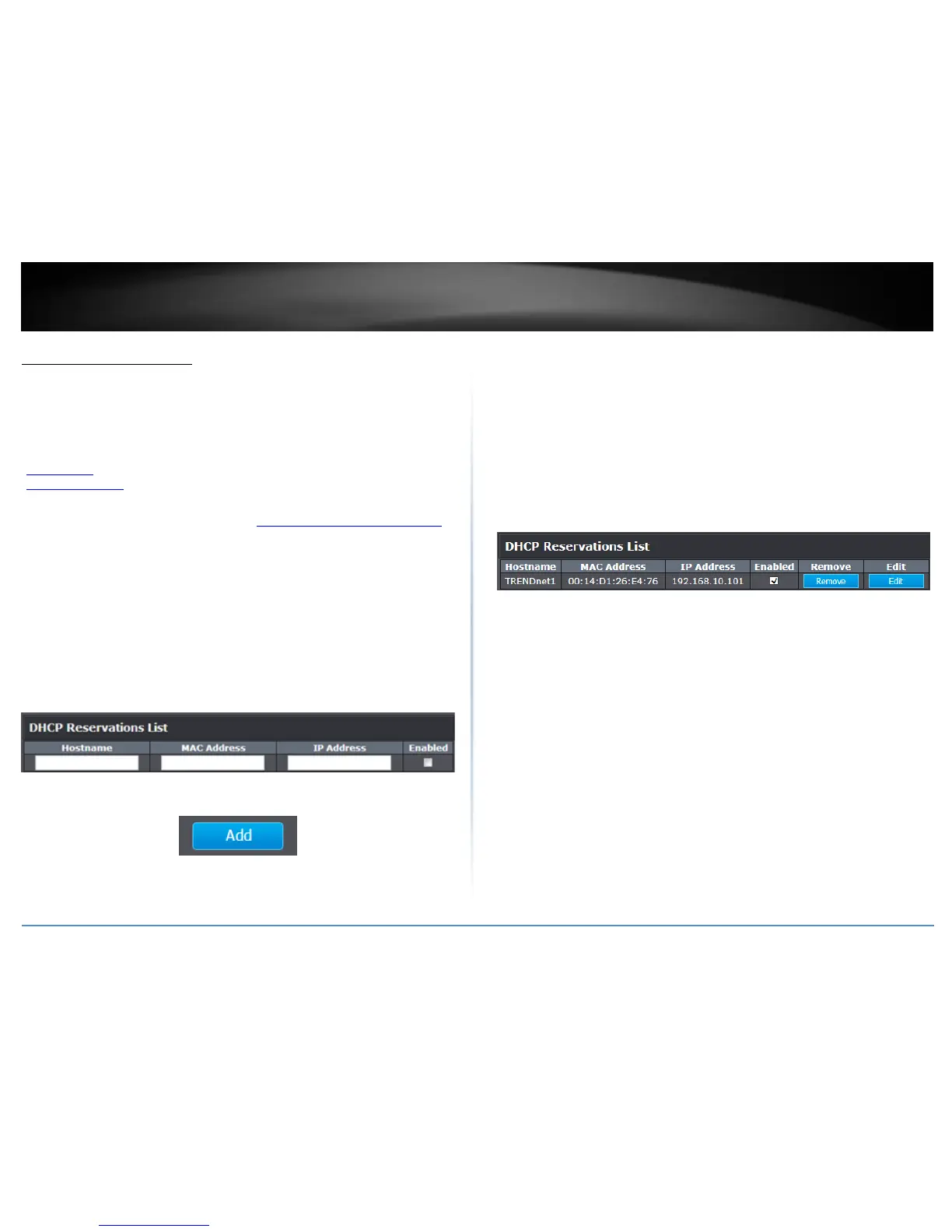
3. Review the DHCP reservation settings.
Hostname: Enter a name of the device you will assign the DHCP reservation rule.
MAC Address: Enter the MAC (Media Access Control) address of the computer or
network device to assign to the reservation. (e.g. 00:11:22:AA:BB:CC)
IP Address: Enter the IP address to assign to the reservation. (e.g.
192.168.10.101)
Enable: Check the Enabled option to enable the reservation.
After you have entered in the required information, click Add to add the DHCP
Reservations entry to the list.
You will see the new reservation added to the DHCP Reservations List. This is a
temporary list until you save changes by clicking Apply. You can continue to add more
DHCP reservation entries which will appear in this list. Once you have saved the settings,
the entries will appear under the DHCP Reservations list.
Under the DHCP Reservations List,
You can click the Edit to modify the reservation or click Remove option next to the entry
to delete the reservation.
To save changes when modifying a reservation, click Edit.















 To Next Page