Secure your wireless network
Basic > Wireless (2.4GHz or 5GHz
1
or 5GHz
2
)
After you have determined which security type to use for your wireless network (see
“How to choose the security type for your wireless network” on page 18), you can set up
wireless security.
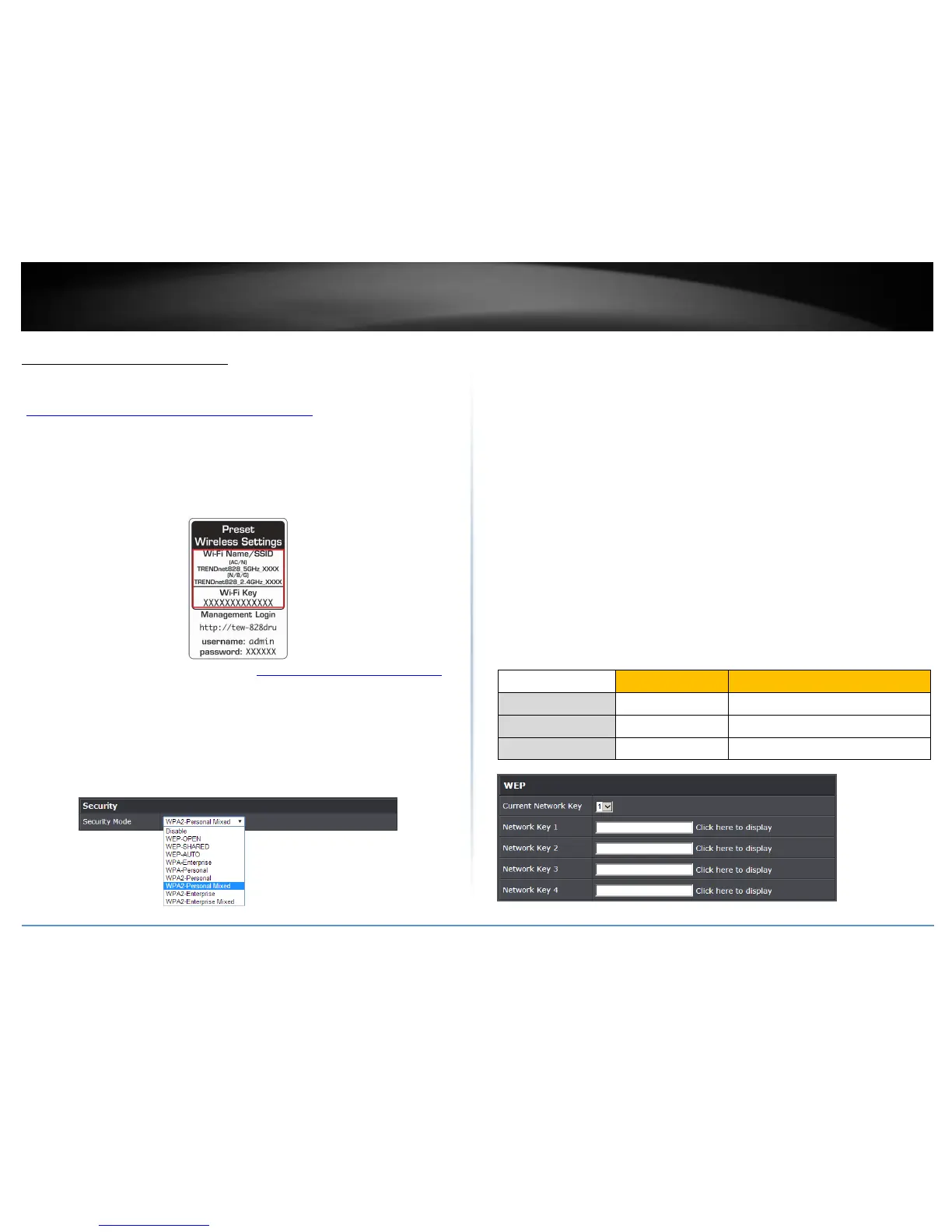
Note: By default, your router is configured with a predefined wireless network name
(SSID) and security key using WPA2-Personal. The predefined wireless network name and
security can be found on the sticker on the side of the router or on the device label at the
bottom of the router.
1. Log into your router management page (see “Access your router management page”
on page 9).
2. Click on Basic and click on Wireless.
3. Click the Select Wireless Band drop-down list to select the wireless band you would
like to configure. 2.4GHz, 5GHz (5GHz
1
or 5GHz
2
)
3. Under Security, click on the Security Mode drop-down list to select your wireless
security type.
Selecting WEP
If selecting WEP (Wired Equivalent Privacy), please review the WEP settings to configure
and click Apply to save the changes.
Note: Please note that WEP security is only available when 802.11 Mode is set to
802.11b/g only (2.4GHz) or 802.11a/ac only (5GHz). Also note, that using WEP will
disable the use of WPS.
Security Mode: Choose WEP-OPEN or WEP-SHARED.
Note: It is recommended to use Open since it is known to be more secure than
Shared Key.
Current Network Key: Choose the key index to use for security to the
corresponding WEP Keys 1-4. You can only use one key at any given time.
Note: Please note that they wireless client key index 1-4 should also match the key
index chosen here in order to establish connection.
Network Key 1-4: Enter the WEP key. This is the password or key that is used to
connect your computer to this router wirelessly. You can enter 64-bit or 128-bit
key. You can enter up to four keys but only the one chosen as the Default Key will
be used.
Note: It is recommended to use 128-bit because it is more secure to use a key that
consists of more characters.
Hex/ASCII: Enter the WEP key format. See the table below for the acceptable
characters and lengths for each format.















 To Next Page