Allow/deny ping requests to your router from the Internet
Advanced > Administrator > Advanced Network
To provide additional security, you may want to disable your router from responding to
ping or ICMP (Internet Control Message Protocol) requests from the Internet. A ping is
network communication test to check if a device with IP address is alive or exists on the
network. By disabling this feature, you can conceal your router’s IP address and
existence on the Internet by denying responses to ping requests from the Internet. You
can additionally use this feature as a tool for troubleshooting purposes
1. Log into your router management page (see “Access your router management page”
on page 9).
2. Click on Advanced and click on Administrator, then click on Advanced Network.
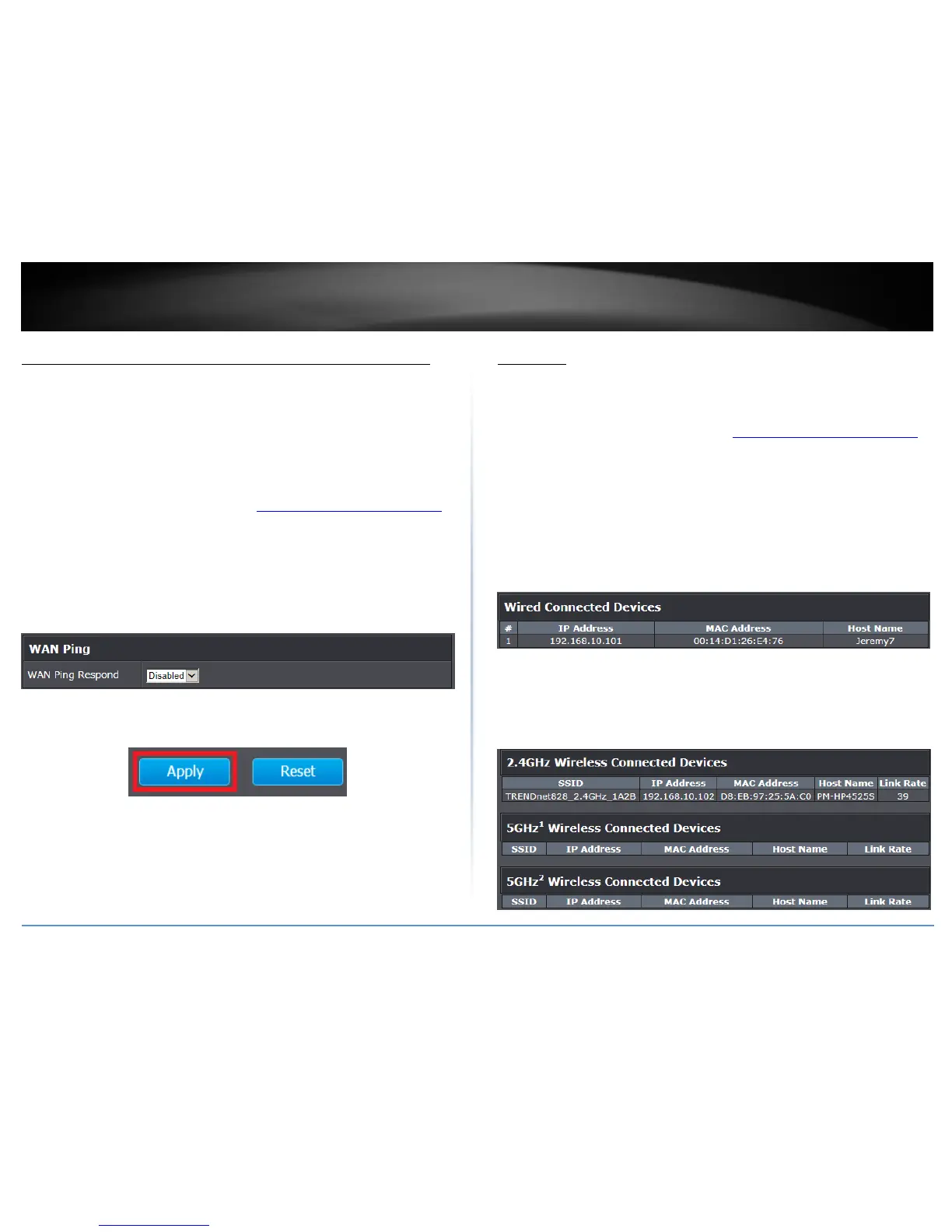
3. Next to WAN Ping, Click the WAN Ping Respond drop-down list and Enabled to allow
your router to respond to ping requests from the Internet. You can also choose Disabled
to block WAN ping requests from the Internet
4. To save changes, click Apply.
Note: If you would like to discard the changes, click Reset.
Client List
Advanced > Administrator > Client Status
You can view the list of all active devices currently connected to your router.
1. Log into your router management page (see “Access your router management page”
on page 9).
2. Click on Advanced and click on Administrator, then click on Client Status.
Wireless Devices Connected
IP Address: The current IP address assigned to the device.
MAC Address: The current MAC address of the device.
Host Name: The host name of the device.
Rate: Displays the estimated data rate established with the client.
Wireless Devices Connected.
IP Address: The current IP address assigned to the device.
MAC Address: The current MAC address of the device.
Host Name: The host name of the device.
Rate: Displays the estimated data rate established with the client.















 To Next Page