The following are found on the control panel:
l A schematic of the dryer
l Two LED indicators for each drying tower-these indicate whether the tower is drying (D) or regenerating/re-pressurising
(R).
l One LED indicating the operation of the pre-filter drain (only in models 10, 20, 30, 45 and 60)
To adjust the purge flow, press the button marked 'PURGE OPTIMIZER' continuously for 8 seconds, and then set the purge
flow to the required value (40%, 60%, 80% or 100%).
Setting the Purge economizer
Through front panel - Steady conditions
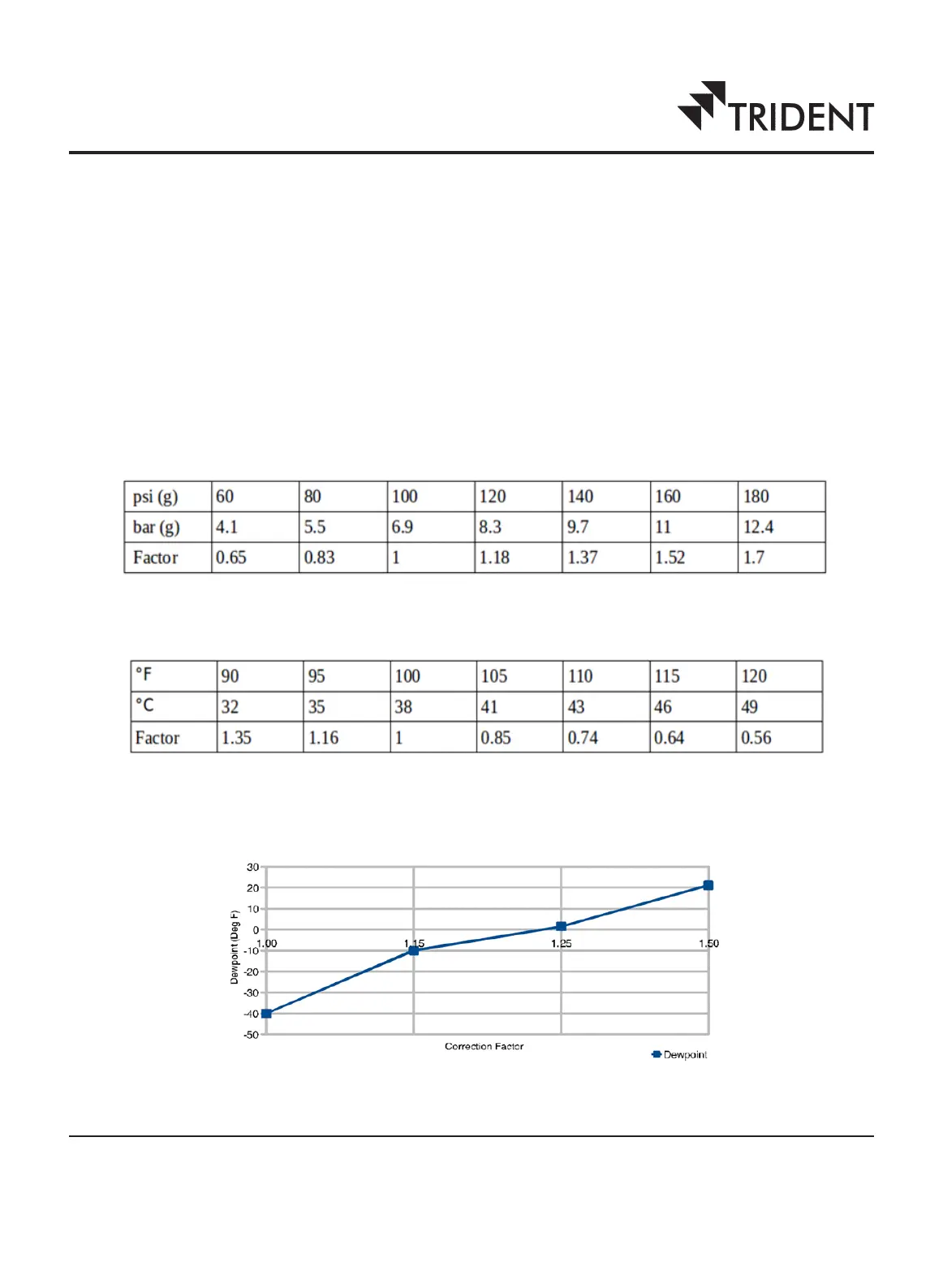
To set the purge economizer please refer the tables below:
Inlet Pressure Correction Factor
Temperature Correction Factor
Dewpoint Correction
9


 To Next Page