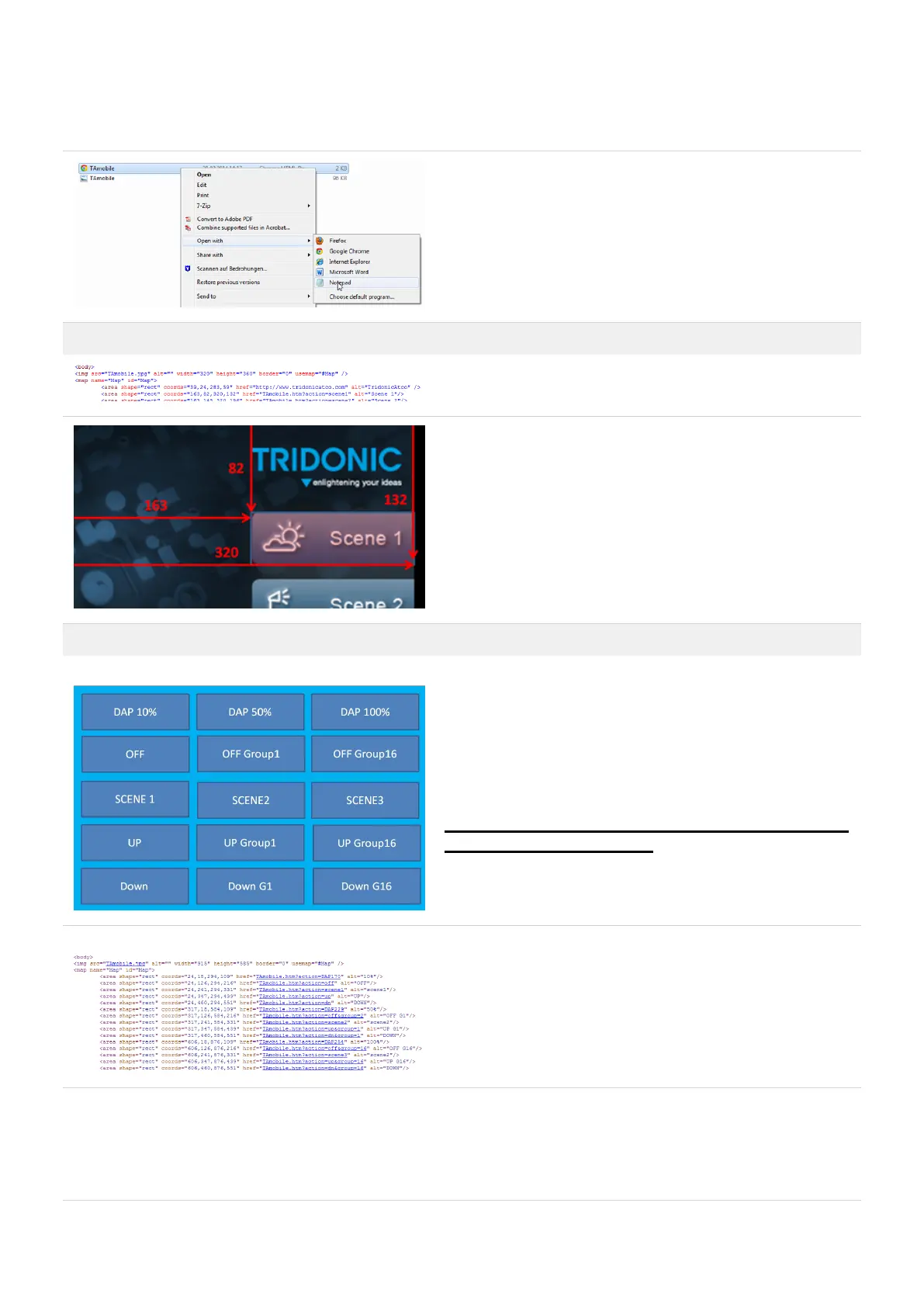
Open the file with Notepad.
Now you can edit the functions.
How to customise the TA_mobile webpage Explained with the Field Scene 1
In the source code you can see the position and command
for Scene 1
coords="163,82,320,132" is the Field Position.
Now you can change the Command,
or the coordinates for Field Scene1, in the source code.
Example customised TA_mobile
Here you can see a customised TA_mobile graphic.
Each field has a different command.
Save the Graphic as
TAmobile.jpg
! Attention The xetouch software is case sensitive. Pay
attention to correct spelling.
Here you can see the source code
Save the Source code as TAmobile.htm



 To Next Page