1.
2.
3.
4.
5.
6.
5.11. Deactivating emergency units
If the main power supply is switched off and you do not want the emergency units to switch on (e.g. in the case of a
plant holiday), the emergency units can be deactivated in two ways:
5.11.1. Manually switching off the emergency units
The main power supply is switched off and there is no emergency. The power supply of the x/e-touchPANEL is
switched on.
Ensure that emergency operation is not necessary.
Click on the "Main menu" symbol.
-> The "Main menu" is displayed
Click on the "Configuration" button
-> The "Configuration" page is displayed
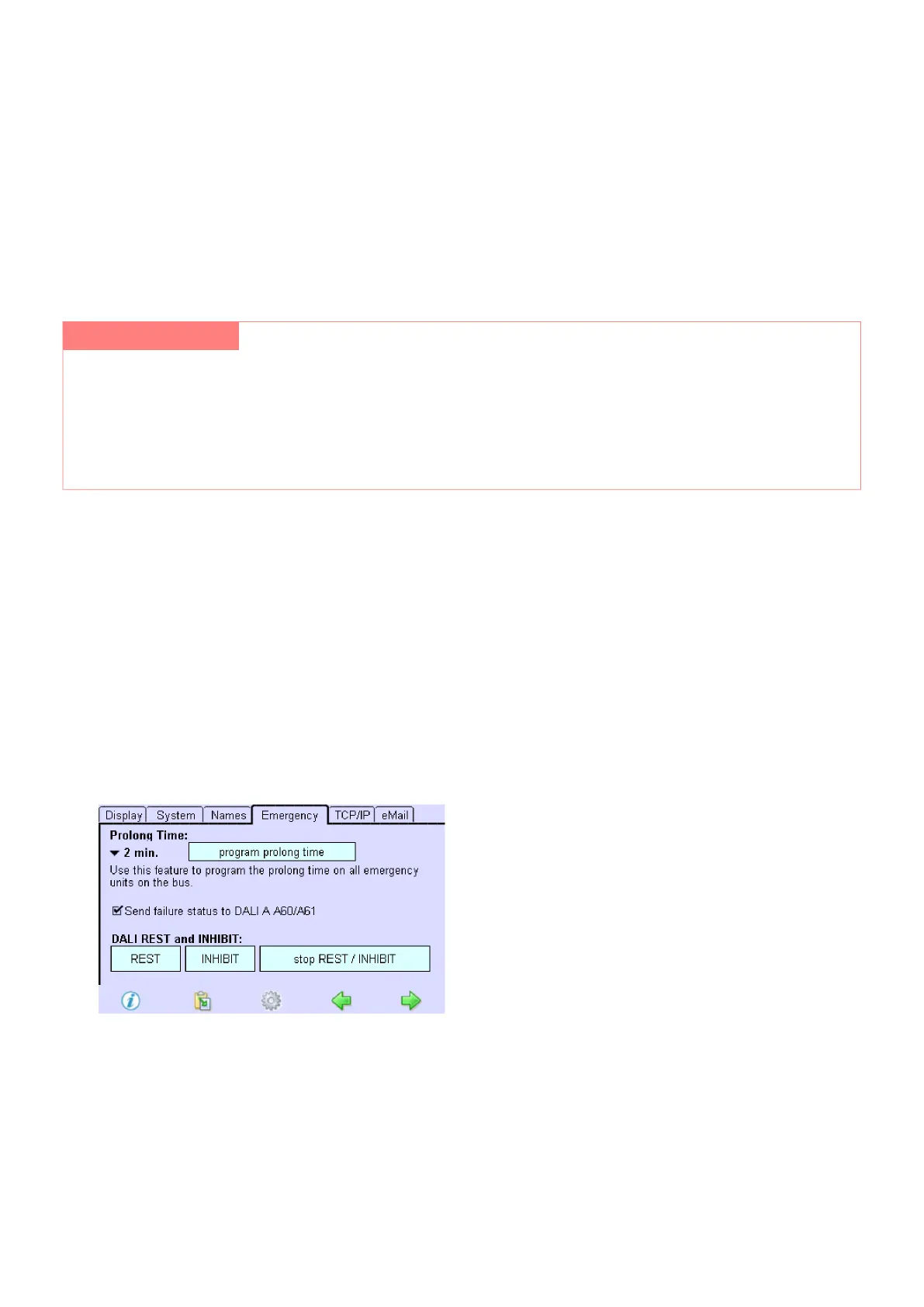
Click on the "Emergency" tab
-> The "Emergency" tab is displayed
Click on the Rest button.
-> The emergency units are switched off.
-> When the main power supply is switched on again, the emergency units are reactivated.
To activate the emergency units before switching on the main power supply, click on the "stop REST / INHIBIT"
button.
Manually switching off the emergency units_
Preventing the emergency units from switching on_
½ WARNING!
Bridging a safety device
Deactivated emergency units do not switch on in an emergency.
Ensure that there is no emergency._
Ensure that emergency operation is not necessary._



 To Next Page