7.4. Ethernet interface
A network cable is required to connect the x/e-touchPANEL to a PC/laptop via Ethernet.
To establish a network connection to a x/e-touchPANEL, each x/e-touchPANEL must be assigned an individual IP
address. If you want to include several x/e-touchPANEL into an existing company network, for example, consult
your IT specialist for the IP addresses.
The network address also can be automatically obtained from a DHCP server.
For networks with Firewall, Switch, etc., please also contact your IT specialist.
Apart from calibrating the touchscreen, all functions of the x/e-touchPANEL can be executed with the connected
PC/laptop via Ethernet.
7.4.1. Network connection
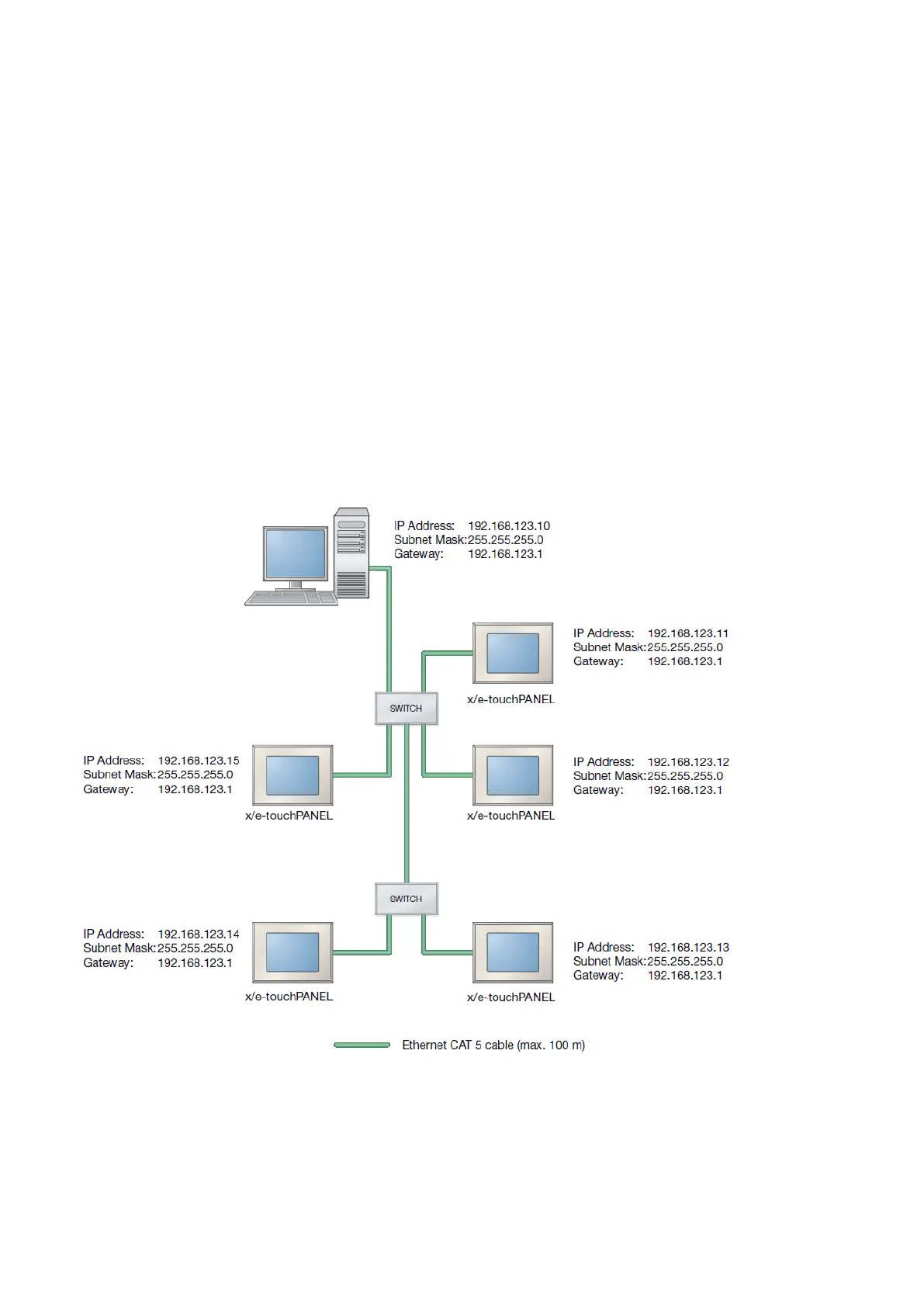
The following figure shows an example of how several panels can be integrated in one network.
7.4.2.
Point-to-point connection
If a point-to-point connection is to be established, a crossed network cable must be used.



 To Next Page