1.
2.
3.
4.
Identification DALI A Used to start and stop the identification flashing of the status LEDs of the DALI line A
emergency units
Identifikation DALI B Used to start and stop the identification flashing of the status LEDs of the DALI line B
emergency units
Addressing/grouping Used to assign an address to the emergency units and divide them into groups
Configuration Changes the basic settings of the specific emergency lighting functions
5.2. Settings for Emergency Application
5.2.1. Adjusting the frame light
The x/e-touchPANEL has an additional frame light that supports the system's status line.
Click on the "Main menu" symbol.
-> The "Main menu" is displayed
Click on the "Configuration" button
-> The "Configuration" page is displayed
-> The "Display" tab is displayed.
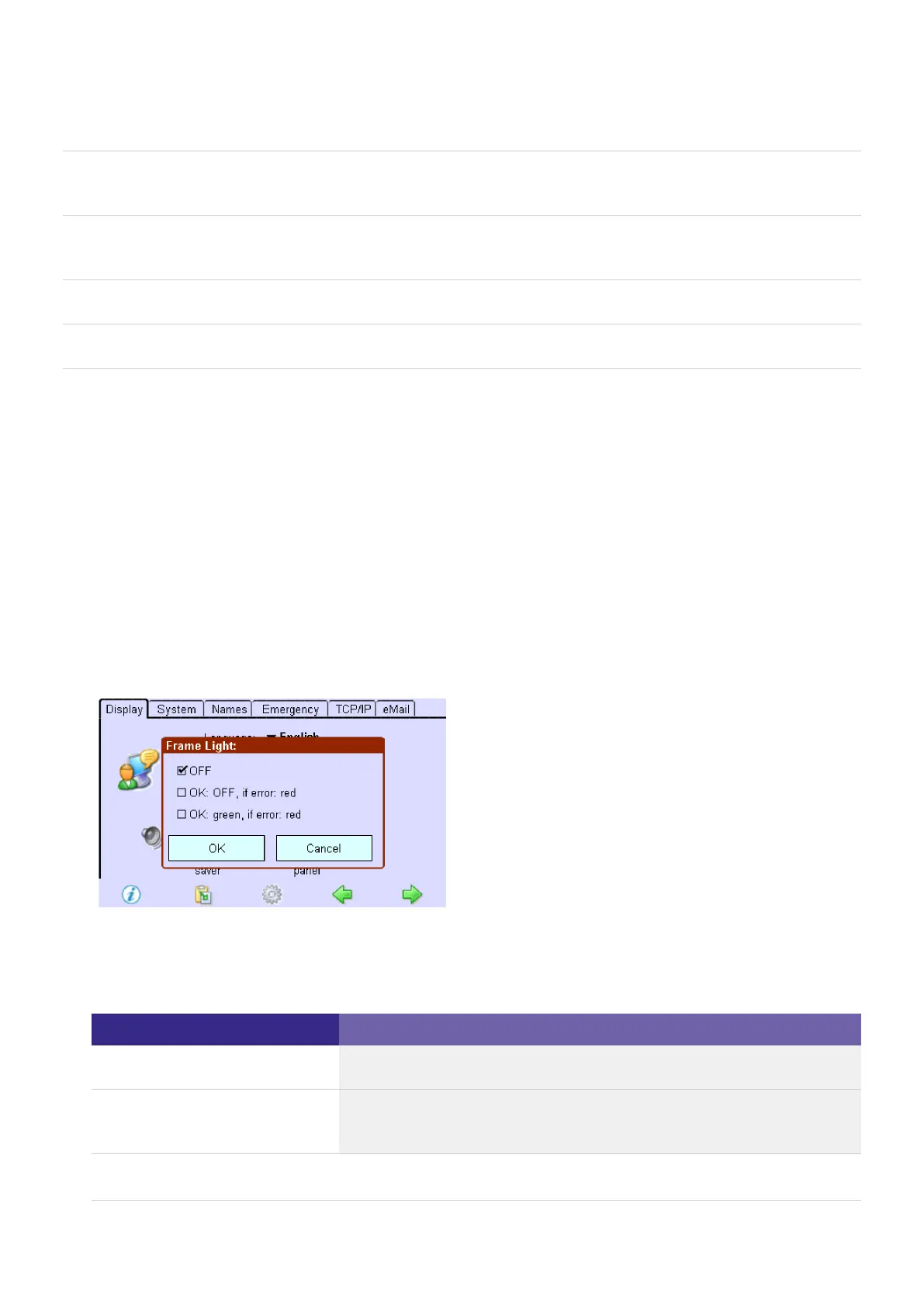
Click on the "Framelight" button.
-> The dialog box "Frame Light:" is displayed.
Activate the desired option field and confirm with OK.
The following options are available:
Option field Function
Off Frame light is switched off
OK: Off, in the case of an error:
red
Frame light lights up red if the Error status is indicated.



 To Next Page