4.
1.
2.
3.
4.
5.
6.
7.
OK: green, in the case of an
error: red
Frame light lights up green if the status is OK and lights up red if the
status is Error.
Entering the unit/group name
The unit and group name is indicated in the test protocol.
Click on the "Main menu" symbol.
-> The "Main menu" is displayed
Click on the "Configuration" button
-> The "Configuration" page is displayed
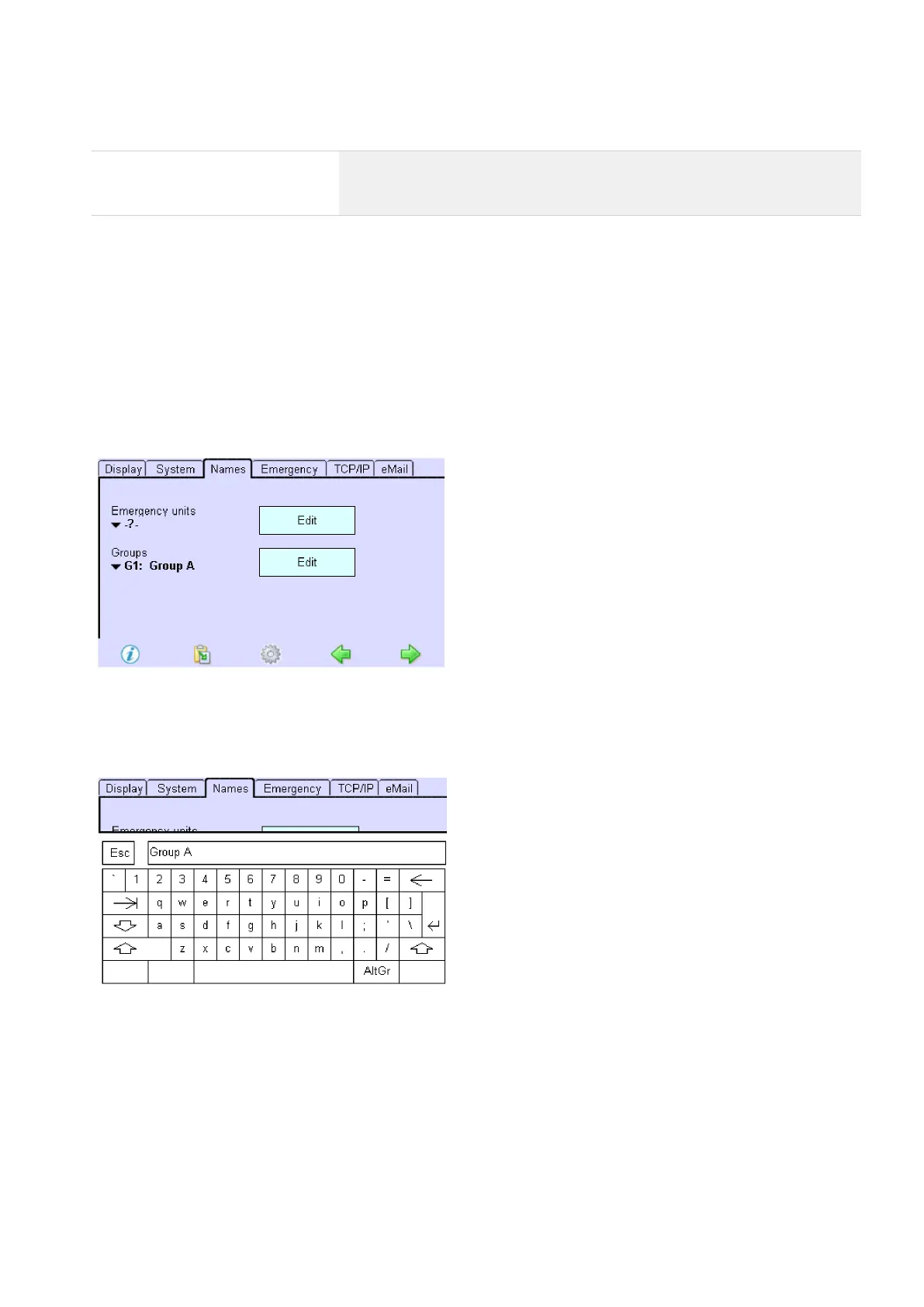
Click on the "Names" tab
-> The "Names" tab is displayed.
Click on the "Emergency units" dropdown menu and select the emergency unit.
Click on the Edit button to enter a name for the emergency unit.
-> A keyboard is displayed.
Enter a unit name and confirm with the Enter key.
Repeat steps 2 to 4 for other units or groups.
...



 To Next Page