1.
2.
3.
4.
5.
6.
7.
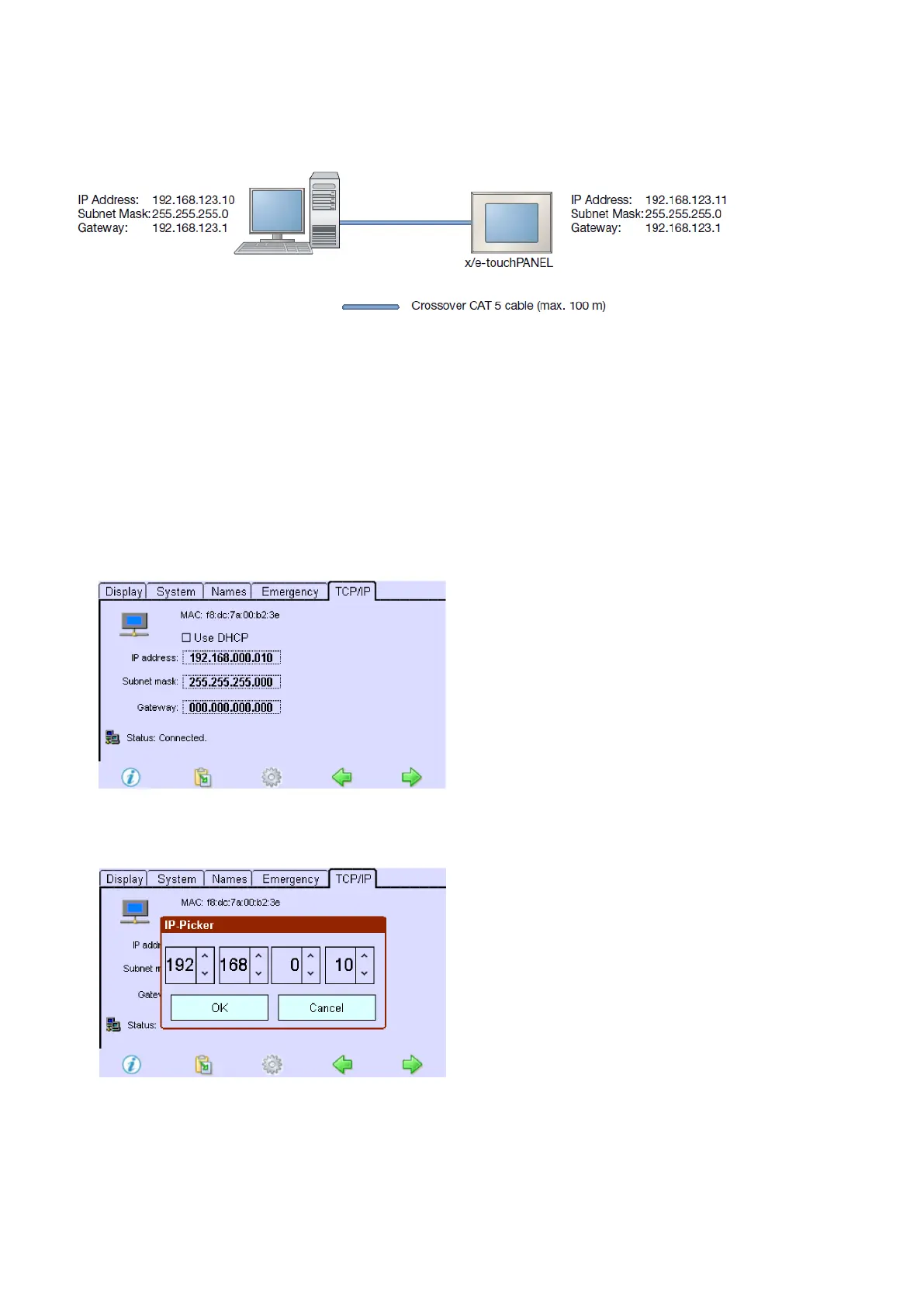
7.4.3. Setting an IP address on the x/e-touchPANEL
The Configuration is selected.
Click on the "Main menu" symbol.
-> The "Main menu" is displayed.
Click on the "Configuration" button.
-> The "Configuration" page is displayed.
Click on the "TCP / IP" tab
-> The tab is displayed."TCP / IP"
Click on "IP address".
-> The dialog box IP picker is displayed.
Set the IP address using the arrow keys and confirm with OK.
Repeat steps 2 and 3 to set Subnet Mask and Gateway.
Click on the "Main menu" symbol.
-> The IP address is saved to the x/e-touchPANEL.



 To Next Page