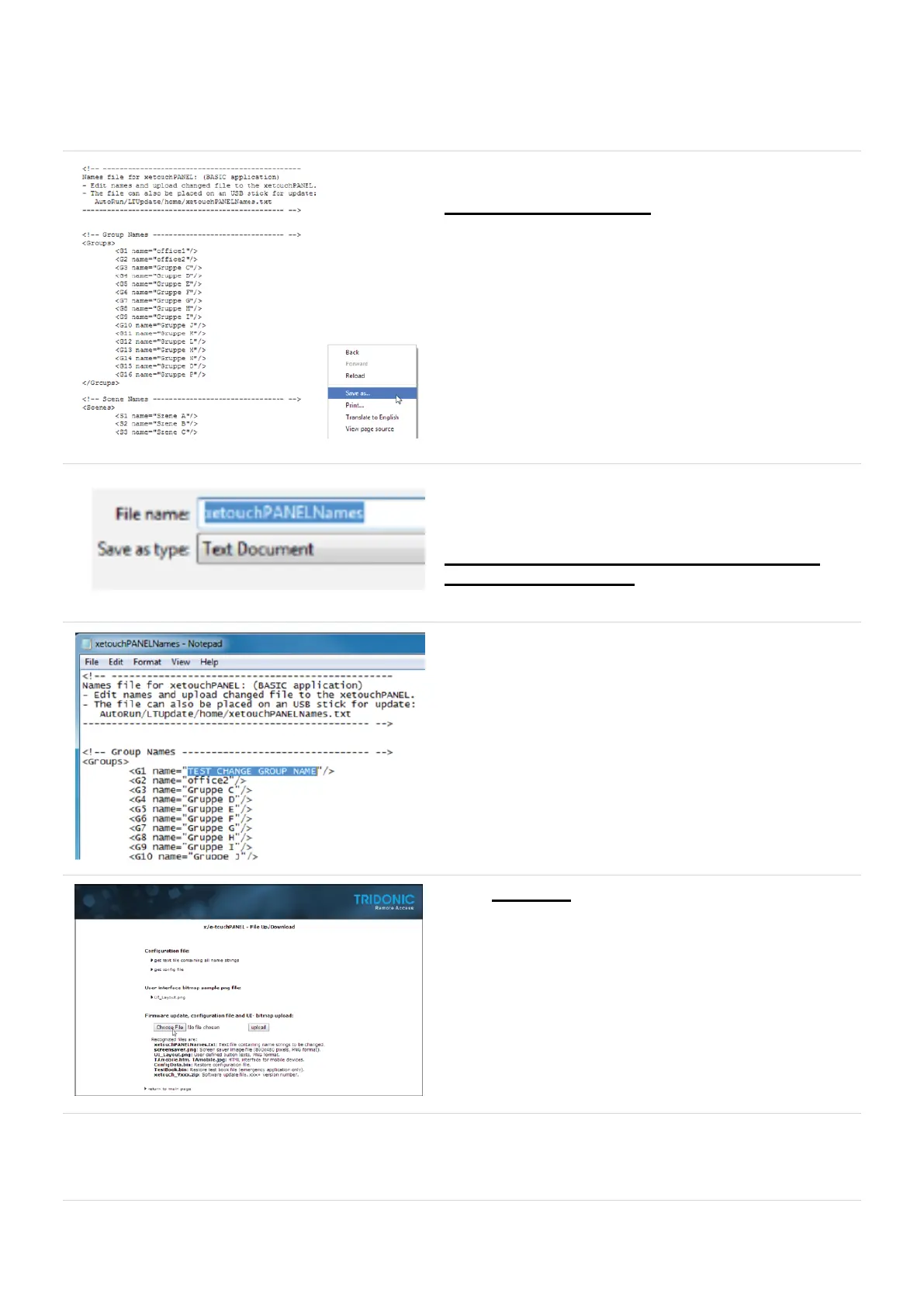
In the new window
Right click and select Save as
Save the File as
xetouchPANELNames.txt
! Attention The xetouch software is case sensitive. Pay
attention to correct spelling.
Search and open the saved file (e.g. in Notepad)
Now you can edit the names of
Groups, Scenes, Schedules, Sequences
Each Application has his own template and has to be
downloaded separately.
When you have changed the Names save the File
xetouchPANELNames.txt
Select on the File Up/Download Pagechoose File



 To Next Page