1.
2.
3.
4.
5.
cyclic The communication test will be performed every 4 seconds.
Click on the "Main menu" symbol.
-> The "Main menu" is displayed
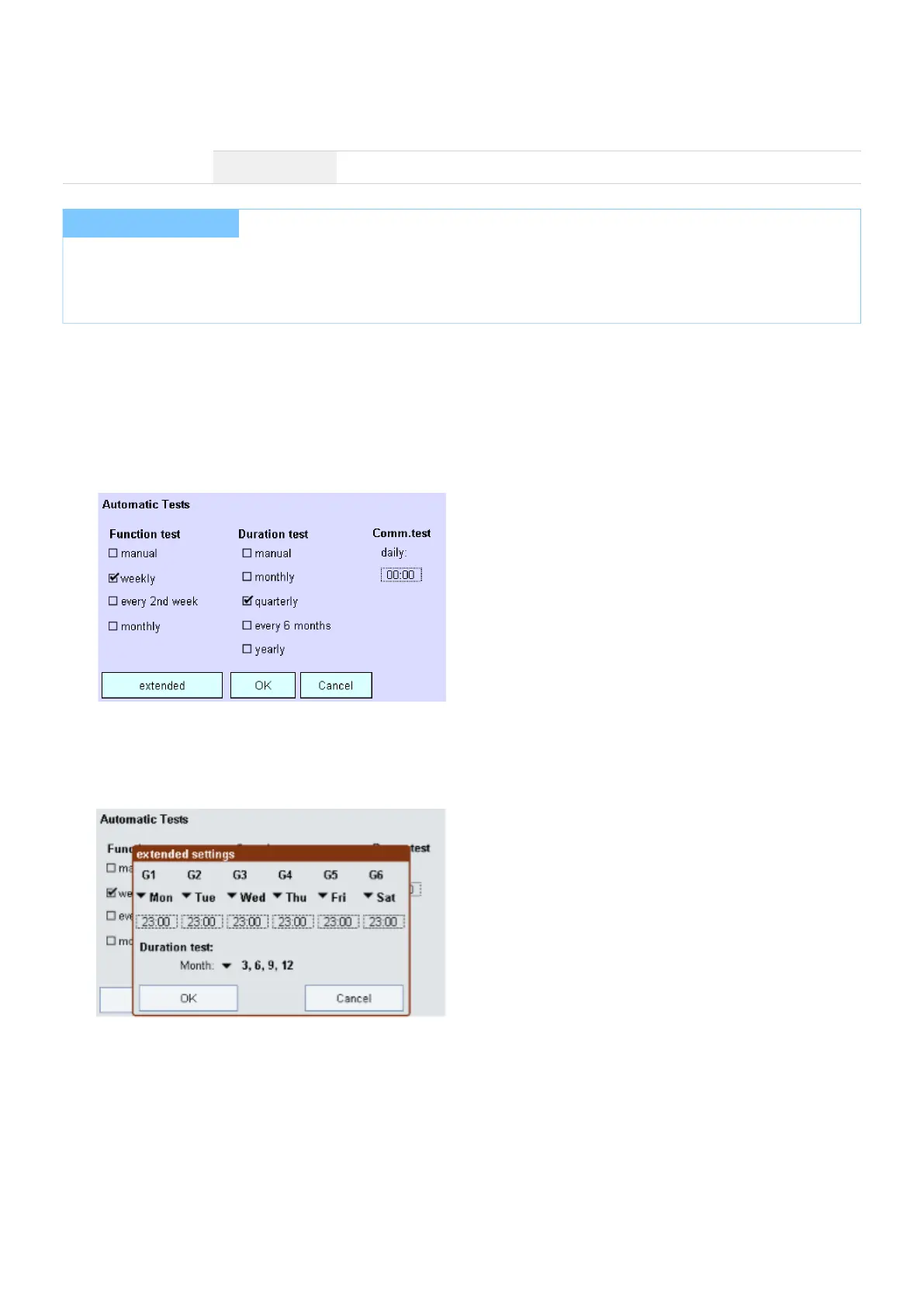
Click on the "Test times" button.
-> The "Automatic tests" page is displayed.
Specify the intervals for the function and duration tests.
Click on the "extended" button.
-> The dialog box "Extended settings" is displayed.
For each group, set the day of the week and the time of day. Click on the respective dropdown menu and select
the day of the week or the time of day, and set the desired time using the arrows.
I NOTICE
The first week of a month is defined to last from the 1st to the 7th day of the month. The third week of a month is
defined to last from the 15th to the 21st day of the month. On days when a duration test is performed, no function
test is performed for this group..



 To Next Page