DT 10 optical control
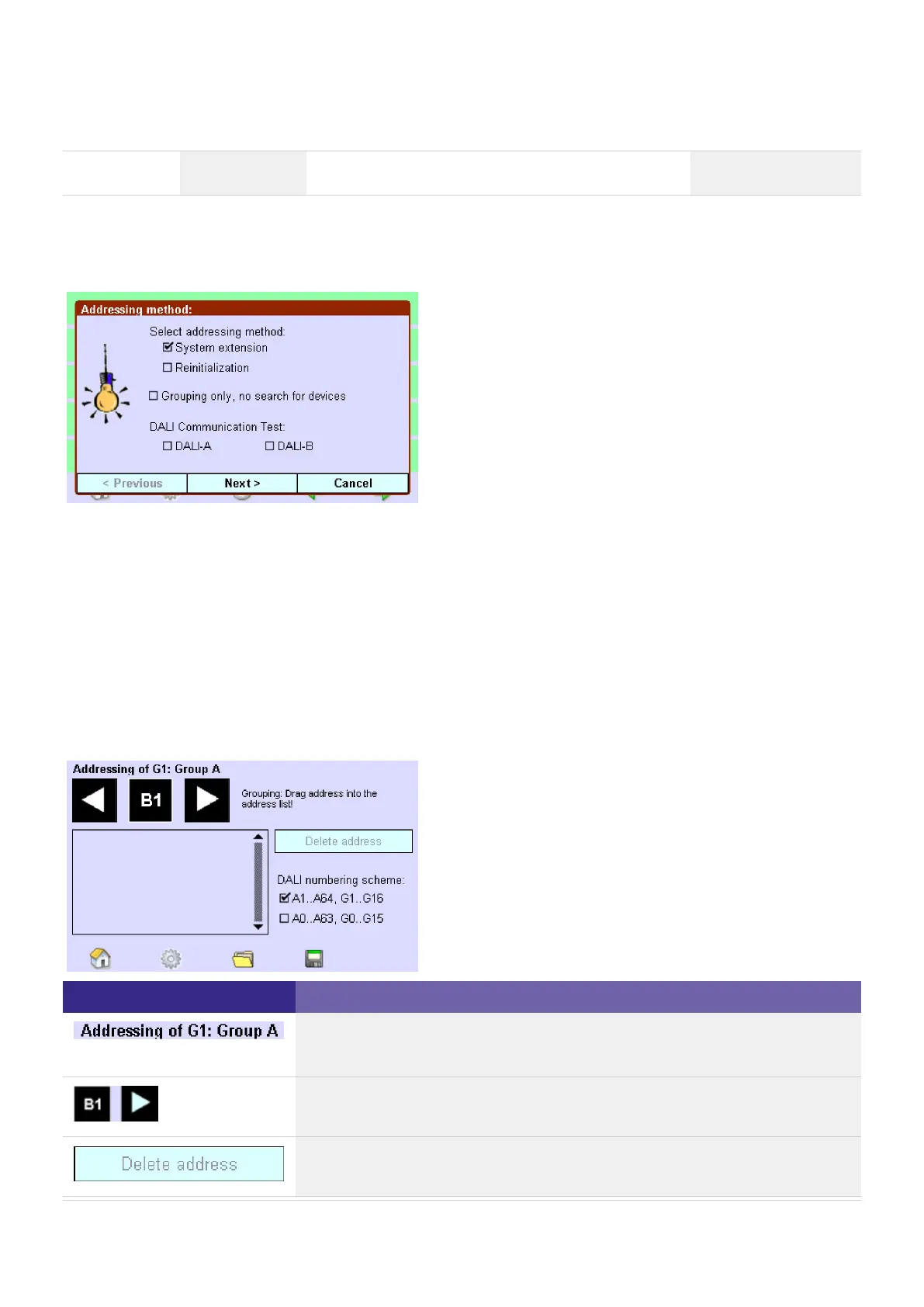
The dialog box Addressing method offers three addressing options:
The following operating elements are available for grouping:
Element Meaning / Function
The group number (G1) is factory preset at the factory; the group name (Group
1) can be freely assigned.
Use the arrow keys to select the operating device that is to be assigned to a
group.
Use the button to remove the selected device from the group.
System extension:
Only newly added operating devices are addressed. The existing addresses remain unchanged.
_
Reinitiialization:
All operating devices in the system are re-addressed. The existing addresses are overwritten.
_
No device search, only grouping:
Only existing devices are displayed and can be regrouped.
After the automatic addressing, the addresses (DALI A 1 to 64 and DALI B 65 to 128) and specific operating
devices are displayed as required (e.g. HID).
_



 To Next Page