1.
2.
3.
Addressing and grouping operating devices
For the x/e-touchPANEL, addresses A1-A64 are assigned for DALI line A and addresses B1-B64 are assigned for
DALI line B.
Click on the "Main menu" symbol.
-> The "Main menu" is displayed
Click on the "Addressing/grouping" button.
-> The dialog box "Addressing method:" is displayed.
Activate the "System extension" or "Reinitialization" check box.
I NOTICE
Use Drag & Drop to group the operating devices, i.e. touch the device address and drag the symbol over the
touchscreen to the group field.
The corresponding operating device reacts when the device address is touched.
I NOTICE
Tridonic recommends saving Somfy operating devices in separate groups, i.e. separately from other operating
devices.
I NOTICE
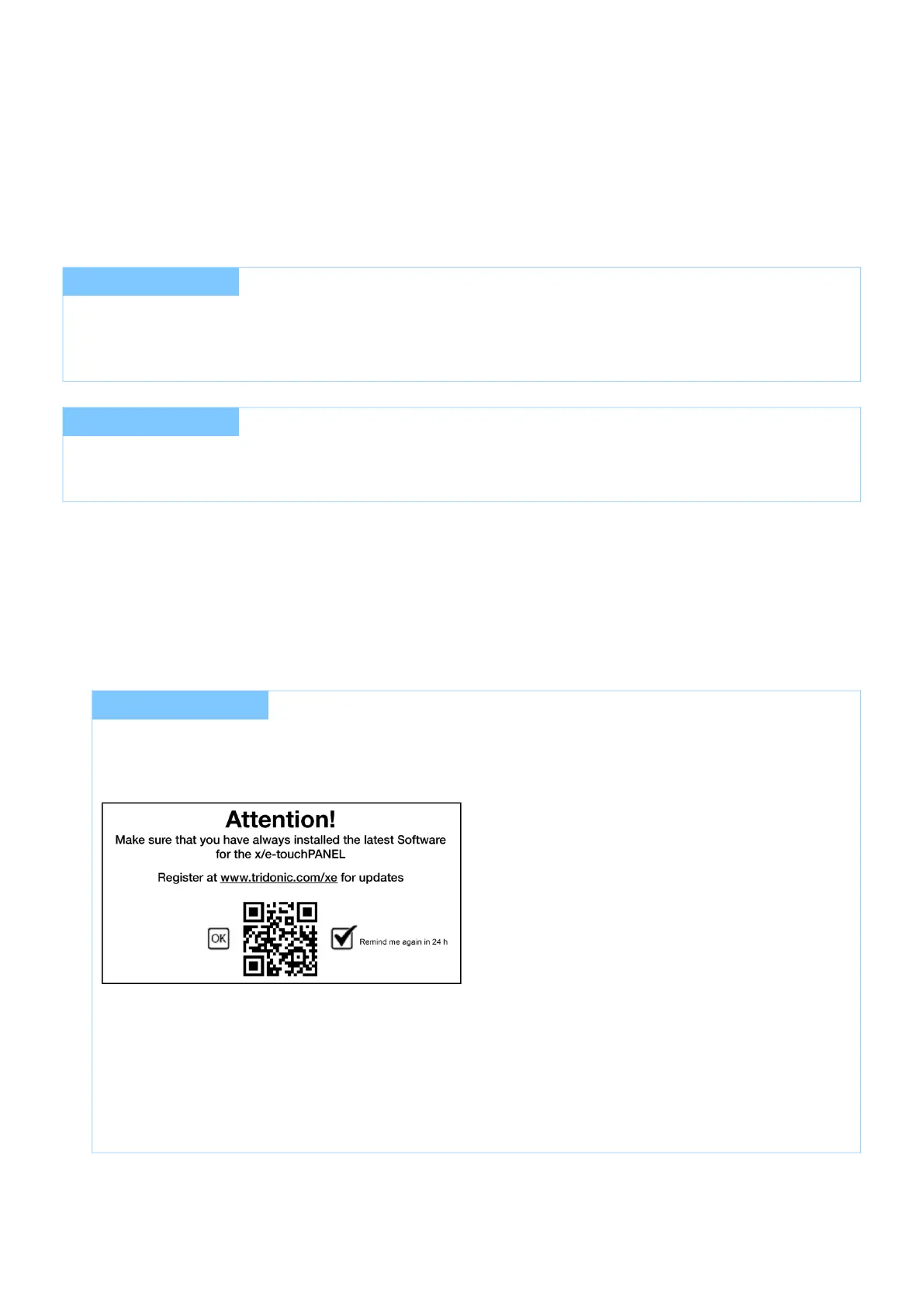
When the Addressing grouping button is clicked for the first time a page will open with information about
registering the x/e-touchPANEL software. By default the check box "Remind me again in 24 hours" is
activated.
Leave the checkbox activated to be reminded again 24 hours later
- or -
_
Deactivate the checkbox by removing the tick to not be reminded again._
After a reset to factory settings the page will appear again when clicking the "Addressing/grouping" button for
the first time.



 To Next Page