EasyManua.ls Logo

Trilogy Communications Commander - Control Panel Configuration; 500-3 X-5 X Series Internal Panel Switch Settings; 500-41 Desktop Panel Internal Settings

Default Icon
81 pages
Print Icon
To Next Page IconTo Next Page
To Previous Page IconTo Previous Page
Loading...
Commander Installation Guide
Trilogy Communications Limited
Page 79 of 81
Issue 9.1
10. CONTROL PANEL CONFIGURATION
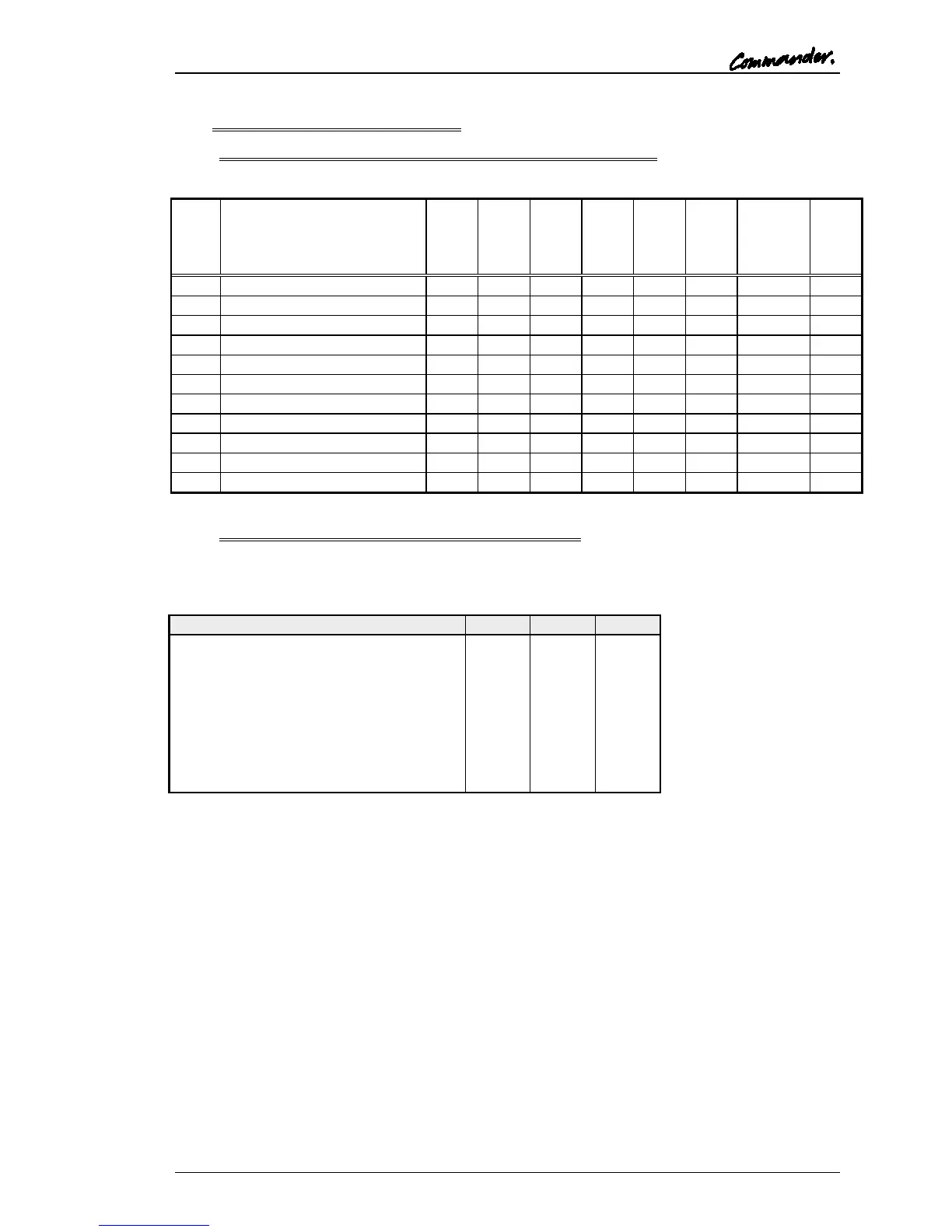
10.1 500-3X-5X SERIES INTERNAL PANEL SWITCH SETTINGS
Id
DIP Switch Action
DIP
1
DIP
2
DIP
3
DIP
4
DIP
5
DIP
6
DIP
7
Legacy
Emul.
DIP
8
5/8
Char
0
8 Key or Desktop
OFF
OFF
OFF
OFF
OFF
OFF
OFF
OFF
1
8 Key Expansion
ON
OFF
OFF
OFF
OFF
OFF
OFF
OFF
2
16 Key
OFF
ON
OFF
OFF
OFF
OFF
OFF
OFF
3
16 Key Expansion
ON
ON
OFF
OFF
OFF
OFF
OFF
OFF
4
24 Key
OFF
OFF
ON
OFF
OFF
OFF
OFF
OFF
5
24 Key Expansion
ON
OFF
ON
OFF
OFF
OFF
OFF
OFF
8
8 REN Expansion
OFF
OFF
OFF
ON
OFF
OFF
OFF
OFF
9
12 REN Expansion
ON
OFF
OFF
ON
OFF
OFF
OFF
OFF
10
32 Channel Level Control
OFF
ON
OFF
ON
OFF
OFF
OFF
OFF
11
12 Key 1U
ON
ON
OFF
ON
OFF
OFF
OFF
OFF
12
15 Key 1U Expansion
OFF
OFF
ON
ON
OFF
OFF
OFF
OFF
10.2 500-41 DESKTOP PANEL INTERNAL SETTINGS
A three way connector inside the panel may be fitted with links in any of the three positions
labelled H, L or M. These provide the same functionality as the switches accessible from the
top edge of the 500-30 series control panel.
Cut Switch Action
H
L
M
No action
X
X
X
Changeover to HSet MIC (default)
X
X
LS cut
X
X
Changeover to HSet MIC and LS cut
X
Panel MIC cut
X
X
Changeover to HSet MIC and MIC cut
X
LS cut and MIC cut
X
Everything
indicates link fitted
X indicates link not fitted
In addition, the 500-41 desktop panel is factory configured to operate with PathFinder
systems. To set the panel software to emulate T-Edit systems, solder a shorting link in the
position labelled R130. This requires surface mount soldering tools: contact Trilogy for
further advice.

Table of Contents