T100e thermostatic care & care plus
14
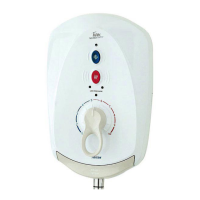
Offer the cover to the unit. Carefully locate
the cover tags into the guide pockets on the
backplate and make sure wires are not trapped.
Guide into position so that the control spindle
locates correctly (the ‘flats’ will only allow the
spindle and knob to fit one way). While applying
slight pressure to the front cover, secure in
position with the three retaining screws.
The flexible hose can be left attached to the
shower outlet. Make sure the supplied sealing
washer is fitted.
Once the riser rail kit is installed, the shower is
ready for normal operation.
IMPORTANT: Before finally fitting the
cover, the following steps must be taken:
a. Check all plumbing connections are
watertight.
b. Check terminal block screws are fully
tightened.
c. Make sure the pipe and cable entering
the unit do not prevent the cover
locating correctly to the backplate.
d. Make sure the valve spindle has the
‘flat’ and keyway slot uppermost (12
o’clock position) as shown in fig.18.
e. Make sure the temperature control
lever has the ‘flat’ inside the cover
uppermost (fig.19).
Replacing the cover


 To Next Page