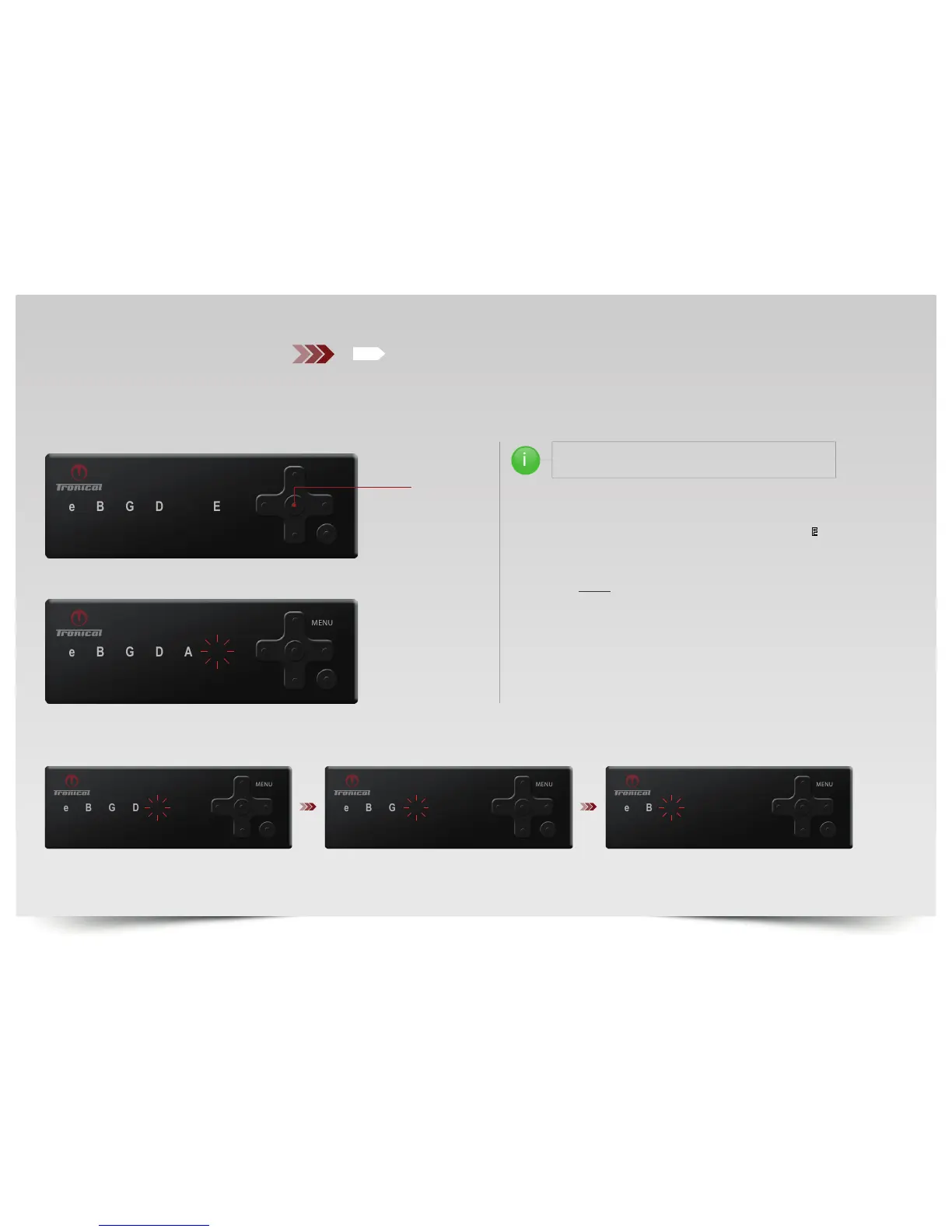
TUNE YOUR GUITAR MANUALLY TO ANY TUNING THAT
YOU WISH TO SAVE ON A PRESET POSITION BLUE BANK
PICK THE STRING INDICATED BY THE RED BLINKING LED starting
with low “E“. Measurement begins indicated by quick
YELLOW FLASHING “E“LED. Upon completion the “E“LED will
light up solid GREEN.
MUTE THE “E“ STRING and PROCEED WITH THE “A“ STRING
in the same manner and so forth until all strings are measuredGREEN.
CONTINUED ON NEXT PAGE...
PUSH “ON“ BUTTON the system comes up with the last completed tuning in
MULTISTRING MODE.
PUSH “BACK“ button to enter TUNING SELECTION MODE. MENU LED is OFF.
TO ENTER FUNCTION MENU:
PRESS AND HOLD THE “UP“ button until MENU LED lights up WHITE.
PRESS “LEFT/RIGHT“ button to SELECT WHITE “A“LED and PRESS “ENTER“.
ETC.
E
A
ENTER
BAT



 To Next Page