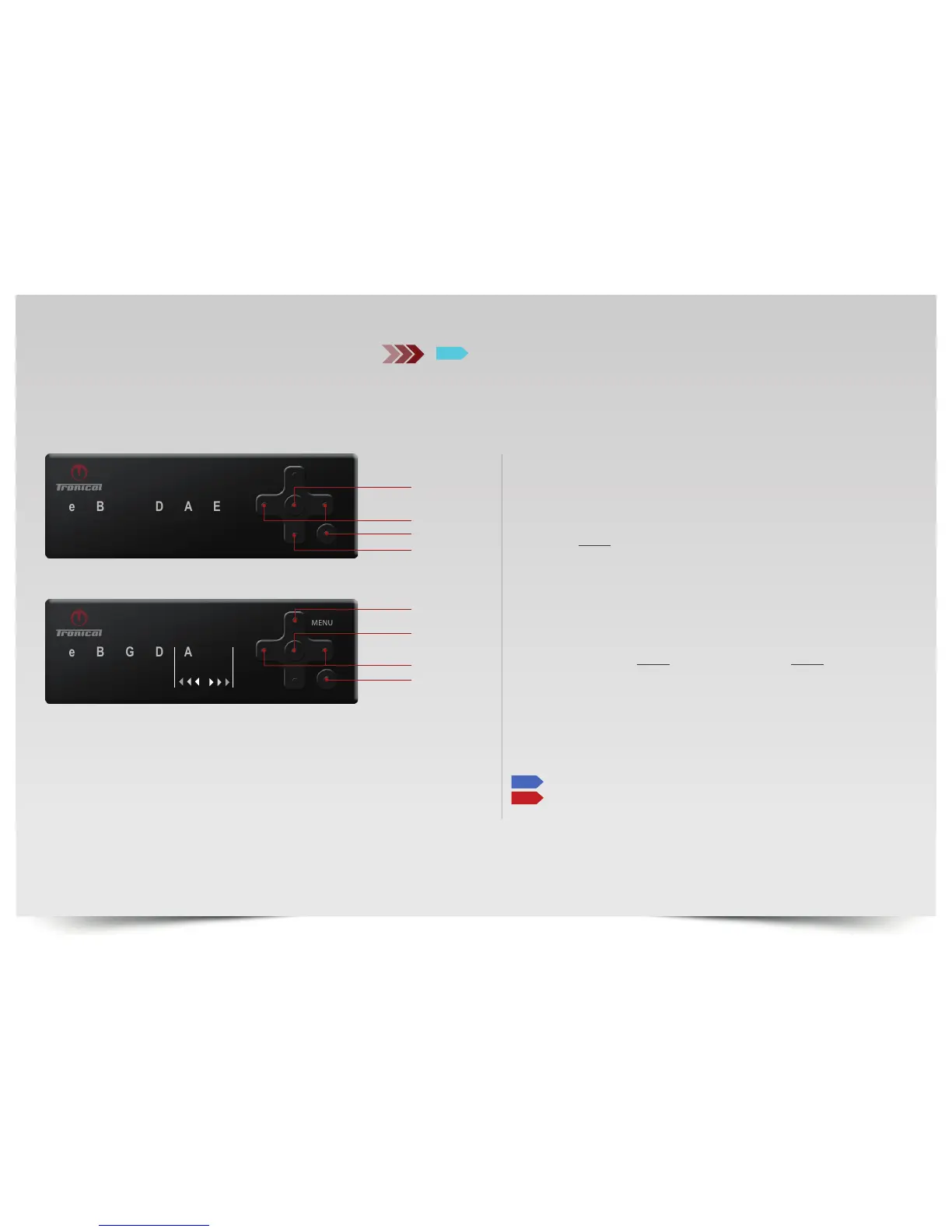
SELECT “E“LED for reset of all CUSTOM TUNINGS.
SELECT “A“LED for FACTORY RESET (all data).
To confirm PRESS AND HOLD “UP“ and PRESS AND HOLD “ENTER“
at the same time by PUSHING IN BETWEEN BOTH BUTTONS.
E
LEFT / RIGHT
ENTER
UP
RESET STYLES
BACK
ENTER
DOWN
LEFT / RIGHT
ON/BACK
RESET
G
CONFIGURATION MENU
PUSH “ON“ button. The system comes up with the last completed tuning in
MULTISTRING MODE.
PUSH “BACK“ button to enter TUNING SELECTION MODE. MENU LED is OFF.
TO ENTER CONFIGURATION MENU
PRESS AND HOLD “DOWN“ button until MENU and “E“ LED TURNS LIGHT
BLUE.
TO ACCESS RESET SELECT “G“LED and PRESS ”ENTER”.
RESET STYLES OVERVIEW
RESET ALL CUSTOM TUNINGS
FACTORY RESET RESET ALL DATA EXCEPT CUSTOMER TUNING DATA
E
A



 To Next Page