CHAPTER 4B: ESCALATE
15
OPERATION
ADVANCED CONSOLE FUNCTIONS:
Entering Service Mode:
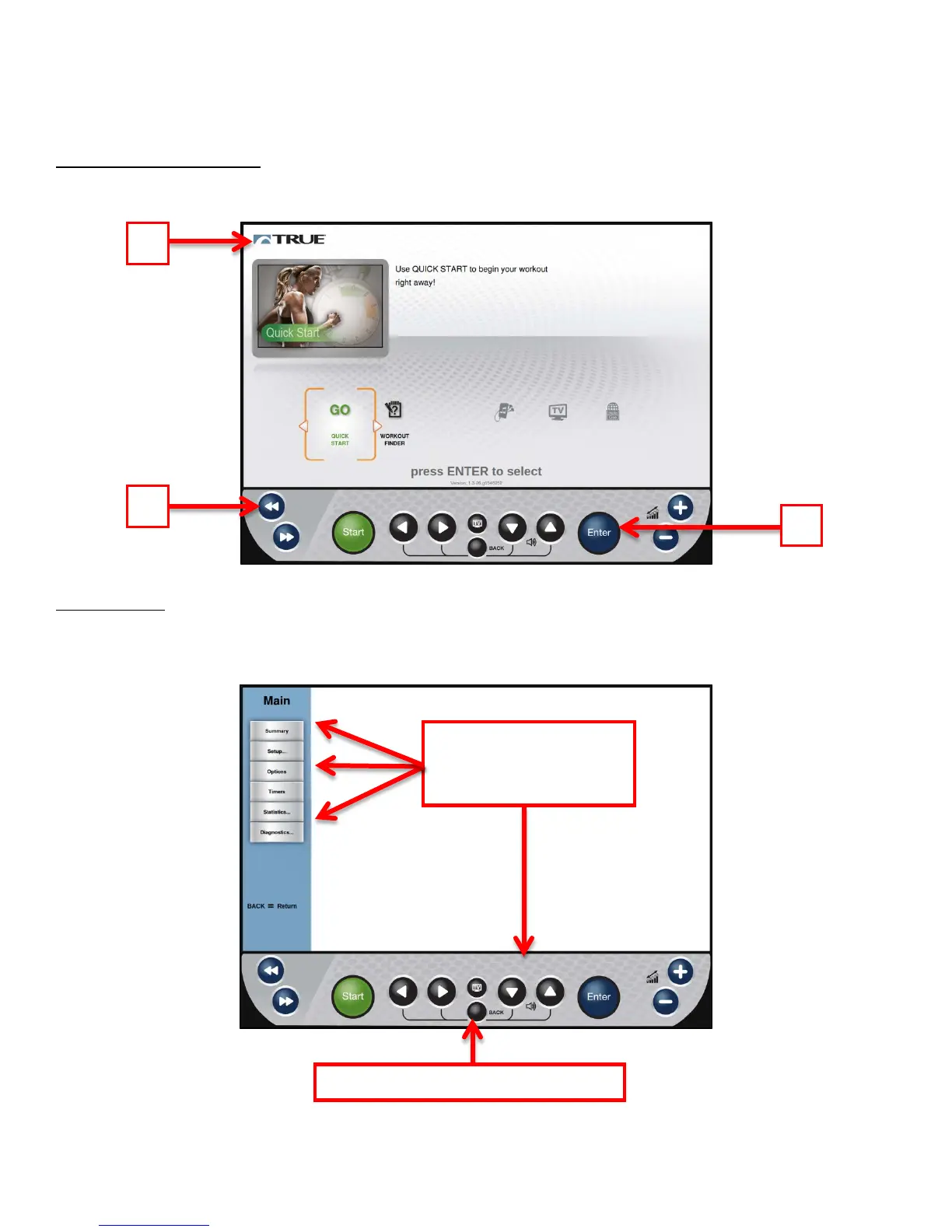
Entering Service Mode can be completed by pressing and holding the Back navigation Button (A). When the TRUE Logo
(B) begins to flash, release the navigation button and press and hold the Enter Button(C).
Main Menu:
After successfully entering service mode the Main Menu will be displayed. From this menu users can access all of the
service mode features by navigating through the various menus.
using the Up/Down
Touch Back to return to the home screen
Truefitness.com / 800.426.6570 / 636.272.7100 77



 To Next Page