CHAPTER 4: PROGRAMMING & OPERATION
Truetness.com / 800.426.6570 / 636.272.7100
27
BLUETOOTH FUNCTIONS
Bluetooth Audio (Before Workout):
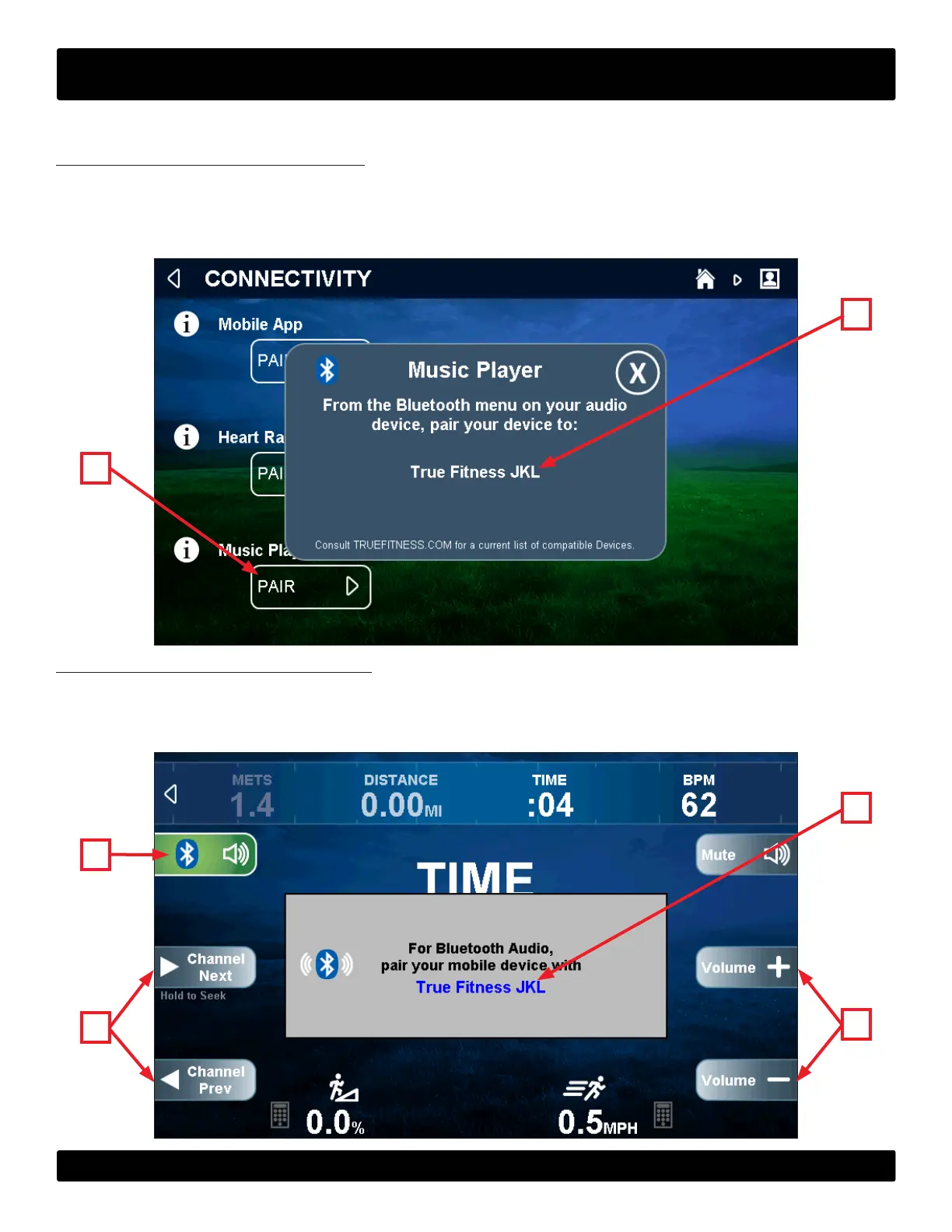
Tap the Bluetooth button on the homepage or in a user prole to display the connectivity screen. Touch the pair button (A)
on the console to begin the pairing process. From the Bluetooth menu on your audio device, select the device listed on the
console (B) to complete the pairing process.
B
A
Bluetooth Audio (During Workout):
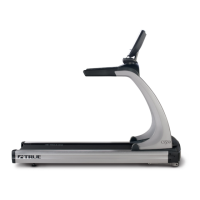
Tap the Bluetooth button(A) on the workout data screen to display the connectivity screen and begin the pairing process.
From the Bluetooth menu on your audio device, select the device listed on the console (B) to complete the pairing process.
NOTE: When an audio source is selected the user is given control over volume (C), and track adjustments (D).
B
A
C
D


 To Next Page