CHAPTER 4: PROGRAMMING & OPERATION
Truetness.com / 800.426.6570 / 636.272.7100
26
USER PROFILES
Creating a New User:
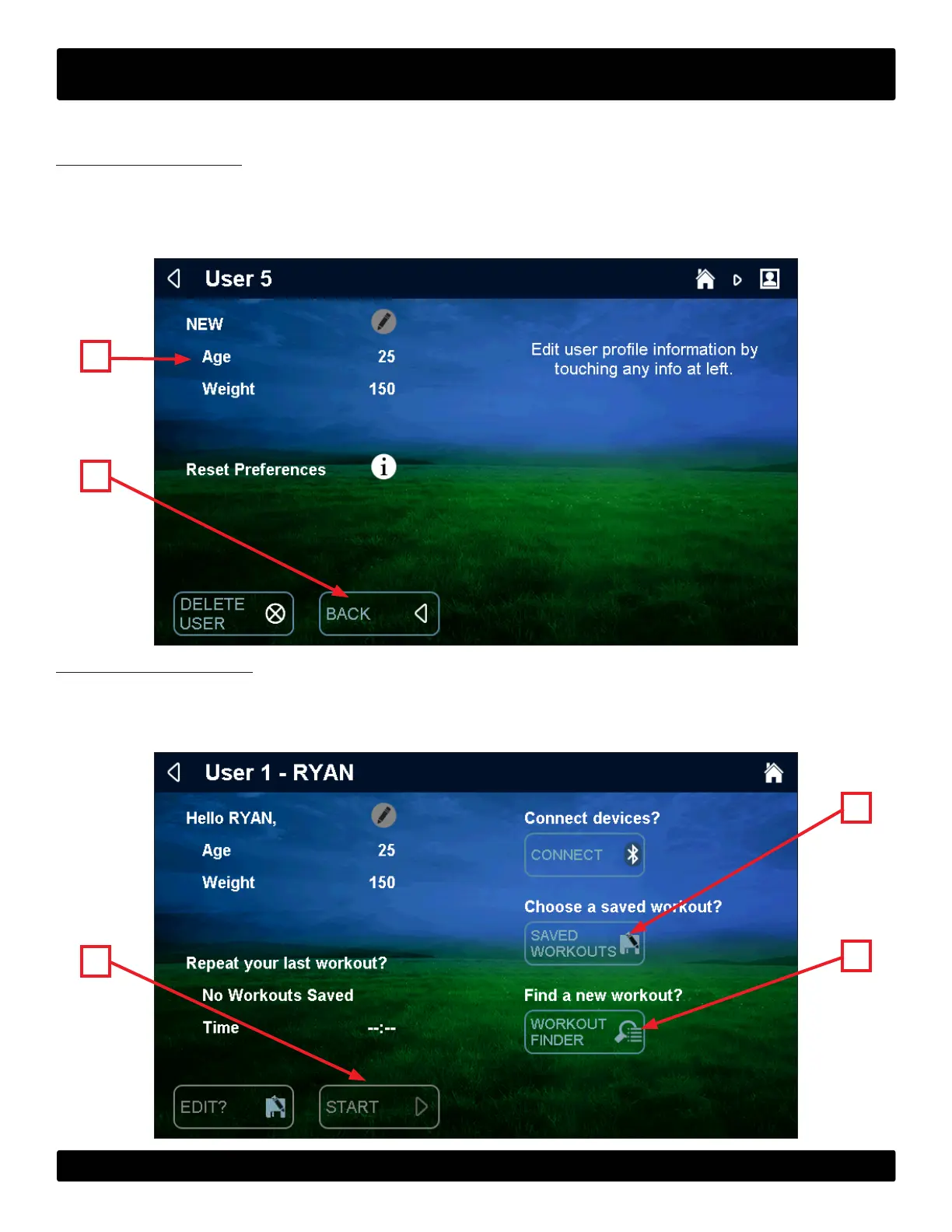
To create a new user prole, touch “New User” on the home screen and the new user screen will appear. Tap the
information (A) on the le sided of the screen to edit it. Once all of the information is complete, touch the back button (B)
to return to the home screen.
NOTE: e number of user proles is limited to six.
B
A
Beginning a Workout :
Tap the desired user prole on the home screen to display the user prole. From this screen the user can replay their last
workout by touching start (A), replay a saved workout by touching saved workouts (B) or nd a new workout by touching
the workout nder (C).
B
A
C


 To Next Page