CHAPTER 4: PROGRAMMING & OPERATION
Truetness.com / 800.426.6570 / 636.272.7100
30
ADVANCED CONSOLE FUNCTIONS CONTINUED:
Service Menu:
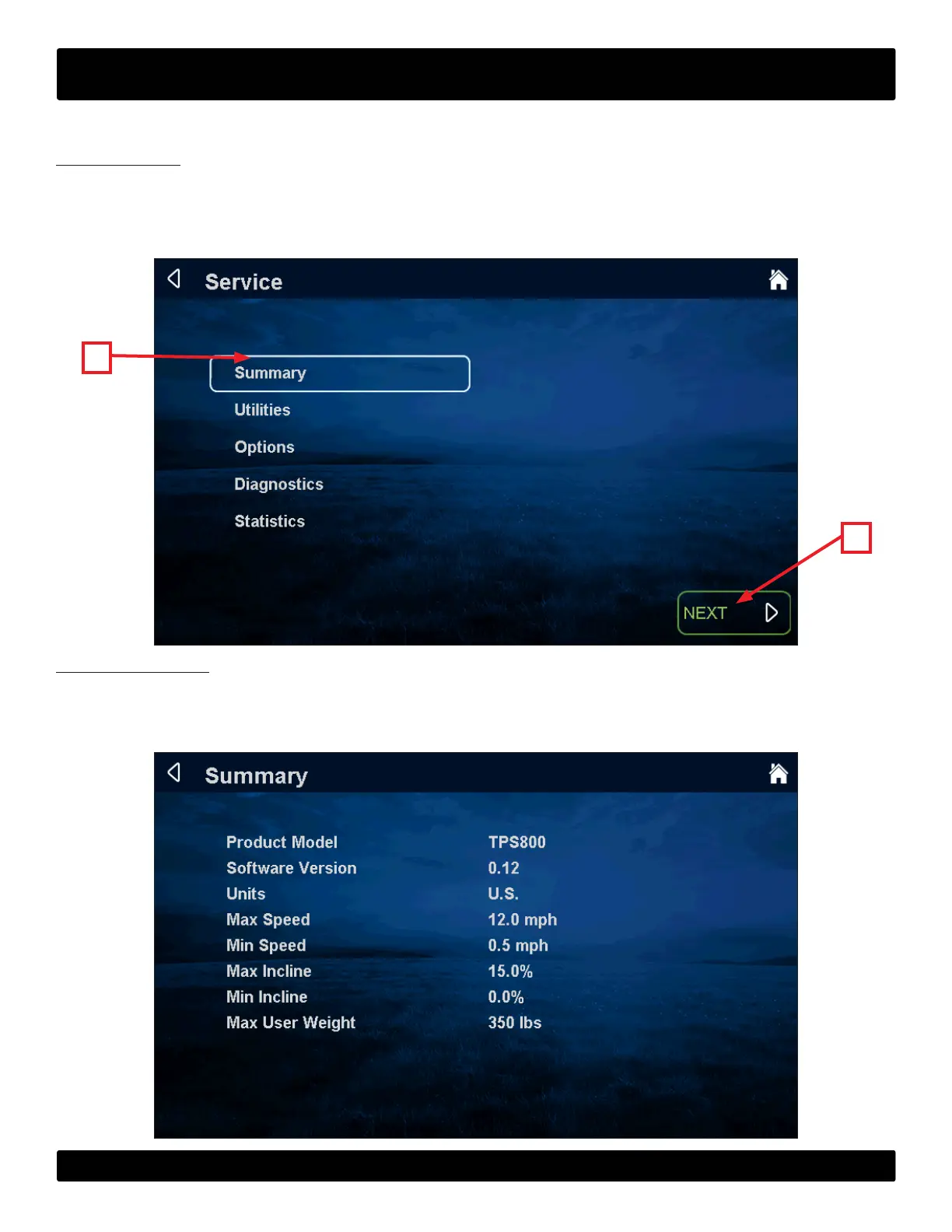
e rst screen displayed aer entering service mode is the Service Menu. From this menu technicians can access all of the
service mode features by selecting dierent categories. To select a category, touch the desired category (A) to highlight it.
Once a category has been selected, press the next (B) to continue.
B
A
Summary Screen:
e summary screen provides an overview of the unit’s current settings including; product model, soware version, units,
max speed, max incline, minimum incline, and max user weight.
NOTE: Values cannot be changed in this screen.


 To Next Page