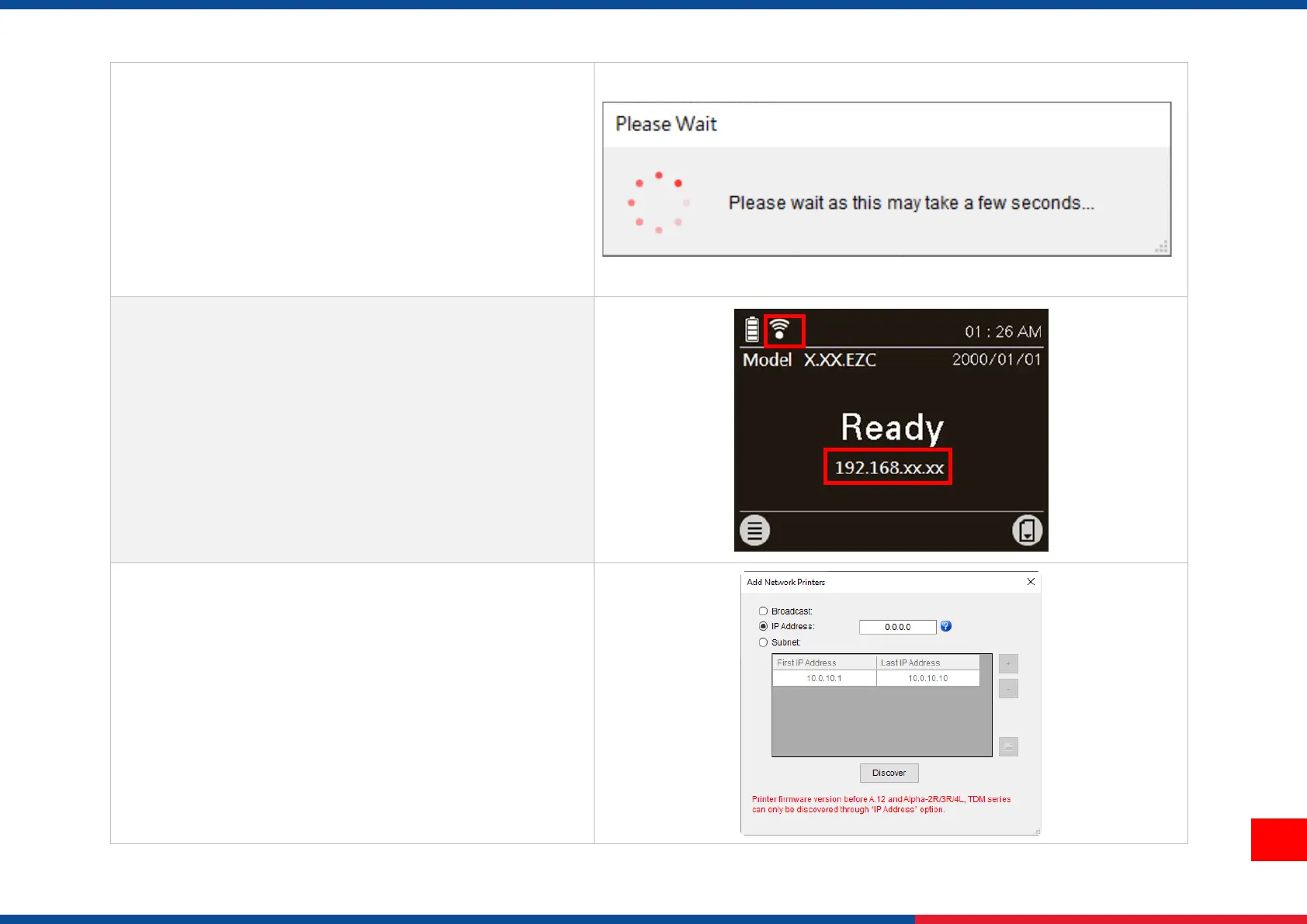
6. IP address will be shown in the “IP address” field
and the Wi-Fi logo and IP address will be displayed
on the LCD control panel as shown below. The Wi-
Fi module has been connected.
Note:
IP address should be shown within about 5~15
seconds after printer turn on. If not, please refer to
steps below to initialize the printer Wi-Fi module
settings then to setup it again.
7. Remove the Type C cable between the computer
and the printer.
8. Go to main page, click Add Printer to add the printer
via Network.
9. Select the printer and enter the setting page by
double clicking the printer.
10. Click the "Print Test Page" button to print the test
page via Wi-Fi interface.






 To Next Page