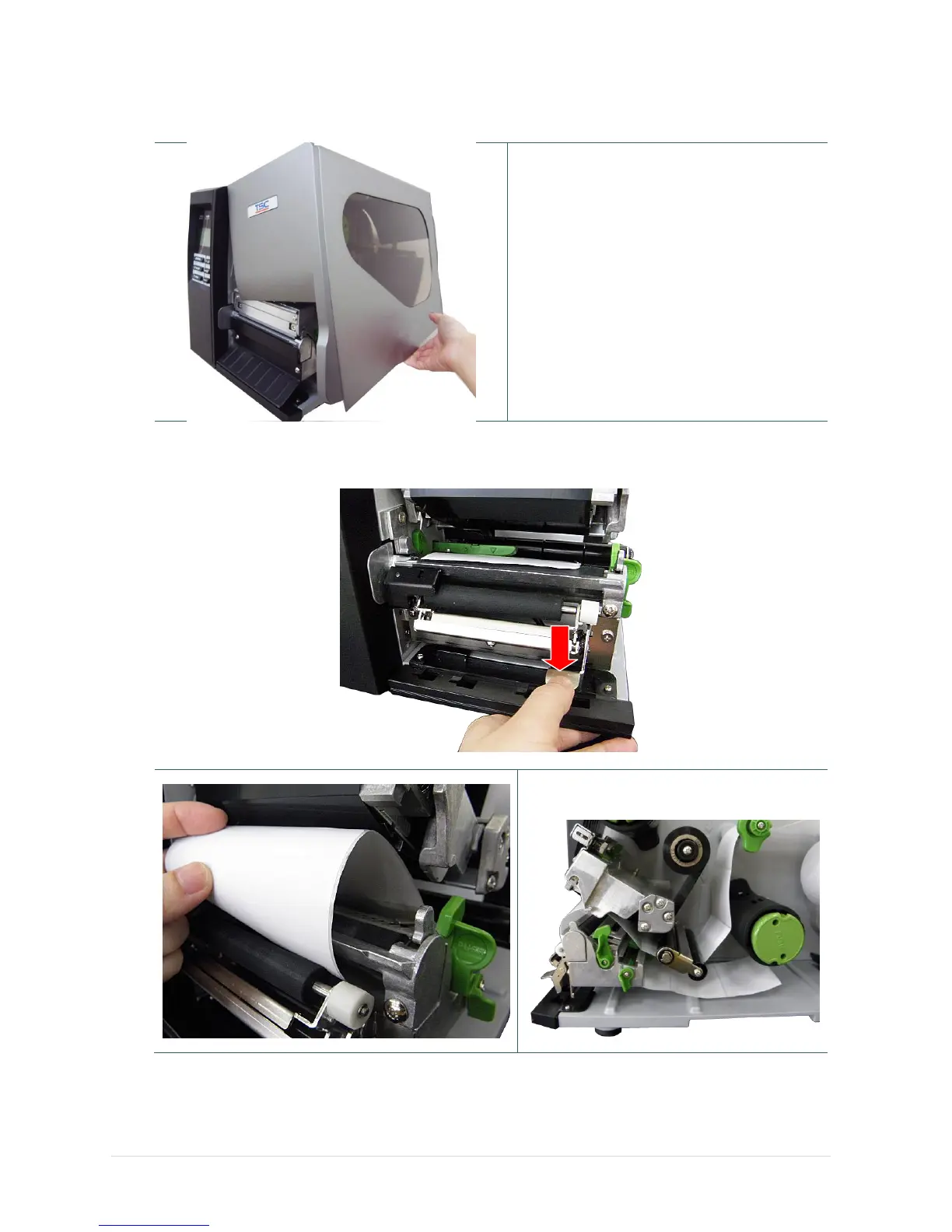
1. Open the printer right side cover.
2. Please refer to section 3.3.1 step 3~9 for
loading media.
3. Using the front display panel to do the
calibration first and set the printer mode to
peeler mode.
Note:
Please calibrate the gap/black mark
sensor before loading media in peel-off
mode to avoid paper jam.
4. Open print head release lever to pull approximately 650mm of label through the front of the
printer.
5. Push down the peel-off roller release lever.



 To Next Page