9
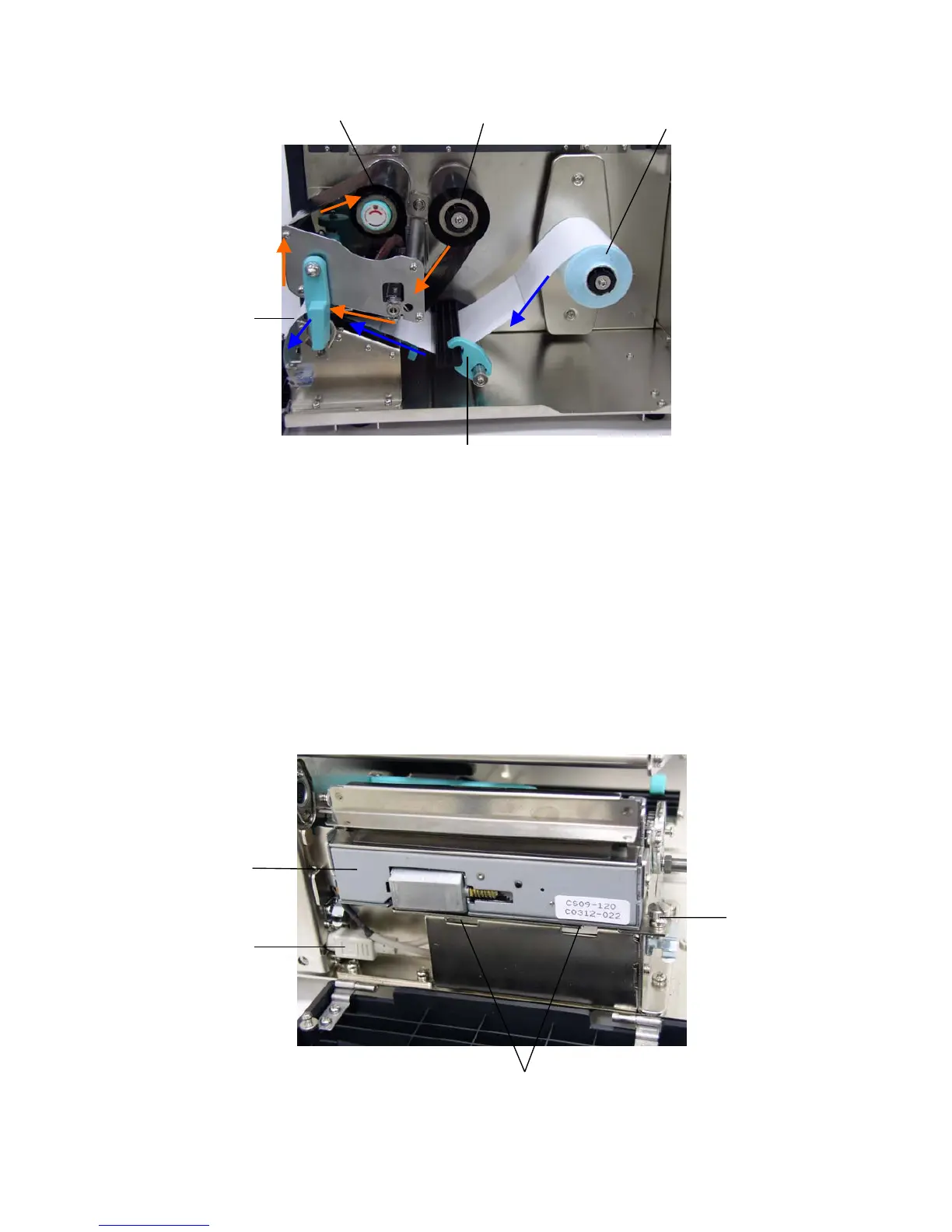
Figure 8. Ribbon & label installation path
3.4 Cutter Module Installation (Option)
1. Remove the 2 screws of the peel-off panel and uninstall the peel-off panel if
it is installed in the front panel.
2. Plug the mini DIN cable into the socket of the cutter connector.
3. Install the cutter module.
Notice : The cutter module bracket should be mounted into the slots.
4. Fix the cutter module onto the printer cutter mount with a screw.
5. Install the Cutter Module Panel with 2 screws to the front panel.
Cutter Module
Ribbon Rewind Spindle
Ribbon Supply Spindle
Label Supply Roll
Label Guide
Screw
Mini Din Cable
Label
Slots












 To Next Page