TSN Box Development – TSN Box 3.0 Getting Started Guide
2.5.4.1 Packet generator:
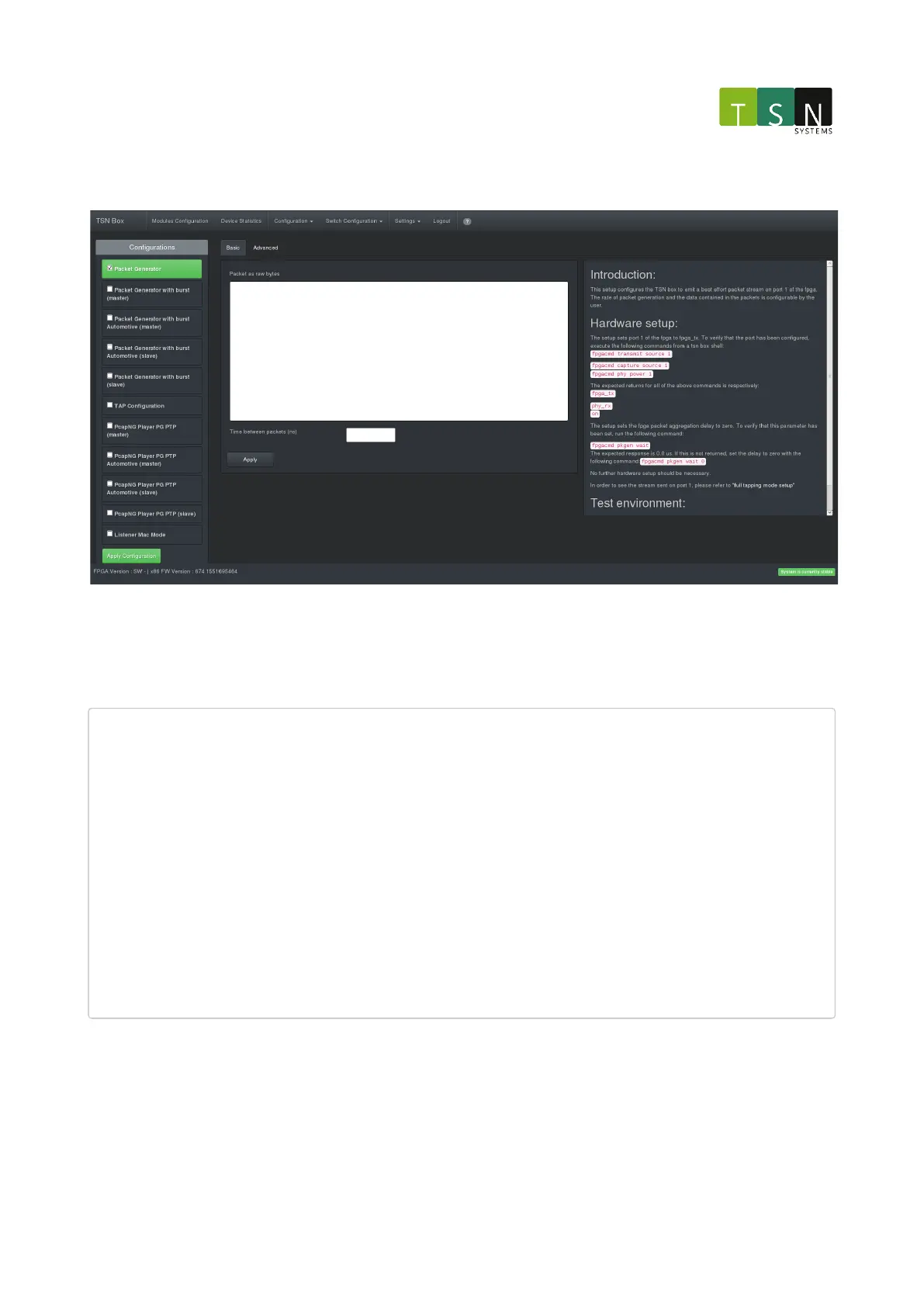
This setup configures the unit to emit a best effort packet stream on port 1. The rate of packet generation and the
data contained in the packets is configurable by the user.
The setup sets the FPGA packet aggregation delay to zero.
For the packet generator, a packet can be specified in hex. The format of the hex is as follows:
22f00080b90000049f039d8a0001000000000000000003085fa03f06c420a00000009811bb1f47404218000001c00158818005214e0
93e01fff14c802a1ffc210a0ed9b77ffffd348682c180b0a02c280b05032260c0542e151388caa1308adedce3eff9f677f0f1fcfaef
aae3cf7bd7df9bcf10e06f52f41fa977e87dddde011d5b76f93cb264d31c7f47bd764e7fca122fd37e975b6837486bd44757d101e24
b75bcb82e1e79ab1d902fd589f8dea6eba76f62da21e1596eebc1ee525b49d02e01f4f0a703f7bc9c63558189df14252ad82c228920
af64e71b8046da029b5de4ca9811bb1f470042391100ffffffffffffffffffffffffffffffff8050228400a1a0c16828280b05c4c27
0a05828150a05426120a84c2a1318a9e739badfebbefce3a9eff192be3b9e78e59525d33855c08efbf3d2d9697b599a489e2c3c52cf
90fefbc4447b8e79fbd9699f17b865949bc09d3efdb368210d7415fab356b9c7eb4d7f0bd497a7b380fb6ff961fd61c8a70d49172fc
2b876d2c043928f06acf16d7f202d58e8fa004042f9d28442e94c442d04415cc8484405ac235202411526079a8d838a474041120000
01e00f8c81c00a314e096741114e0949f500000001095000000001019fad6a413f000f62553c01ea3bf3869df7ef9d2a04339f2f440
73fc800e2325a197c226d2fa44340932a8c7a34f304fbbb041c3cf994a72c9276e2c54a1173400697357d4a18691267c40ffe7249a6
051538bf17c57815d2d1c0479a6d06276d96d303edf34968cd484f8b566b81ee89cc271a2ddcd17ab52eb33e56fae9262ae24ba7b81
c4206da7be5a135dbb35297bcad6d8b4ec6bd0600e19a8d838a47004113b23d7af76c52c2987b4408fd4df23161a7932d374c11b06d
40e97e207469075fdf6bc5df2408c606c147276739fbac74b232361d676824849f5d9929d04cecbf7cb9e353159092657dd41874330
4c3bb235e35ab8f82d422c80acd73c4b212bdd616228742526230bb5feaf2af4b250c741c9606461c1c53e26bbe98532c0c4330a969
e4d071024870668ba79780f2b21581f30cd30c583b3be6816b08e9e7ee7ec477670d1a50e1923d0461f3a63c31cbf8b8ebd090bf496
5d81e79
This represents the entire frame. Wireshark can be used to export packets as hex and paste the output to the packet
generator. This involves right-clicking a packet in a Wireshark capture and selecting the option to copy the
frameasraw binary.
The packet generator will re-calculate the Ethernet frame's CRC before sending it out. The frequency of sending the
packets is set using the input field for "Time between packets".



 To Next Page