TSN Box Development – TSN Box 3.0 Getting Started Guide
This setup configures the unit to have MAC interface on T1 port 1 (Port role is set to Slave). The The MAC address is
configurable such that another unit running a pre-configured stream can send those streams via one or several
switches with the original listener MAC addresses provided by that stream.
The MAC address change can be “session only” or permanent. Session only would change the MAC address back to
its original setting after a reboot of the unit. Permanent will change the MAC address permanently.
CAUTION: This is also the Mac Address of the unit's (Web)-servers!
Modules Configuration (v2)
This is the newer version of Modules Configuration and will soon replace it entirely. This version is more flexible
and takes a slightly different approach on applying configurations and editing them. This section will cover how to
use it for configuring Packet generator with burst of any variant.
Packet Generator with burst:
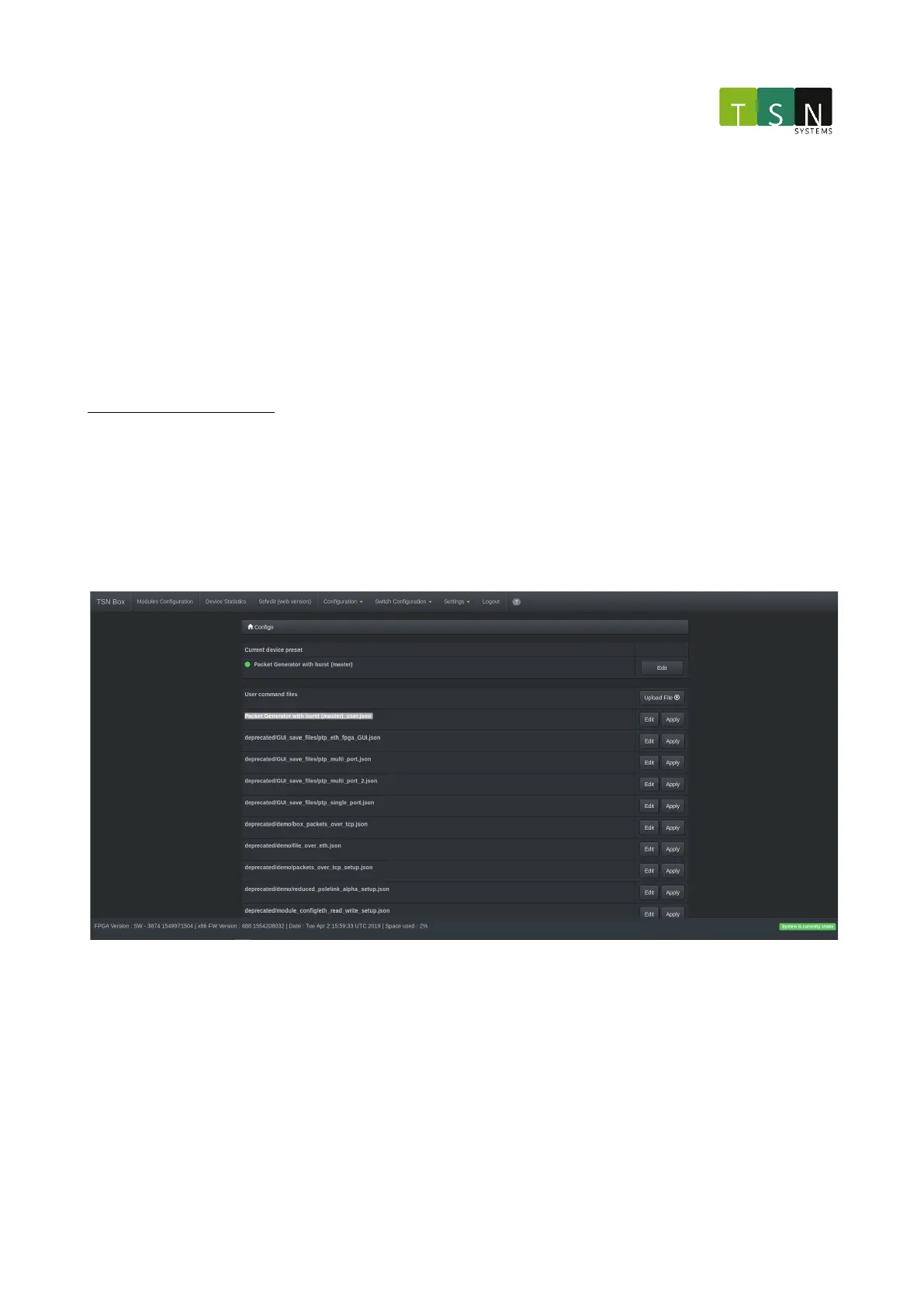
On the navigation bar under configuration, select Modules Configuration (v2). The currently applied
configuration, now called a preset, will show under Current device preset. The green dot indicates that the server
responsible for handling these applied presets is up and running. Otherwise it will show red and this interface will
not function properly. Selecting edit will bring up a page with other applicable presets that should look very
familiar to one who is coming from the older version of Modules configuration.
Now to apply a custom configuration for the Packet Generator with burst preset: First make sure that theCurrent
device presetis set to the desired preset. Then hit the upload button to upload a custom a configuration. On a
successful upload the config should be on top of the list on very first page.
Modules Configuration(v2) Figure 1: Highlighted file shows the uploaded configuration file that can be applied or
edited beforehand.
The user configuration can be edited beforehand but applying the user configuration will work right of the bat. If
something is wrong with the configuration, i.e. it is either deprecated or incorrect, an error page will be shown
instead of the page just reloading. In the case of the Packet Generator with burst preset, a custom packet is
defined inside the uploaded configuration file. The packet can also be manually configured by editing the file
through the interface.
NOTE: These custom uploaded configuration files for a specific preset is applicable to any variant of that preset i.e
Packet generator with burst - without PTP, with PTP master/slave or with PTP Automotive master/slave.



 To Next Page