7.5 Setting Date and Time
Note: The Initial log-in including setting of drying time as well as other initial
parameters will be performed only by a qualified technician upon installation
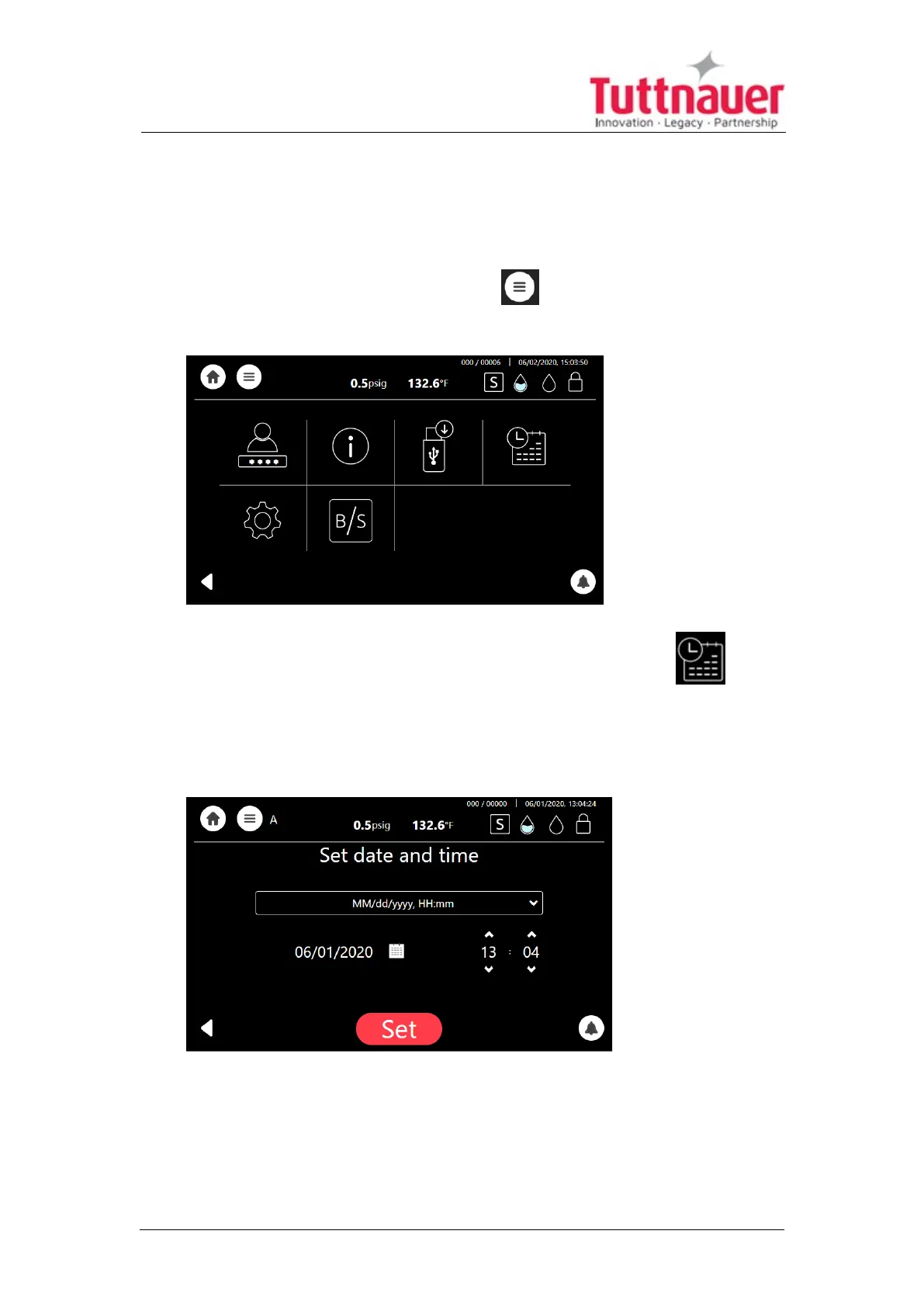
On the main screen, press the menu symbol to open the Quick Option
screen.
From the Quick Option screen, select the Set Date and Time icon .
Note: The only functionality to be performed by the user (on a regular basis) is
setting the date and time.
Select day, month and year, as depicted:
After adjusting the date and time, the system will automatically restart.
Page 36





 To Next Page