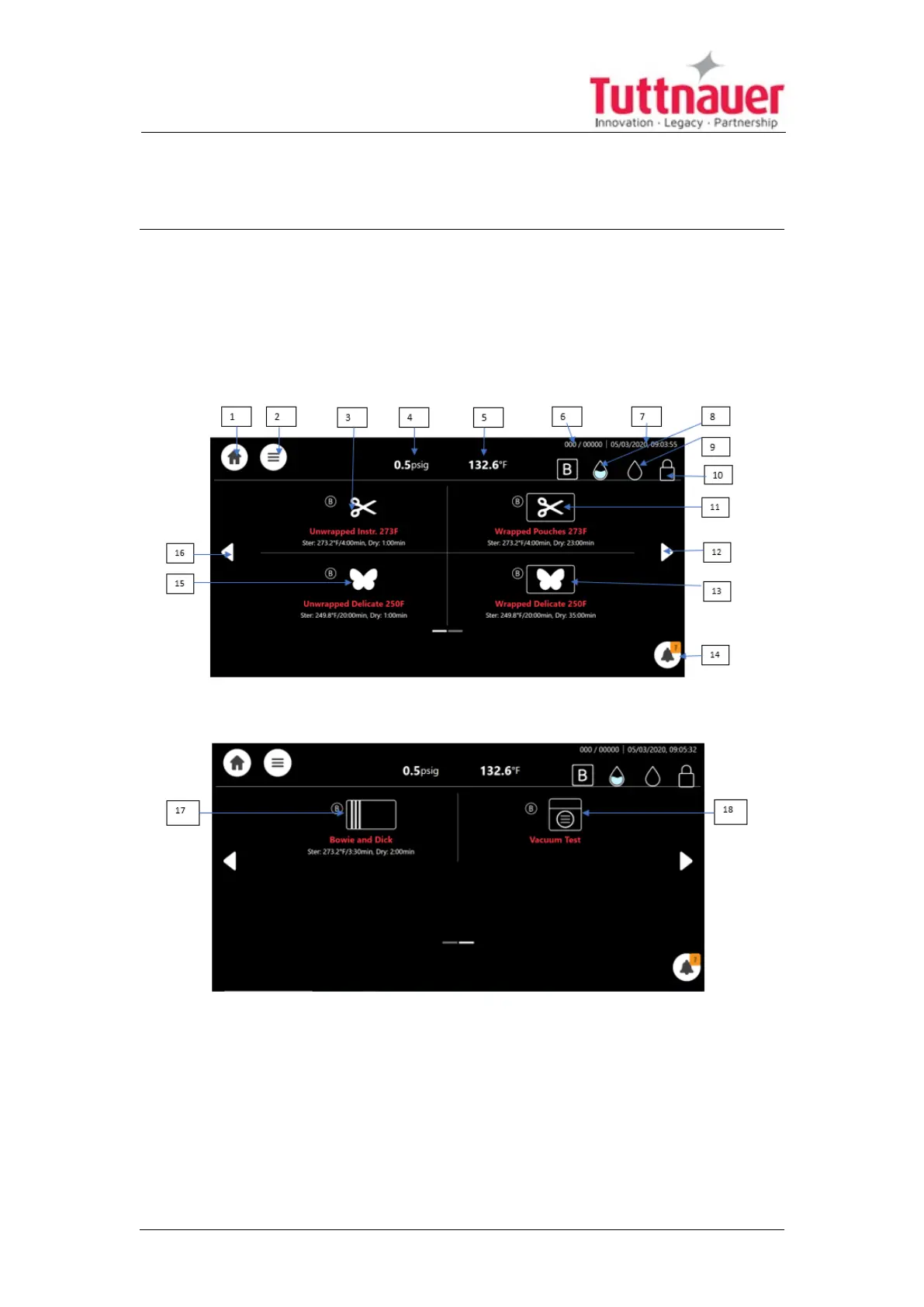
8. Control Panel
The display is a graphic Touch screen LCD panel used to display the autoclave
current status, any Operational or Error Messages and for operating the
machine.
Image 1: Home screen –Program Select Screen
This screen will be presented when the autoclave is switched on:
Additional programs are accessible by paging using the side arrows:
Page 43





 To Next Page