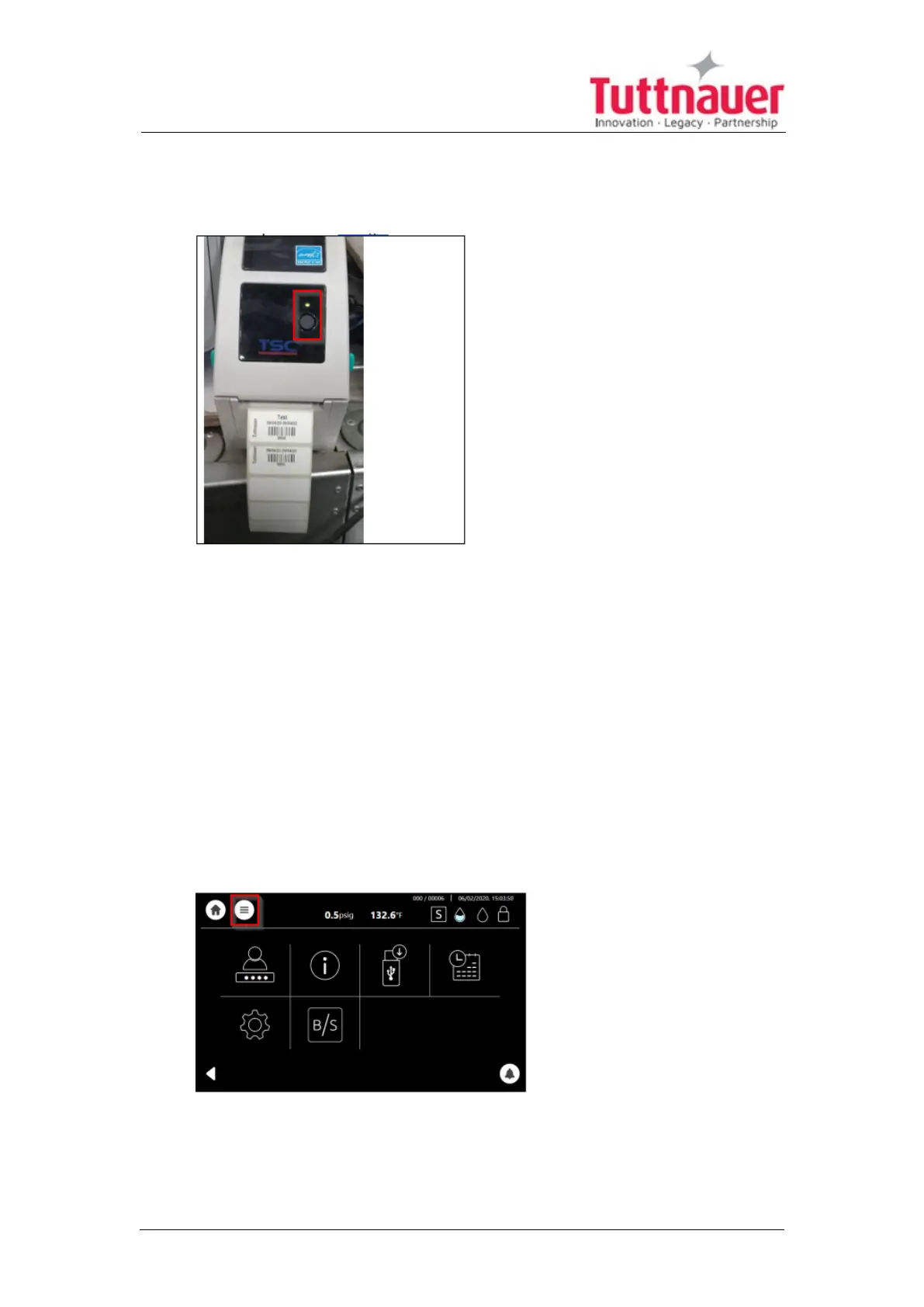
2. Switch on the printer power (1) at the printer back, keep pressing the
finger in step 1 until the red light bulb in front start flashing.
3. Ensure that the green bulb lights.
The printer will run and feed the roll until the end of calibration process,
approximately half meter for paper roll, and 3 labels for label roll.
11.9 Setting Printer definitions
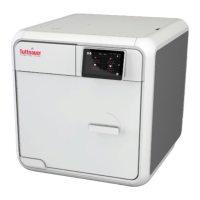
The following are the login procedures for new user:
1. Press on the quick options menu
Page 87





 To Next Page