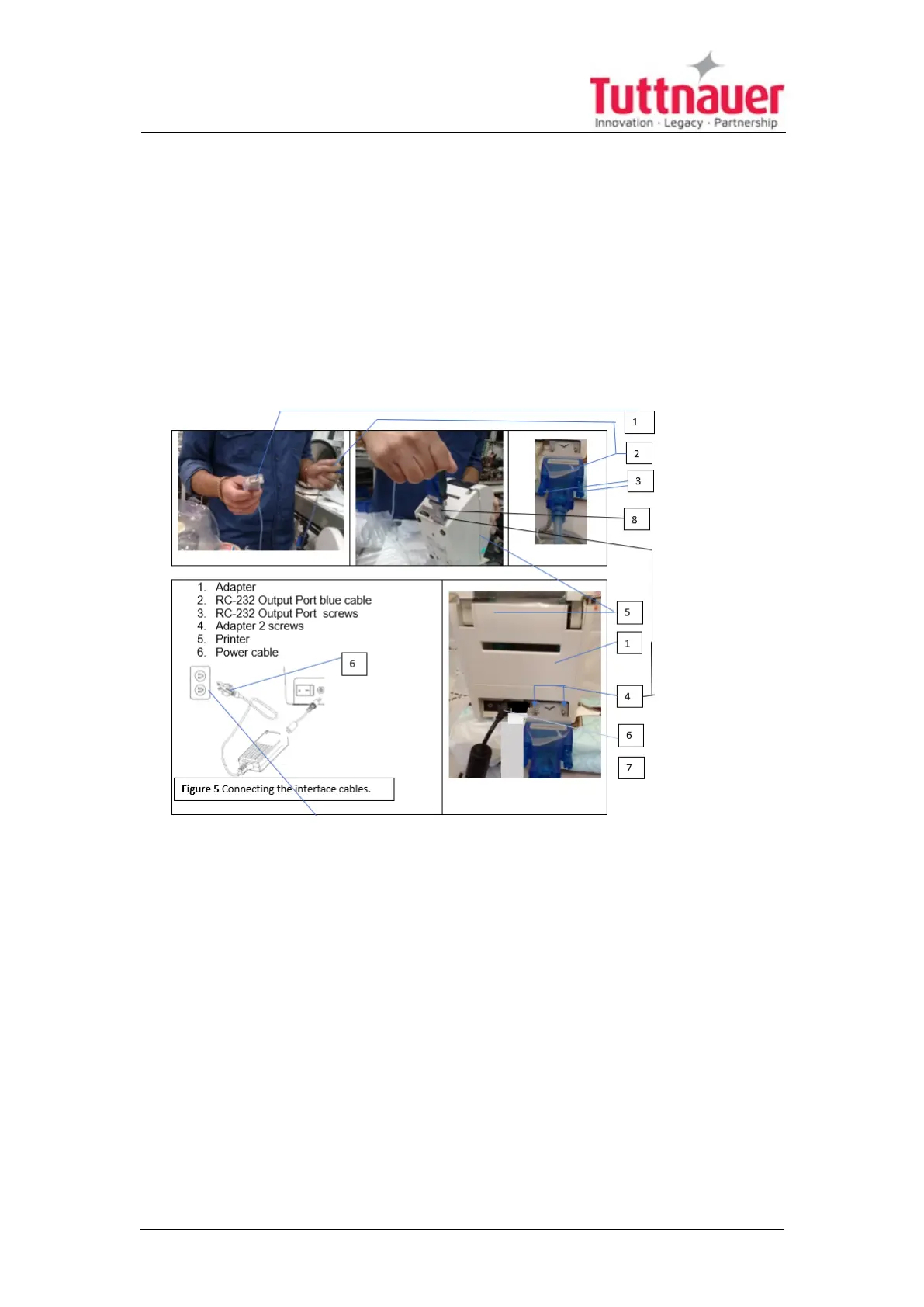
11.6 Connecting the interface cables to the printer
1. Connect the adapter male (1) to the RC-232 Output Port blue cable female
plug connection (2), tighten and secure the 2 screws (3) to the adapter.
2. Plug the adapter connected with the blue cable (8) to the printer adapter
connection, Tighten the 2 screws (4). To the printer (5) using screwdriver
shown below.
3. Connect the Power cable (6) to the printer back port.
4. Connect the power cable connector of cable (6) coming from the printer to
the electrical power source on the wall.
Page 85





 To Next Page