11.3 Installation for the first time
Attention!
Due to the high temperature exuding from the autoclave's upper water
tank, please refrain from locating the printer or other equipment on the
top cover of the device.
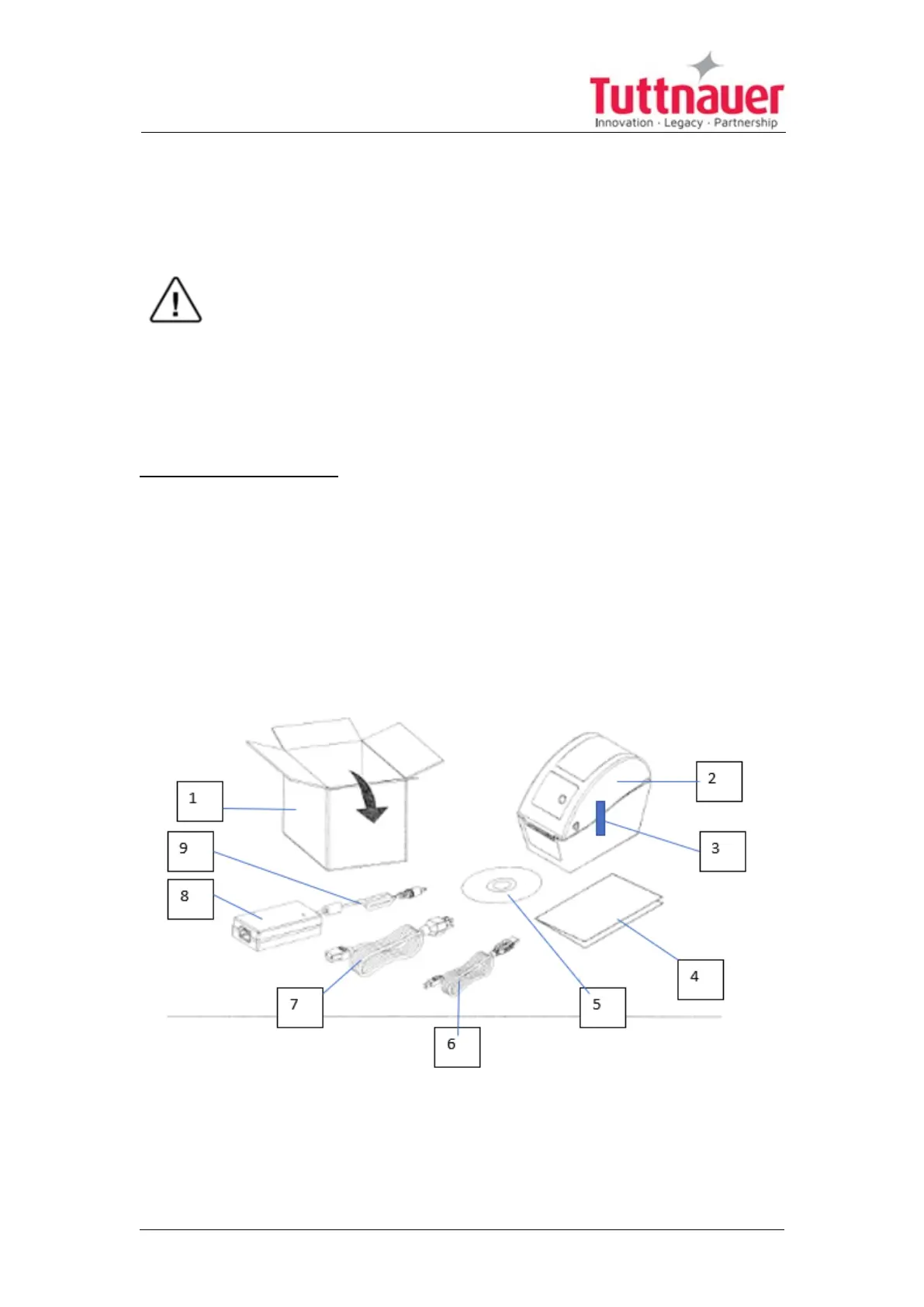
Unpacking the printer:
1. Carefully open the printer box (1) and remove the printer packing.
2. Place the printer (2) on the table, and remove the two tapes (3).
3. Remove the rest of the box content which includes USB communication
cable (6), electrical power cable (7), CD (5), adapter (8), blue cable (9), and
the printer instructions (4).
Note: the USB communication cable or other cables may come in another
additional box.
Page 81





 To Next Page