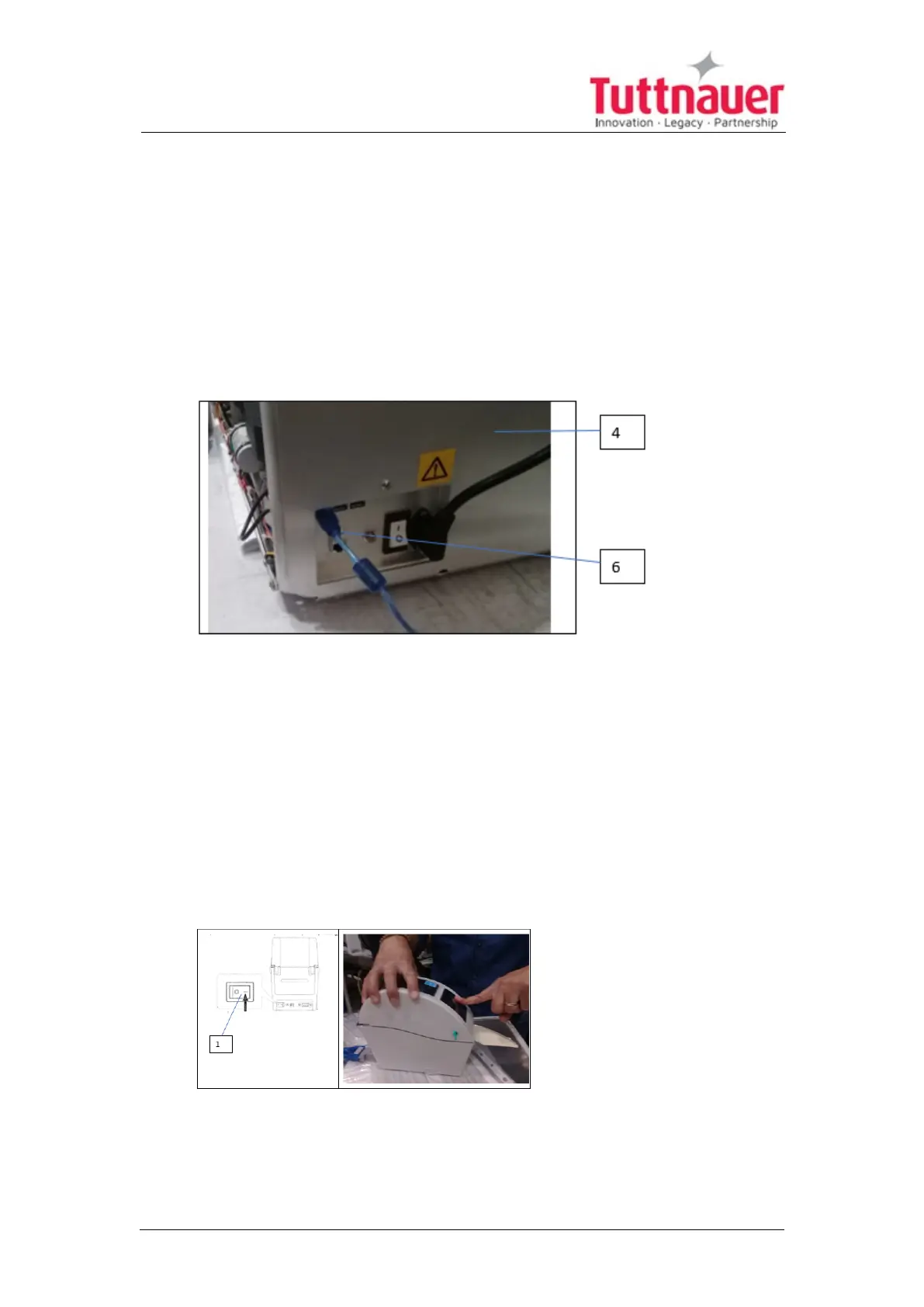
11.7 Connecting power and interface cables
1. Connect the RC- 232 Output Port blue cable (6) to the back of the
autoclave (4).
2. Connect the power cable plug connector of cable (6) coming from the
printer to the electrical power source on the wall.
3. Turn on the printer power
11.8 Starting the printer
1. Press on the button in the front of the printer cover, keep pressing the
fingerwhile switching on the printer power at (1) the printer back. (Step 1
and 2 shall be done simultaneously).
Page 86





 To Next Page